EasyManua.ls Logo

Sony SLV-686HF - Playback Operations and Features; Stopping and Resuming Playback; Fast Forward and Rewind; Data Screen Information

Sony SLV-686HF
67 pages
Print Icon
To Next Page IconTo Next Page
To Previous Page IconTo Previous Page
Loading...
Playback
To
stop
playbeck
Press
MJ
STOP.
To
stop
playback
for
a
moment
Press
1§PAUSE.
To
resume
playback,
press
18
PAUSE.
To
advance
the
tape
rapidly
During
stop
mode:
Tum
the
DUAL
MODE
SHUTTLE
ring
to
the
right
(
BB
).
To
rewind
the
tape
During
stop
mode:
Turn
the
DUAL
MODE
SHUTTLE
ring
to
the
left
(
<#<@).
speed
Press
<iq
HI-SPEED
REWIND.
To
rewind
the
tape
to
its
beginning
and
to
playback
(
Function’
automatically
(Auto
Playback
)
Press
[=>
PLAY
while
turning
the
DUAL
MODE
SHUTTLE
ting
to
the
left
(<<@),
Or
press
[>>
PLAY
while
depressing
<4<@<@
HI-SPEED
REWIND.
You
cannot
use the
remote
commander
for
the
auto
playback
function.
To
get
a
sharper
picture
Turn
the
SHARPNESS
contro!
toward
SHARP.
To
get
a
softer
picture
Tum
the
SHARPNESS
control
toward
SOFT.
When
the
tape
is
played
back
to
the
end
The
tape
is
automatically
rewound
to
the
beginning
(auto
rewind).
The
power
remains
on.
26
|
“wrcrrnne
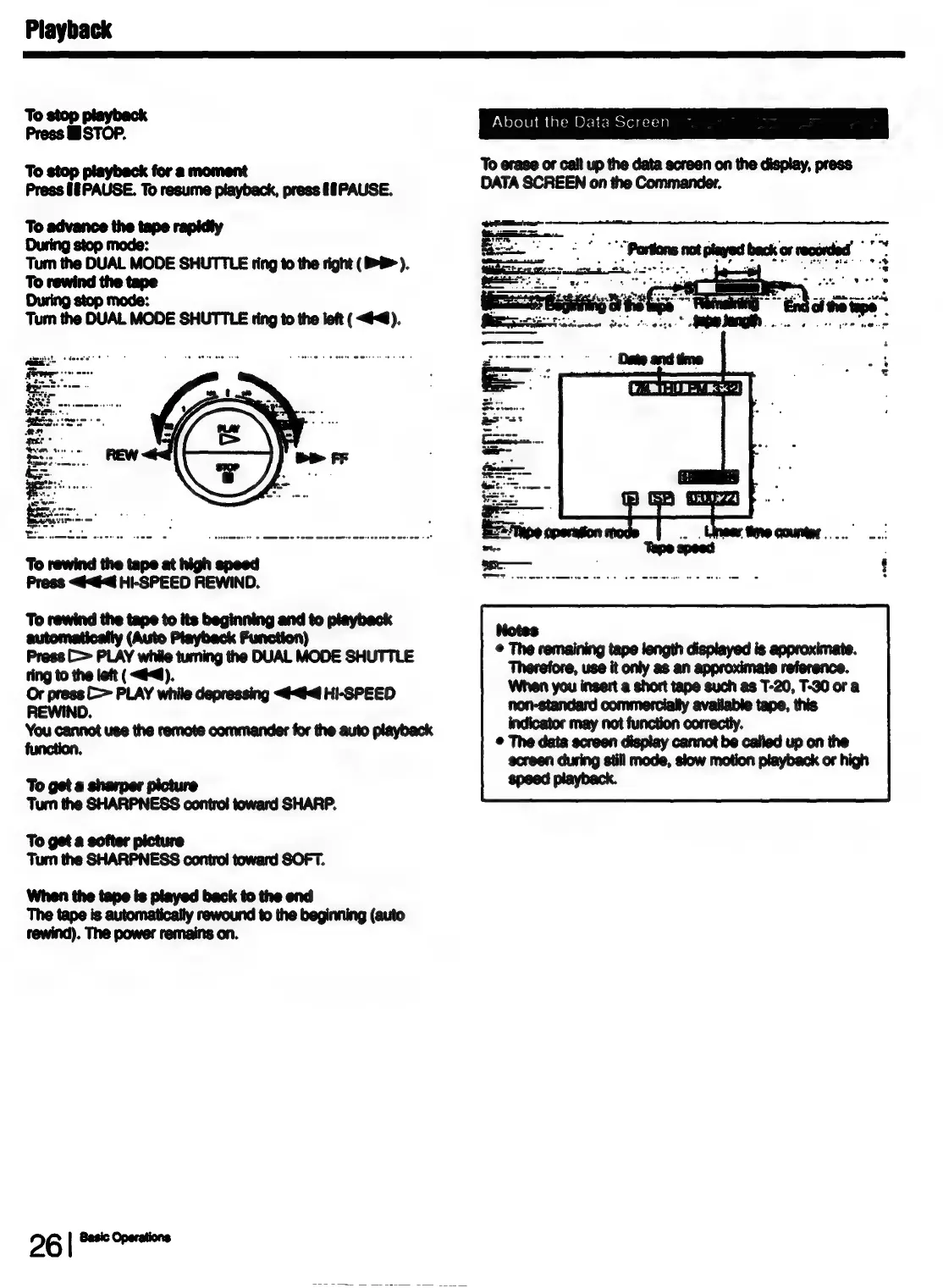
About
the
Data
Screen
To
erase
or
call
up
the
data
screen
on
the
display,
press
DATA
SCREEN
on
the
Commander.
©
The
remaining
tape
length
displayed
is
approximate.
Therefore,
use
it
only
as
an
reference.
When
you
insert
a
short
tape
such
as
T-20,
T-30
or
a
non-standard
commercially
available
tape,
this
indicator
may
not
function
correctly.
©
The
data
screen
display
cannot
be
called
up on
the
screen
during
still
mode,
slow
motion
playback
or
high
speed
playback.

Table of Contents

Related product manuals