It is not necessary to connect all the cables.
Connect audio and video cords according to
the jacks
of
your components.
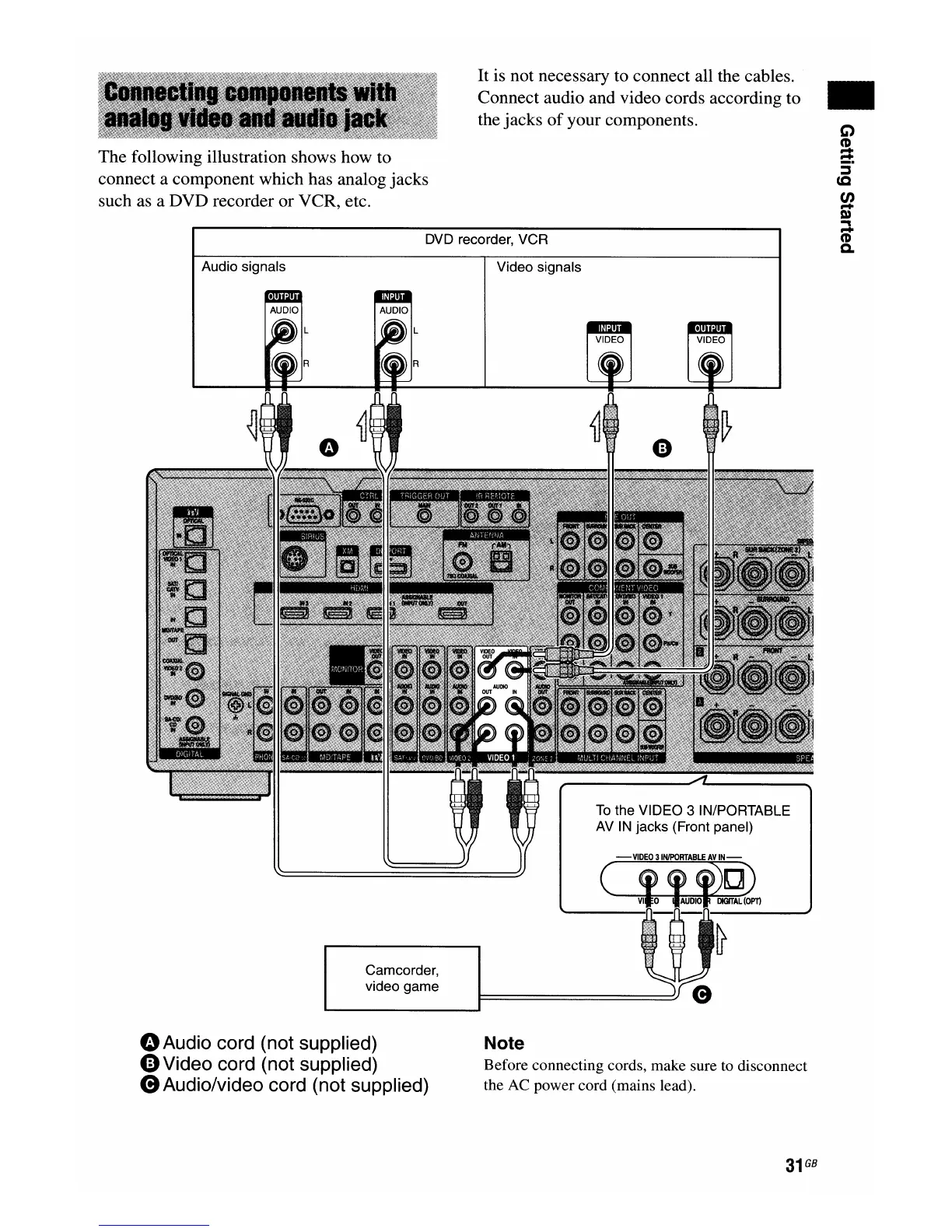
The following illustration shows how to
connect a component which has analog jacks
such as a DVD recorder or VCR, etc.
DVD recorder, VCR
..
Audio signals
Video signals
Camcorder,
video game
To
the VIDEO 3 IN/PORTABLE
AV
IN
jacks (Front panel)
GAudio
cord (not supplied)
0Video
cord (not supplied)
(9
Audio/video cord (not supplied)
Note
Before connecting cords, make sure to disconnect
the AC power cord (mains lead).
31
GB

















 To Next Page