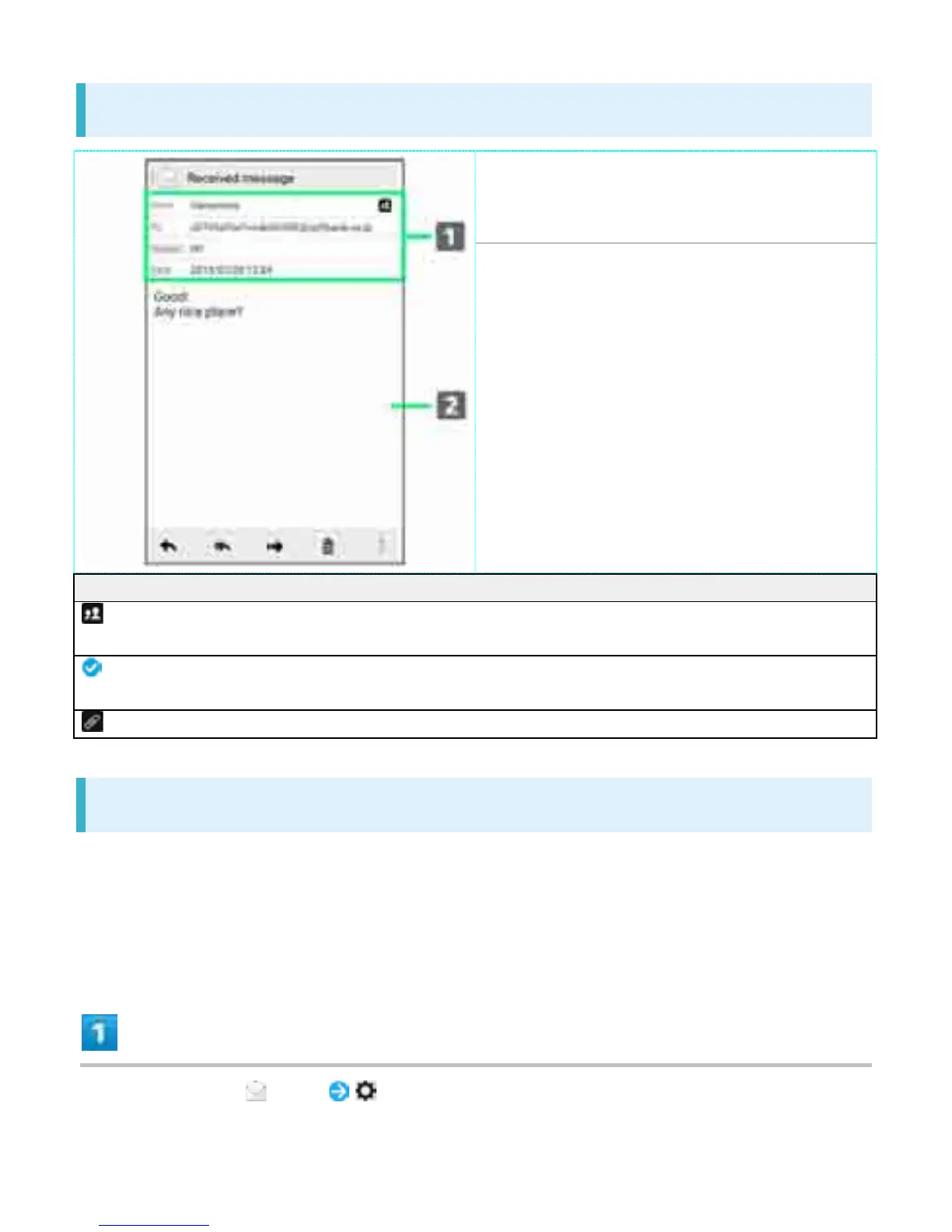
Sender/recipients/subject/date &
time sent, received, saved, etc.
䐠
Message text
Indicator Description
Sender/recipients list. Tap for list of addresses
included in sender/recipient fields.
Delivery report. Tap for report. Appears for sent
messages.
Attachment. Tap to save attachment.
Backing Up S! Mail/SMS Data
Back up message data on handset to SD Card or other media.
Back up message data saved on handset. Data for all messages must be backed up together at
the same time.
If SD Card is not installed, messages are backed up in handset memory.
In Home Screen, (Mail)
30



 To Next Page