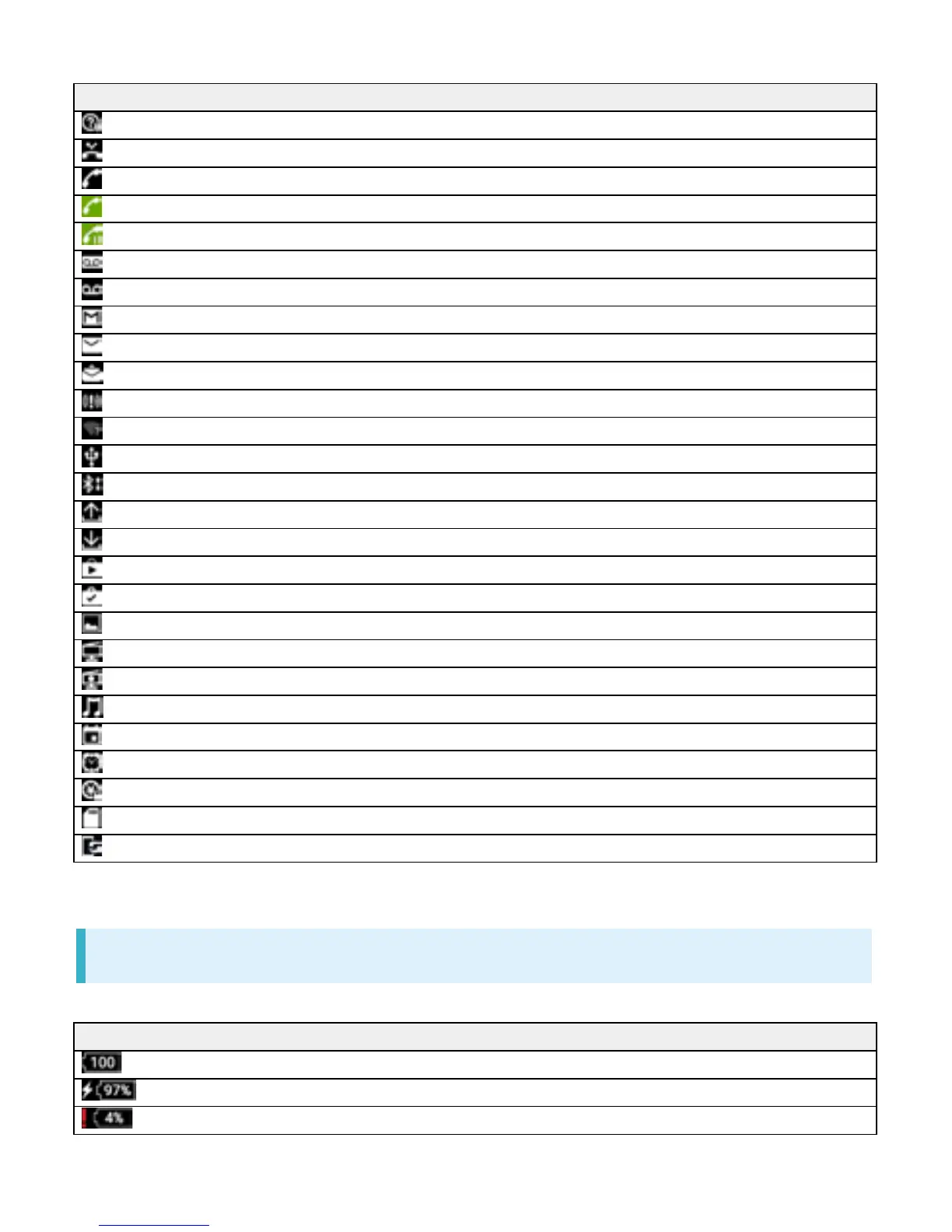
Indicator Description
Launch Guide (Drag Status Bar down and open from Notifications Window)
Missed Call
Call Arriving
Calling
1
/Dialing
1
Answer on Hold
1
/Call on Hold
1
New Recorded Message
New Voicemail
New Gmail
New Email
New Text Message (SMS)/S! Mail
Urgent News
Wi-Fi Open Network Available
USB Connected
Sharing File via Bluetooth
®
Data Uploading
Data Downloading
Application Update Available
Application Installation Complete
Screenshot/Screen Recording Saved
Viewing TV
1
/Scheduled Viewing Started
Recording TV
1
/Scheduled Recording Started
Playing Back Music
Calendar Event Reminder
Snoozing/Unchecked Alarm
NFC/Osaifu-Keitai
®
Locked
Unmount SD Card
Software Update Notice, Downloading Complete, Stopped
1 Appears when switching to other window such as Home Screen.
Main Status Indicators
Status Indicators appearing in Status Bar include the following.
Indicator Description
Battery Full (100%)
Battery Charging
Battery Low (4% or less)
4



 To Next Page