CRANEX Novus e 3. Taking an Exposure
User manual 208898 27
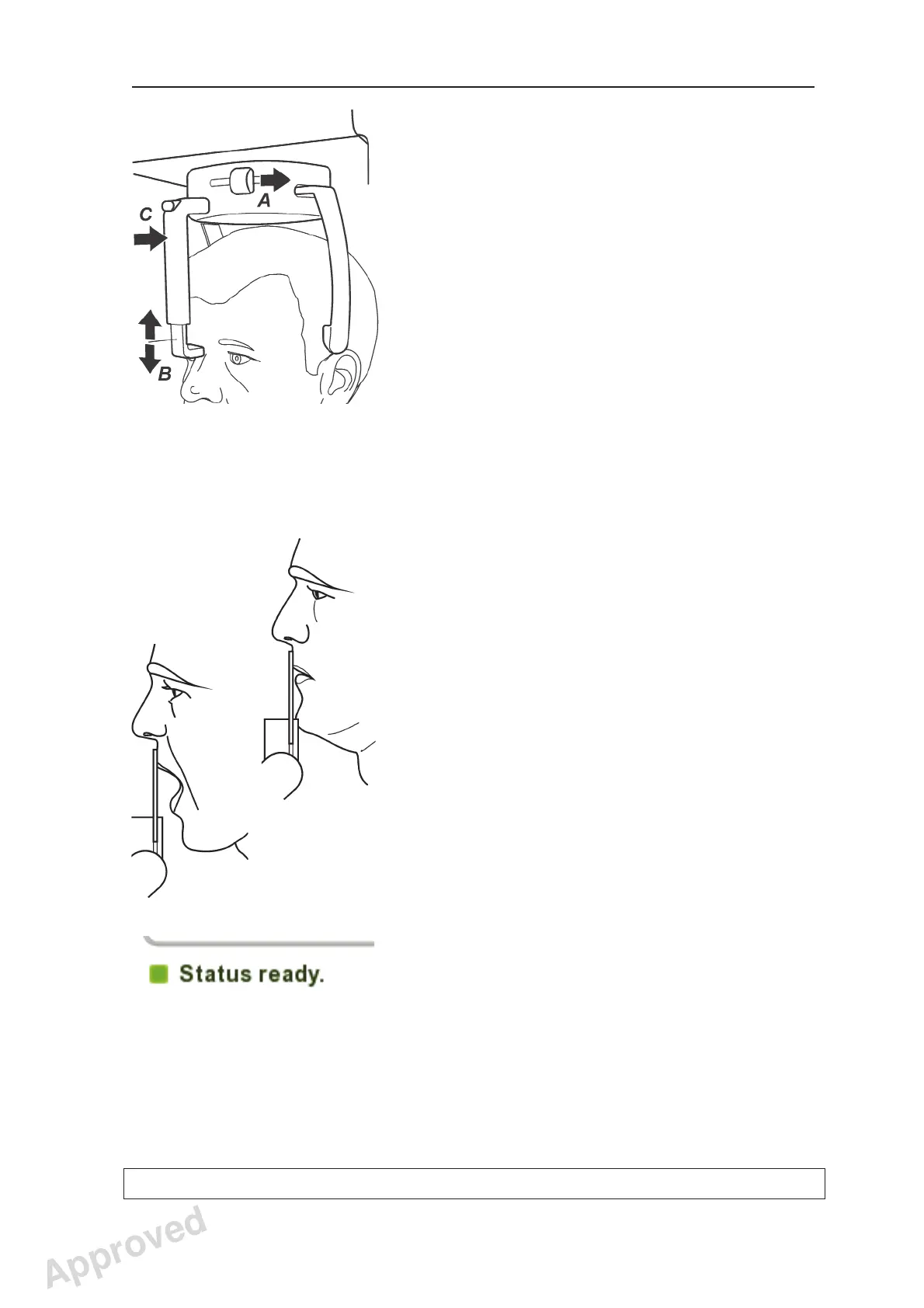
11. Close the temple supports by sliding the temple
support knob to the right (A). Make sure that
patient’s neck is stretched and straight.
Adjust the height of the forehead support until it
is level with the patient’s forehead or nasion (B).
Carefully push the forehead support in until it
touches the patient’s forehead or nasion (C).
12. Close the mirror.
13. If you wish to take a TMJ exposure with the
patient’s mouth closed ask the patient to
clench their back teeth together, look at a fi xed
point in the mirror and to remain still for the
duration of the exposure.
If you wish to take a TMJ exposure with the
patient’s mouth open, ask the patient to
open their mouth, look at a fi xed point in the
mirror and to remain still for the duration of the
exposure.
The exposure takes approximately nine
seconds.
14. Make sure that the unit status indicator is still
GREEN, indicating that the unit is ready to take
an exposure. If the indicator is not GREEN the
unit reservation time may have expired.
Reserve the unit again, see section 3.1
Preparing the unit.
15. Check once more that the patient is positioned
correctly and has not moved.
Approved: Ukkonen Juha-Pekka 2015-03-13 13:08
Reviewed: Savinen Antti Juhani 2015-03-12 11:32
Approved
See PDM system to determine the status of this document. Printed out: 2016-01-27 12:19:26
D508980, 4
Copyright © 2015 by PaloDEx Group Oy. All rights reserved.



 To Next Page