32 User manual 208898
3. Taking an Exposure CRANEX Novus e
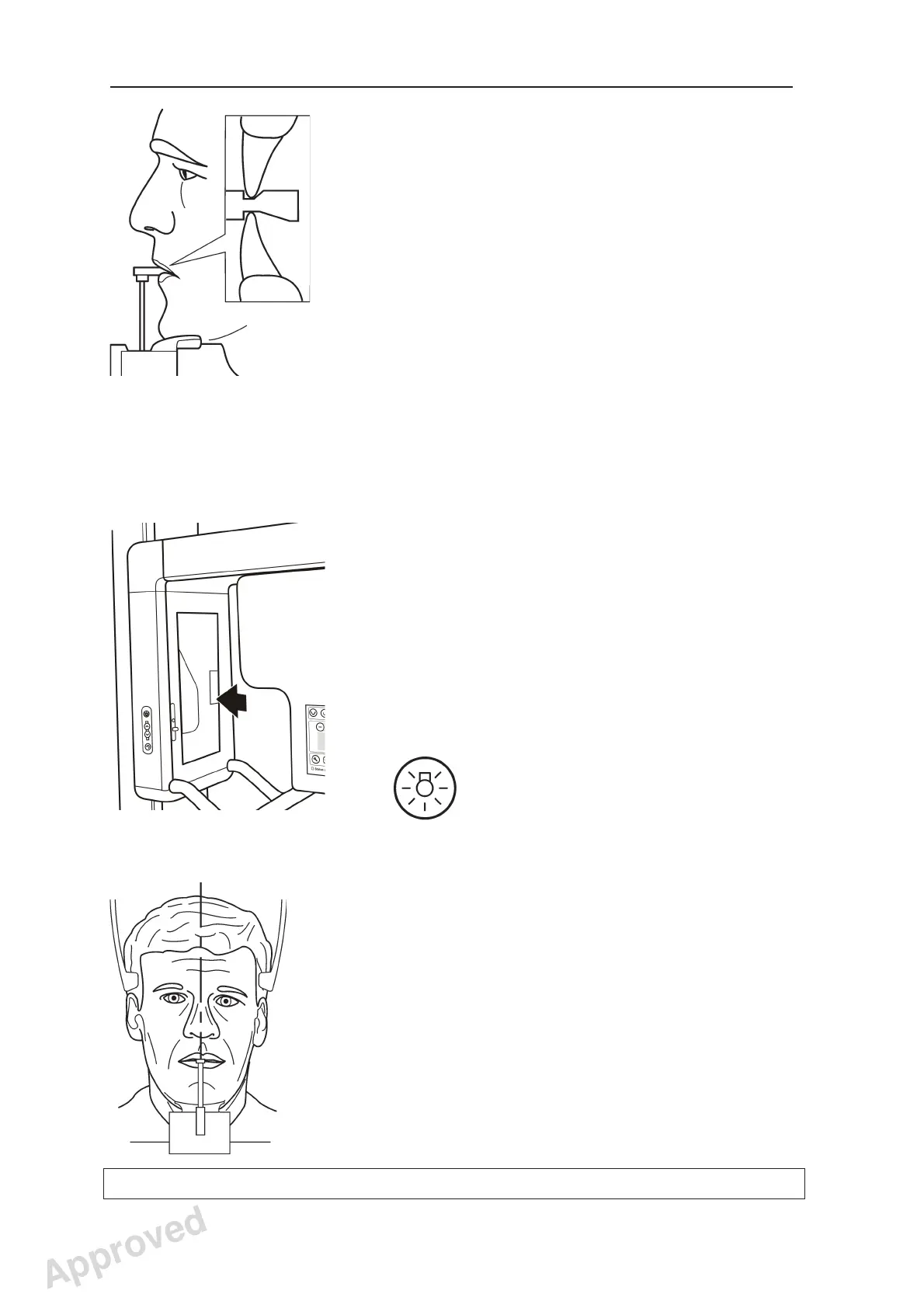
8. Ask the patient to step into the unit, grasp the
patient handles, place his/her chin on the chin
rest and bite gently the notches in the bite block.
NOTE!
Evaluate the condition of the patient’s dentition
before using the bite block. Use lip holder
instead if there is a chance that biting the block
could cause excess stress to the patient or their
dentition.
When using the lip holder, you may need to
use additional padding between the lip holder
and the patient to keep the head in the correct
location for a Bitewing exposure.
9. Press the mirror to open it so that you can see a
refl ection of the patient.
The patient positioning lights will automatically
come on when the mirror is opened or when
one of the Up/Down keys is pressed. They will
remain on for two minutes or until the exposure
button is pressed.
The Patient Positioning lights can also be
switched on and off with the Lights key.
10. Look at the refl ection of the patient in the mirror
and position the midsagittal plane of the
patient so that it coincides with the midsagittal
plane light.
Make sure that the patient is looking straight
ahead and that the patient’s head is not tilted or
turned to one side.
Approved: Ukkonen Juha-Pekka 2015-03-13 13:08
Reviewed: Savinen Antti Juhani 2015-03-12 11:32
Approved
See PDM system to determine the status of this document. Printed out: 2016-01-27 12:19:26
D508980, 4
Copyright © 2015 by PaloDEx Group Oy. All rights reserved.



 To Next Page