CRANEX Novus e 7. Quality Assurance
User manual 208898 53
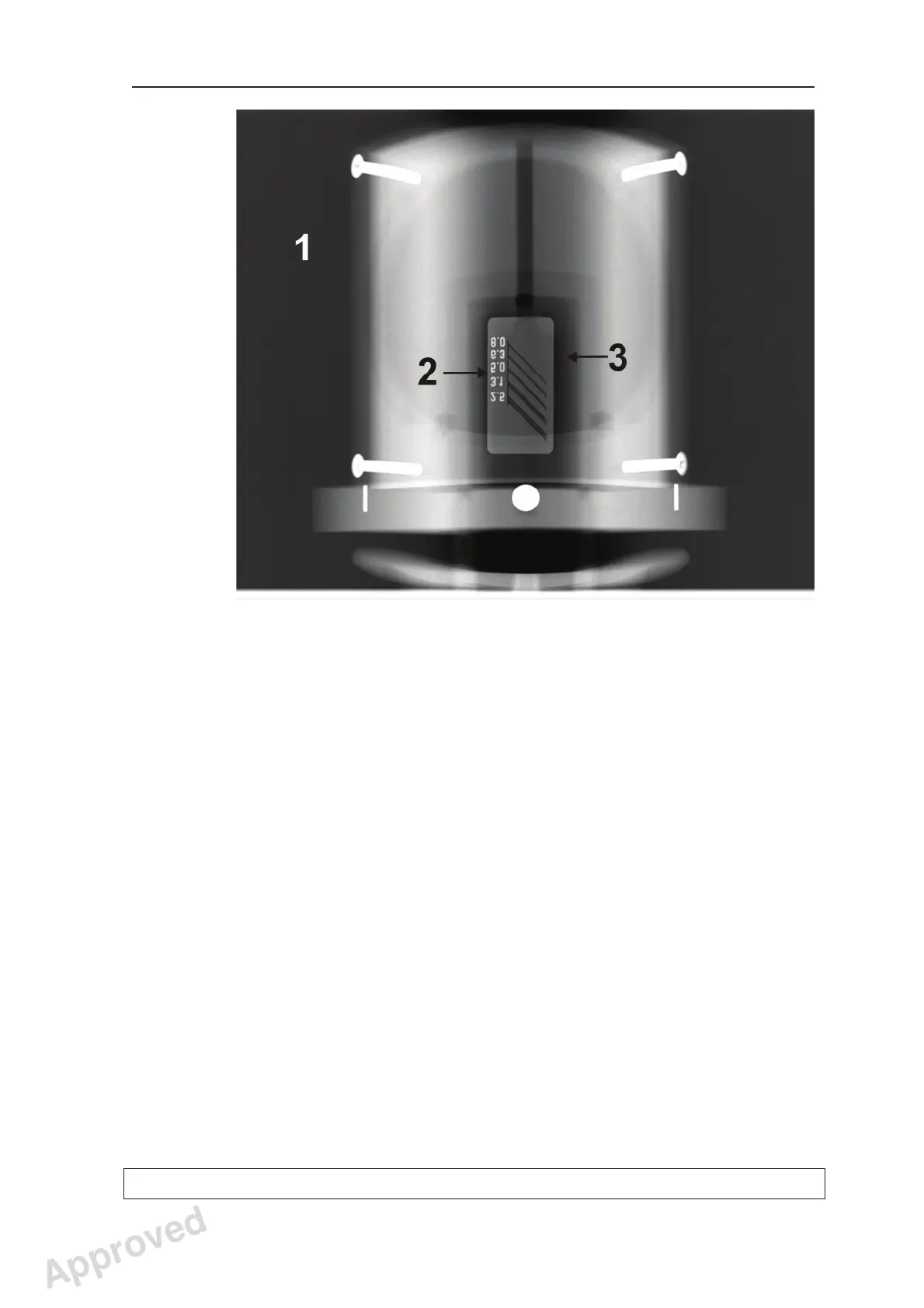
12. PC: Visually evaluate the result using the
dental imaging software.
Subjects to be evaluated:
1. Exposed area; Smoothness of the exposed
area. Non-exposed area surrounds the whole
image.
2. Line Pair Resolution; minimum 2.5 LP/mm
must be distinguishable.
3. Low contrast resolution; Minimum two low
contrast resolution holes must be visible.
NOTE:
Some adjustments may be required to
be made to the default image processing
settings in the dental imaging software, when
evaluating the QA image. Write down the used
settings, so that the same settings can be
used when taking the control images later on.
Approved: Ukkonen Juha-Pekka 2015-03-13 13:08
Reviewed: Savinen Antti Juhani 2015-03-12 11:32
Approved
See PDM system to determine the status of this document. Printed out: 2016-01-27 12:19:26
D508980, 4
Copyright © 2015 by PaloDEx Group Oy. All rights reserved.



 To Next Page