26 Installation and set-up manual 208668
3. Installing the unit CRANEX Novus e
3.10 Connecting the unit to the PC
The unit supports 10Base-T/100Base-TX Ethernet
connections.
The PC must be connected to the unit in
accordance with IEC 60601-1-1.
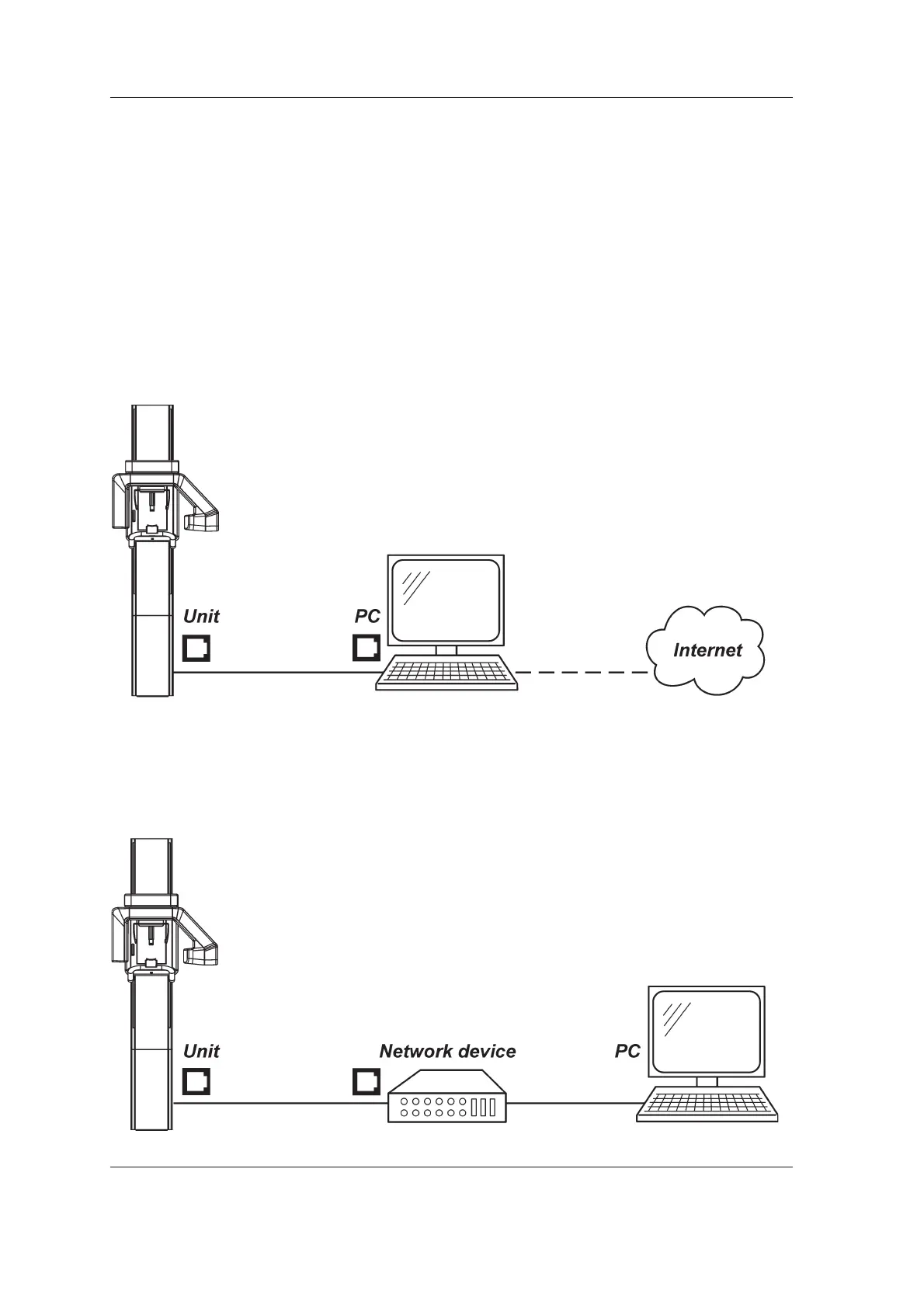
Connection options
Standalone
With the standalone confi guration the unit is
connected to a PC, and the unit then reserves the
whole network interface card. The unit and PC
then function as a single standalone system with
no access to other networks.
If it is necessary for the PC to be connected to
another network the PC will require two network
interface cards.
Network
With the network confi guration the unit is
connected to the PC via a network device. With
this confi guration the PC is connected to the unit
and to other networks with a single network card.
The unit is also accessible from other PC's in the
same network (same subnet).
For the network confi guration you may need a
new IP address for the unit from your local system
administrator.



 To Next Page