Installation and set-up manual 208668 17
CRANEX Novus e 3. Installing the unit
3.4 Installing the guide pin
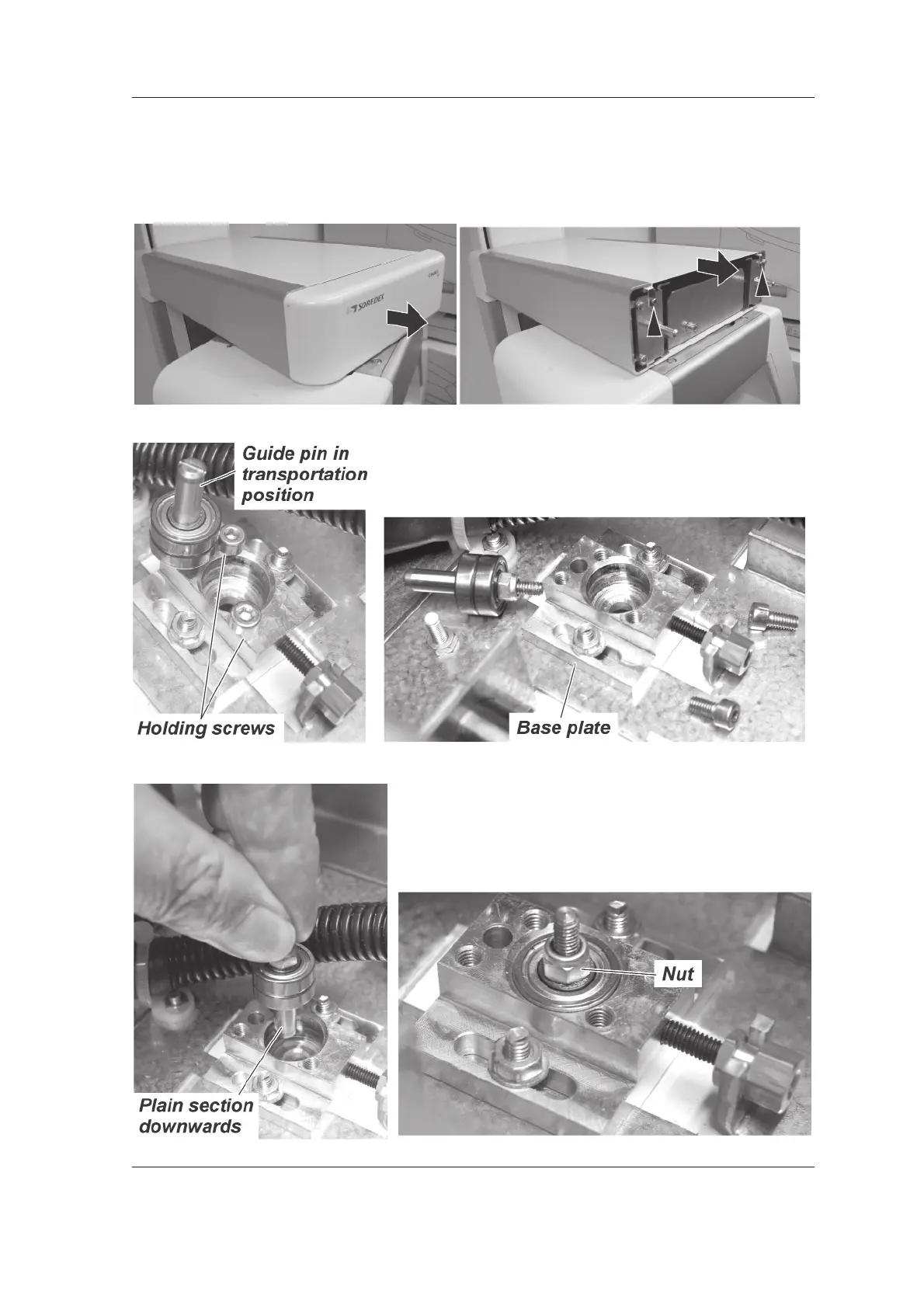
1. Pull the front cover from the upper shelf and
then remove the two (2) screws that hold the
top cover in position and then slide it off.
2. From the upper shelf, unscrew the guide pin
and two holding screws from the base plate.
DO NOT remove the base plate or loosen the
nuts that attach it to the unit.
3. Flip the guide pin assembly around so the
plain section of the guide pin is downwards
and the nut is uppermost. Then insert the
guide pin assembly into the hole in the base
plate.



 To Next Page