52 Installation and set-up manual 208668
5. Aligning the unit CRANEX Novus e
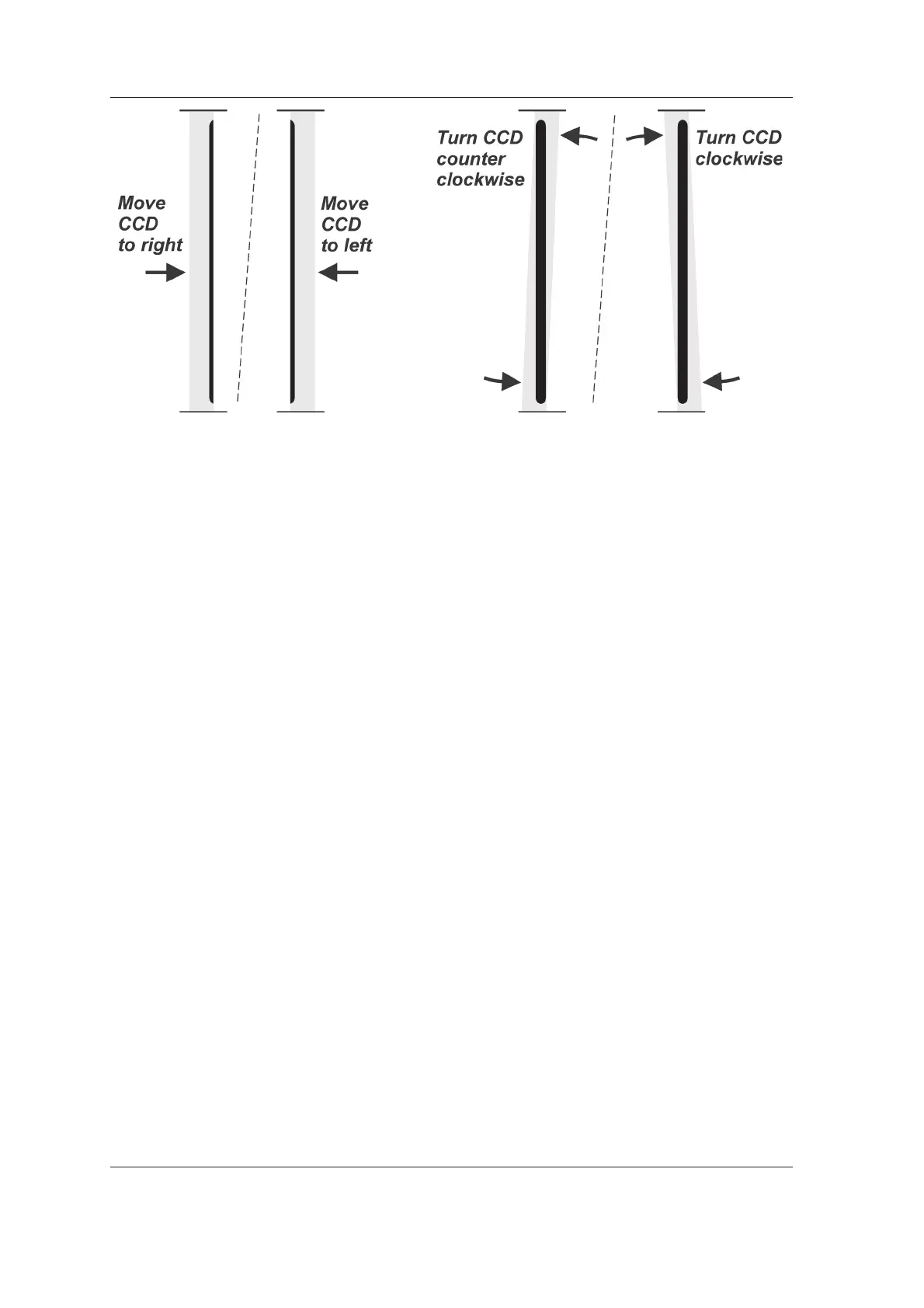
the left-hand side.
Adjust and recheck the position of the CCD
sensor until the beam is vertical and centered
in the middle of the CCD aperture.
3. After the adjustment, tighten the four nuts (A)
that hold the CCD sensor in place.
4. Touch the Arrow key to exit the Still Mode and
return to the main screen.
5. Now calibrate the sensor, see section 5.5
Calibrating the CCD sensor.
5.2 Adjusting the beam
If the beam was not correctly aligned after carrying
out the alignment check (4.1 Checking the
alignment of the beam and the CCD sensor) the
beam must be adjusted and new still mode images
taken to confi rm that it is correctly positioned.
NOTE:
When carrying out the beam alignment the unit
must be in the Still mode. If the unit is not already
in the still mode activate it through the Installation
screen, see section 4.1 Checking the alignment
of the beam and the CCD sensor, steps 1-6.



 To Next Page