Installation and set-up manual 208668 53
CRANEX Novus e 5. Aligning the unit
1. Remove the inner tubehead cover from the
rotating unit, it is held in place with four (4)
screws.
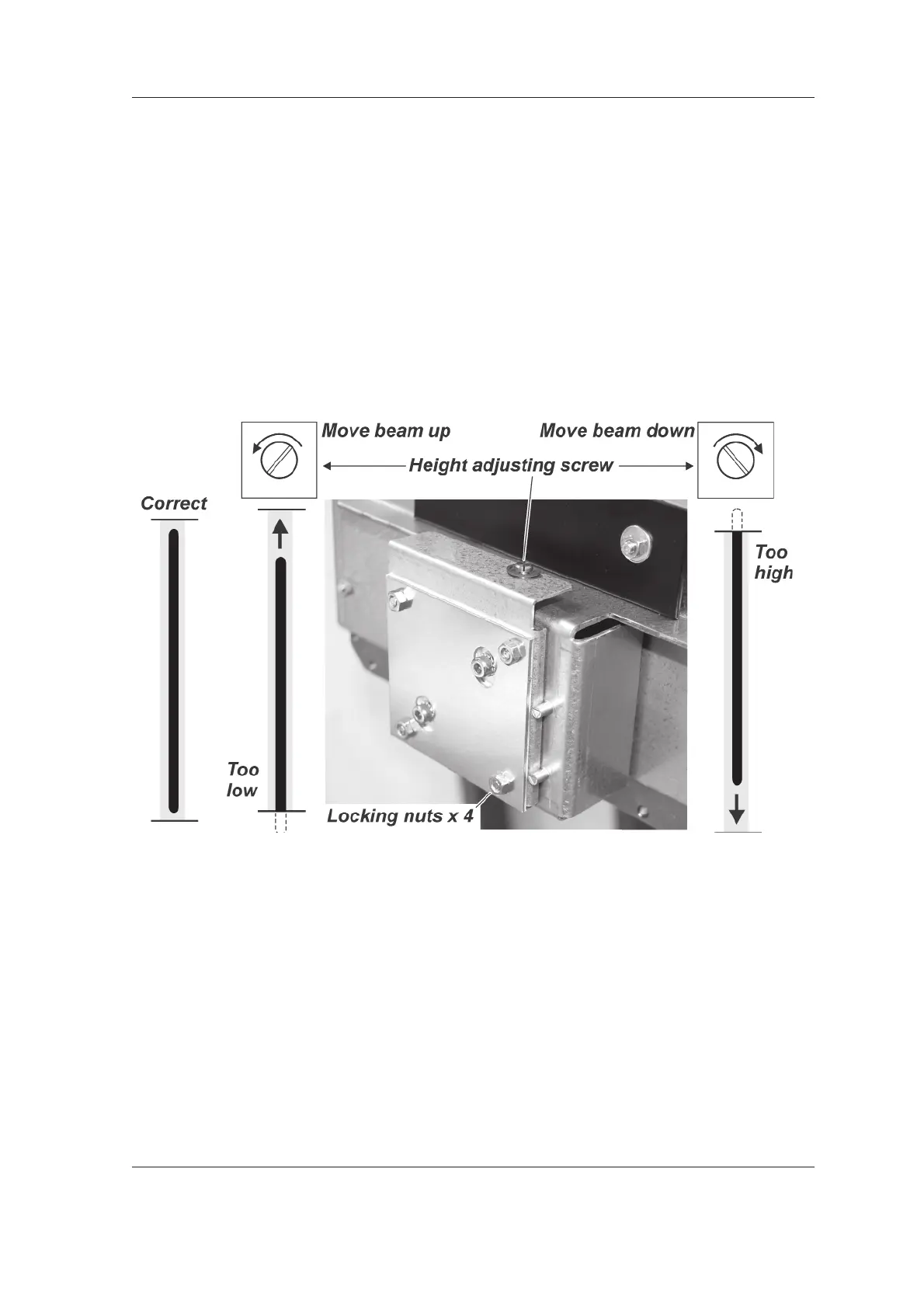
2. Loosen the four locking nuts that hold the
collimator in place.
3. Adjust the beam position with the height
adjusting screw.
If the beam is too low turn the screw counter
clockwise to move it up.
If the beam is too high turn the screw
clockwise to move the beam down.
Recheck the beam position. If not in the
correct position, readjust. When the position is
correct tighten the locking nuts.
4. Touch the Arrow key to exit the Still Mode and
return to the main screen.
5. Now calibrate the sensor, see section 5.5
Calibrating the CCD sensor.



 To Next Page