54 Installation and set-up manual 208668
5. Aligning the unit CRANEX Novus e
5.3 Adjusting the image geometry
IMPORTANT NOTE:
In some cases you may have to adjust the position
of both the rotating unit AND the chin rest.
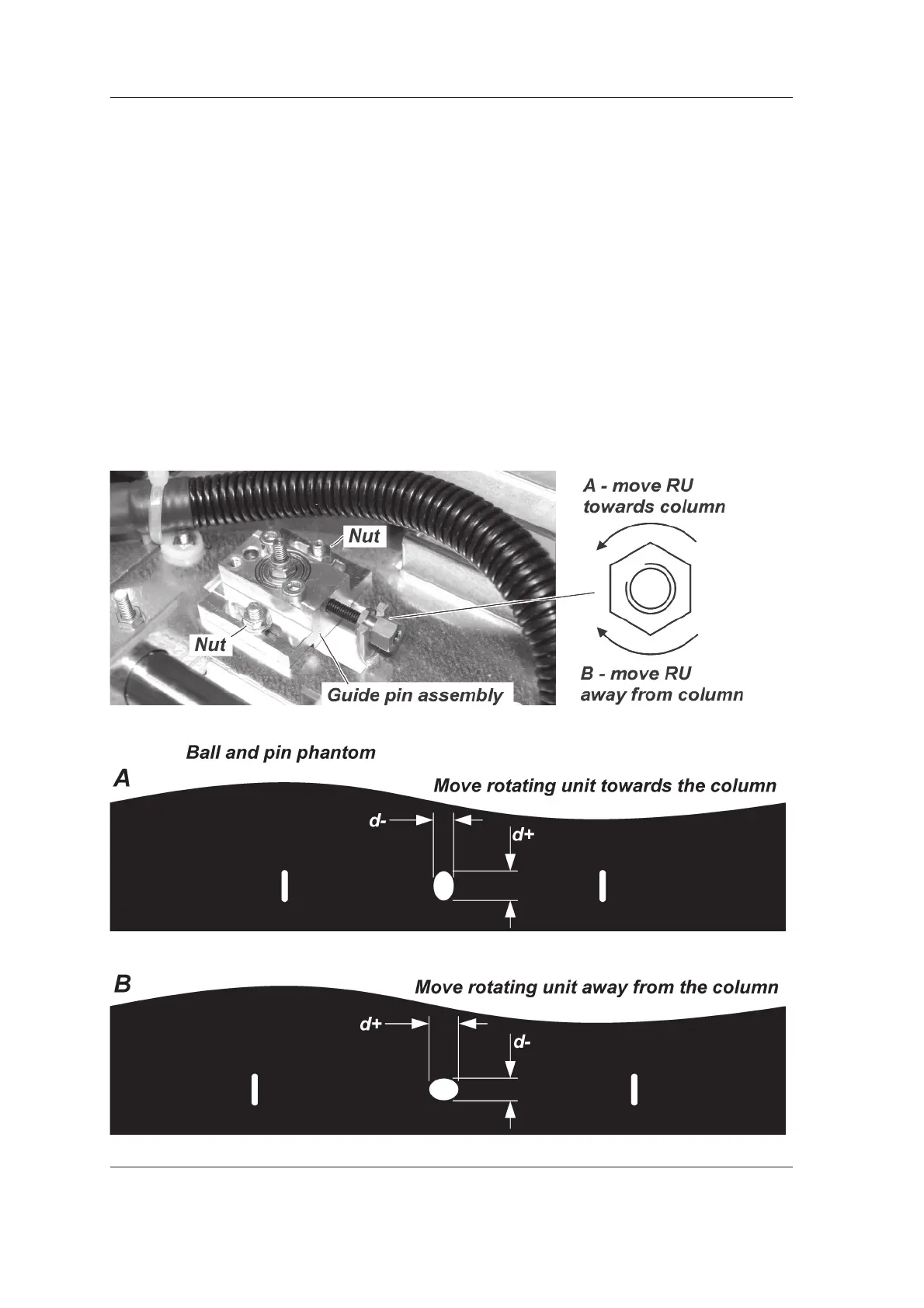
Center ball not round
If the center ball is NOT ROUND then the position
of the rotating unit (RU) must be must be adjusted.
1. Loosen the two nuts that hold the guide pin
assembly in place.
Turn the adjusting nut counter clockwise to
move the rotating unit towards the column and
clockwise to move it away from the column.



 To Next Page