Installation and set-up manual 208668 55
CRANEX Novus e 5. Aligning the unit
2. Re-tighten the guide pin assembly nuts after
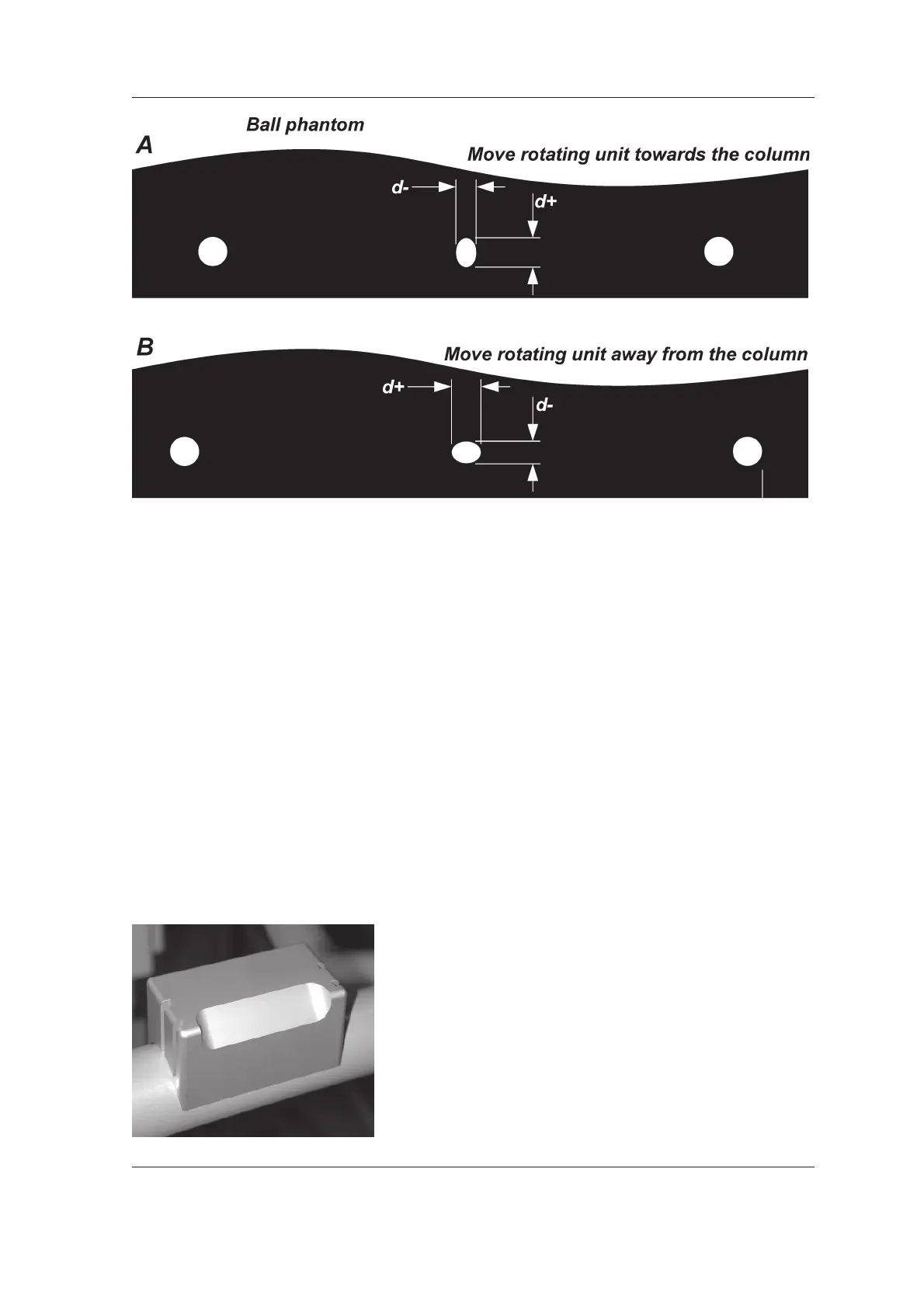
the adjustment.
3. Take another panoramic exposure of the
phantom to confi rm that the center ball is
round. Also verify that the distances from
center ball to left and right pins or balls are
equal, if not proceed to the next section,
Distances between left and right pins or
balls not equal.
Distances between center ball and left and right pins/
balls not equal
If the distances between the center ball and the
left and right pins or balls are DIFFERENT then
the chin support (CS) must be must be adjusted.
1. To adjust the chin support, fi rst remove the
Chin Support Holder (1 screw accessible from
the underside of the patient support handle).



 To Next Page