56 Installation and set-up manual 208668
5. Aligning the unit CRANEX Novus e
2. Loosen the set screw that holds the Lower
Shelf Screw (the horizontal screw) in position
and turn it to adjust the position of the Chin
Support Holder.
CAUTION:
DO NOT loosen the screws (2) that attach the
Chin Support Holder to the Patient Handle.
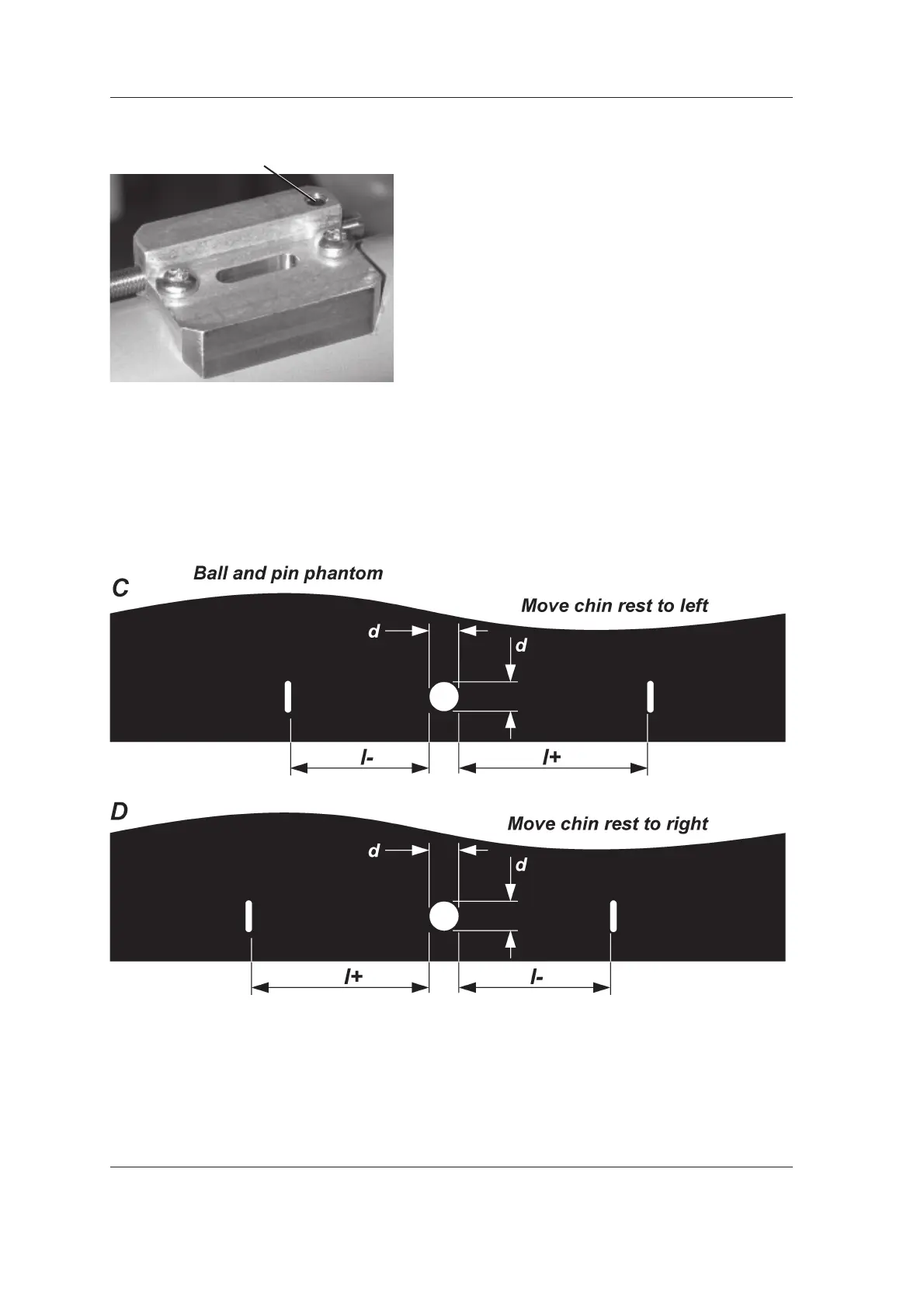
3. If the right-hand distance (l+ in pictures C) is
greater that the left-hand distance (l-), move
the chin rest to the left.
If the left-hand distance (l+ in pictures D) is
greater that the right-hand distance (l-), move
the chin rest to the right.
Set screw


 To Next Page