Installation and Reference Manual
Configuring PBX functionality
Installation and Reference Manual v3.2/0410/6 101
The PCS 60 WAV files are stored by default in C:\Program Files\Splicecom\PCS 60\res. The PCS 50 WAV
files are stored by default in C:\Program Files\PCS50\res. All the files are formatted as CCITT A-Law
8.000kHz 8bit mono.
The User’s PC must have a sound card in order to use the Ring Tunes facility and the selected ring tune
will be player over their PC speakers. Where the PCS 60/50 is configured to partner an analogue handset
the analogue phone will still use one of its pre-set ringing cadences.
If no ringing is required when using a PCS 50 as an IP phone or as a partner enter a tune number where
no corresponding WAV file is stored on the User’s PC. If the PCS 50 is partnered to a PCS 100 or 410/400
changing a User’s ring tones will change the ringing on the IP handset. Therefore, delete the WAV files
stored in C:\Program Files\PCS50\res and the PCS 50 will not ring.
For users of a PCS 570/560 please refer to the “Changing the Logo pic on a PCS 5xx” FAQ on the
SpliceCom Forums for instructions on how to set up ring tunes for these phones.
Specify a Ring Tune for calls from a specific number
Calls from a specific external number or internal extension number can be identified by specifying a ring
tune for these calls as follows:
1 In Manager select Users
2 Select the User required
3 Select the Tunes page
4 Select Add Ring Tune
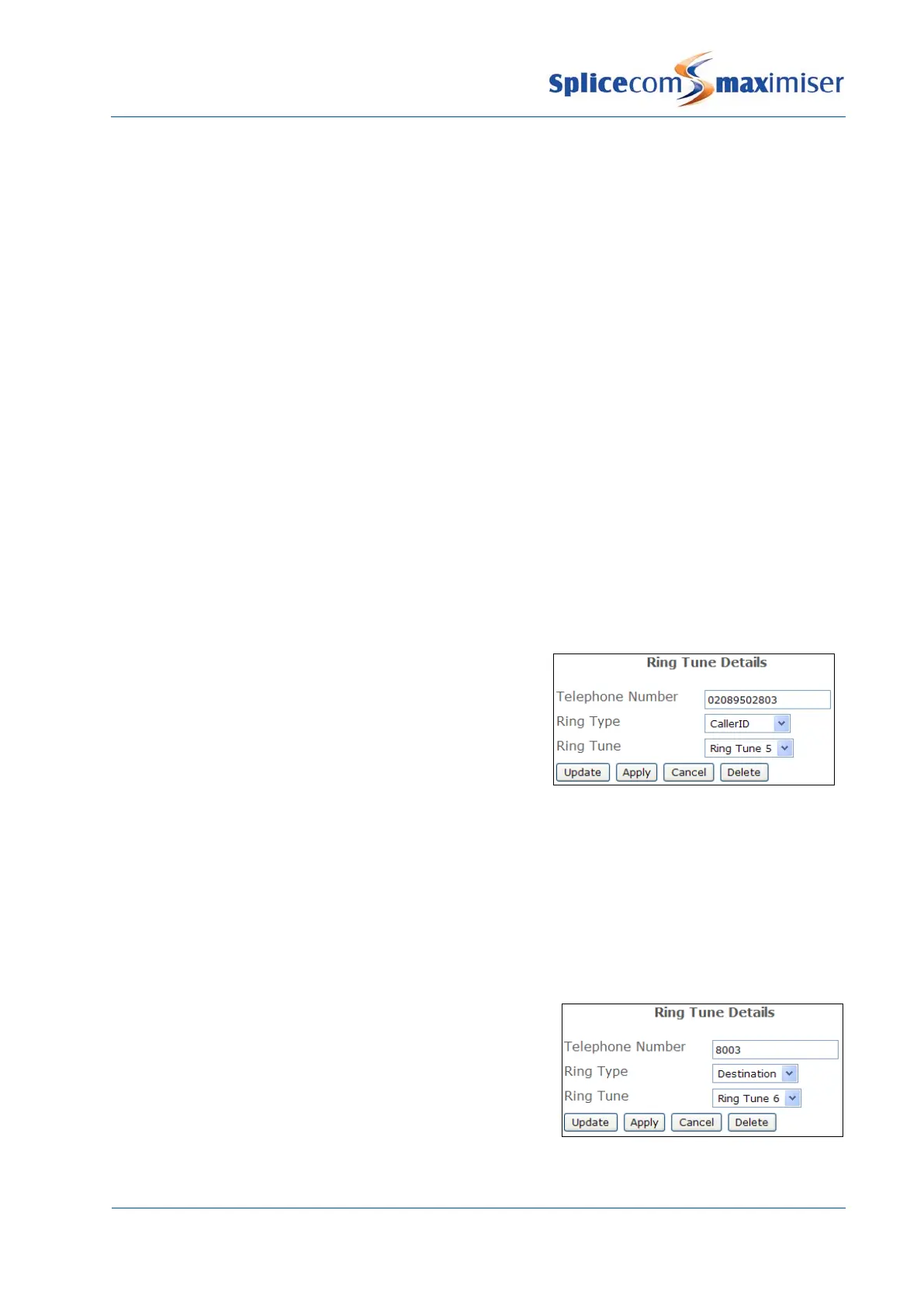
5 In the Telephone Number field enter the incoming
number to be matched. This can be an internal
extension or external number.
6 From the Ring Type list box select CallerID
7 From the Ring Tune list box select the ring tune
required.
8
Select Update or Apply when ready
Specify a Ring Tune for personal or Department calls
A User may wish to differentiate between calls to their extension number and DDI number from calls to a
Department of which they are a member by using a different ring tune as follows:
1 In Manager select Users
2 Select the User required
3 Select the Tunes page
4 Select Add Ring Tune
5 In the Telephone Number field enter the number to be
called. If the User wishes to recognise calls to his
extension/DDI enter the User’s extension number. If
the User wishes to recognise calls to a Department of
which he is a member enter the Department’s
extension number
6 From the Ring Type list box select Destination
7 From the Ring Tune list box select the ring tune
required.



 To Next Page