Installation and Reference Manual
Configuring PBX functionality
162
Installation and Reference Manual v3.2/0410/6
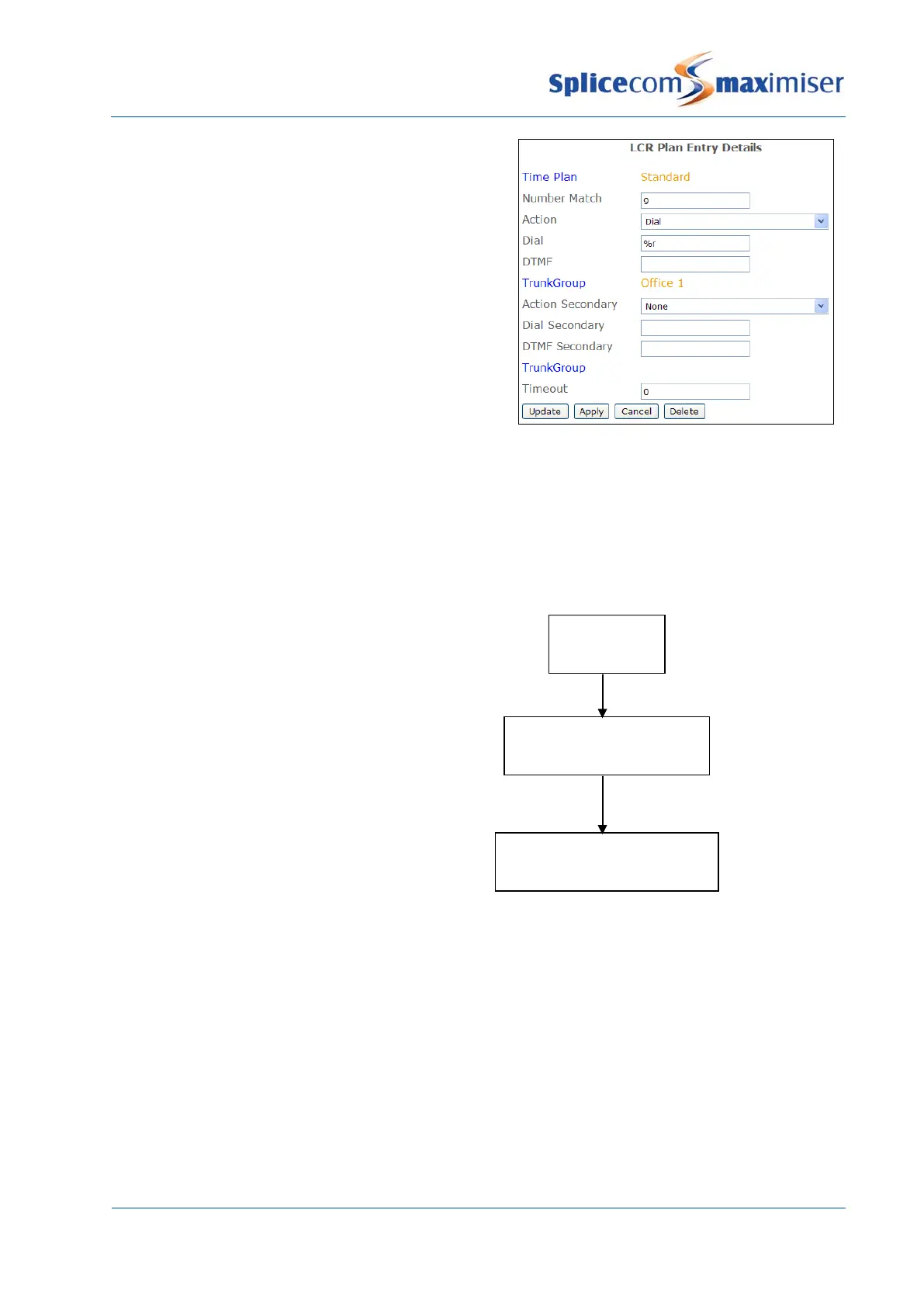
4 In the Number Match field enter the digits to be
dialled to access the Trunk Group. (Ensure this
entry does not clash with a Dial Plan entry.)
5 From the Action list box select Dial
6 In the Dial field enter the number to be dialled by
the system, or
If all the digits entered by eg the User are to be
used enter
%n
, or
If the digits entered minus the numbers in the
Number Match field are to be used enter
%r
7 Select Apply
8 Select the Trunk Group field
9 From the Select Trunk Group list select the Trunk
Group required
10 Select Update when ready.
11 Select Update or Apply when ready.
Please refer to the Working with LCR Plans section from page 175 for further information.
Route of an Incoming Call
The following diagram displays the route of an incoming call to the system.
1
Trunk
2
DDI Plan Entry
3
User or Department etc
Call is received by a
Number dialled matched against
Call presented to



 To Next Page