Installation and Reference Manual
Working with Voicemail
224
Installation and Reference Manual v3.2/0410/6
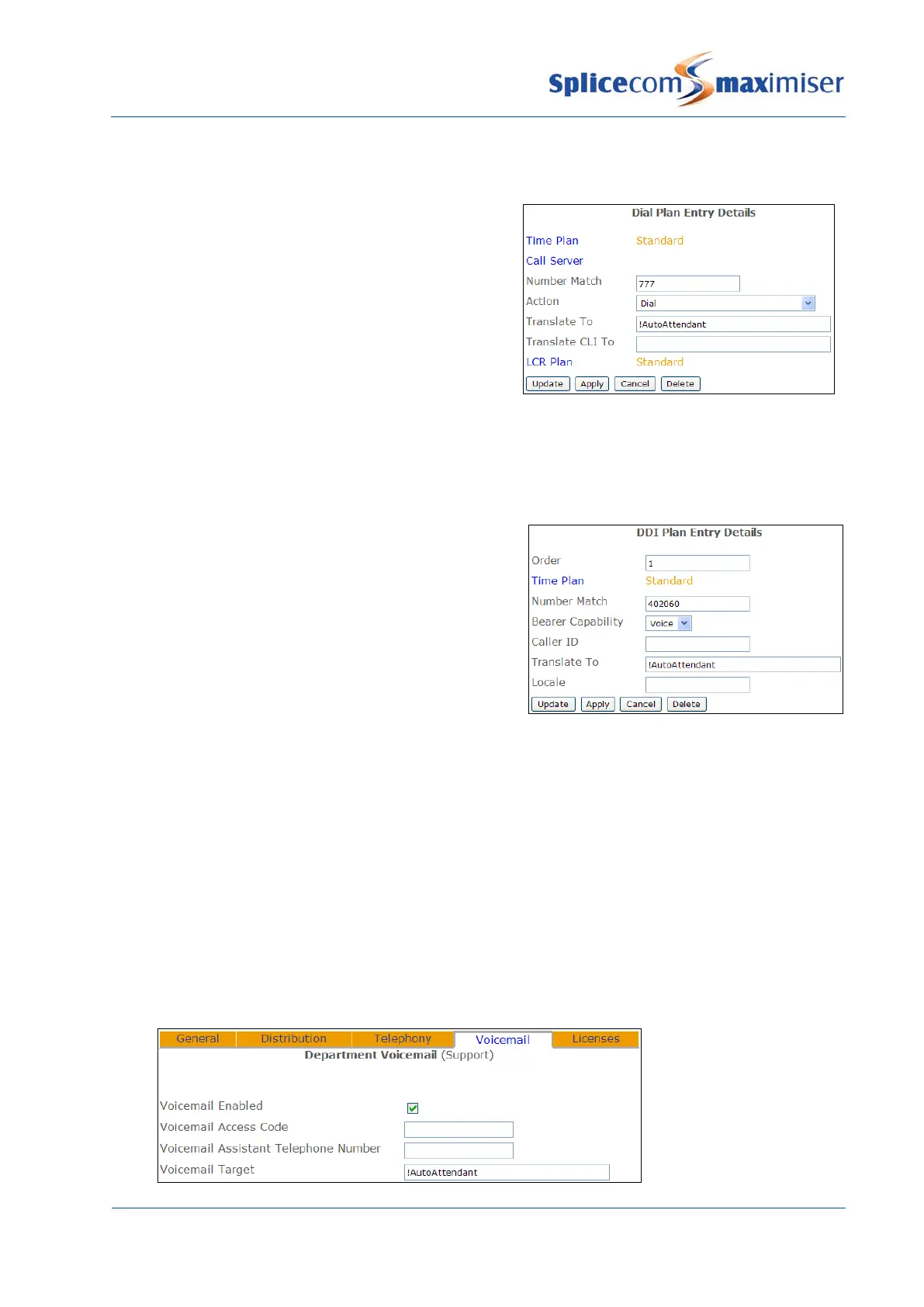
To test or use the Auto Attendant internally a Dial Plan
entry can be created with !AutoAttendant entered in the
Translate To field, similar to this example:
Please refer to the Working with Dial Plans section from page 114 for further details on creating a Dial
Plan entry.
Route external calls to the Auto Attendant
To route an incoming DDI number to the Auto Attendant
a DDI Plan entry should be created with !AutoAttendant
entered in the Translate To field, similar to this example:
Please refer to the Working with DDI Plans section from page 165 for further details on creating a DDI Call
Plan entry.
Routing a Department call to the Auto Attendant
If a call to a Department is not answered the caller can be presented with the Auto Attendant instead of
being forwarded to voicemail. The Max No Answer Time before Voicemail option must be set as
described on page 211.
1 In Manager select Departments
2 From the Departments list select the Department required
3 Select the Voicemail page
4 Within the Voicemail Target field enter !AutoAttendant.



 To Next Page