14
S.O.S
IMPORTANT NOTICE: S.O.S. MODE SHOULD ONLY BE USED DURING LIFE THREATENING EMERGENCIES.
SENDING FALSE S.O.S. MESSAGES MAY SUBJECT YOU TO LIABILITY FOR ADDITIONAL CHARGES.
Activate the S.O.S. mode to begin communicating and sending alerts directly to GEOS International Emergency
Response Coordination Center (IERCC). GEOS IERCC will notify the appropriate emergency responders based on
the SPOT X’s GPS location and your emergency situation. Responders may include local police, Coast Guard, or
Search and Rescue teams. For full details about GEOS IERCC, please visit FindMeSPOT.com/GEOS
INITIATING S.O.S.
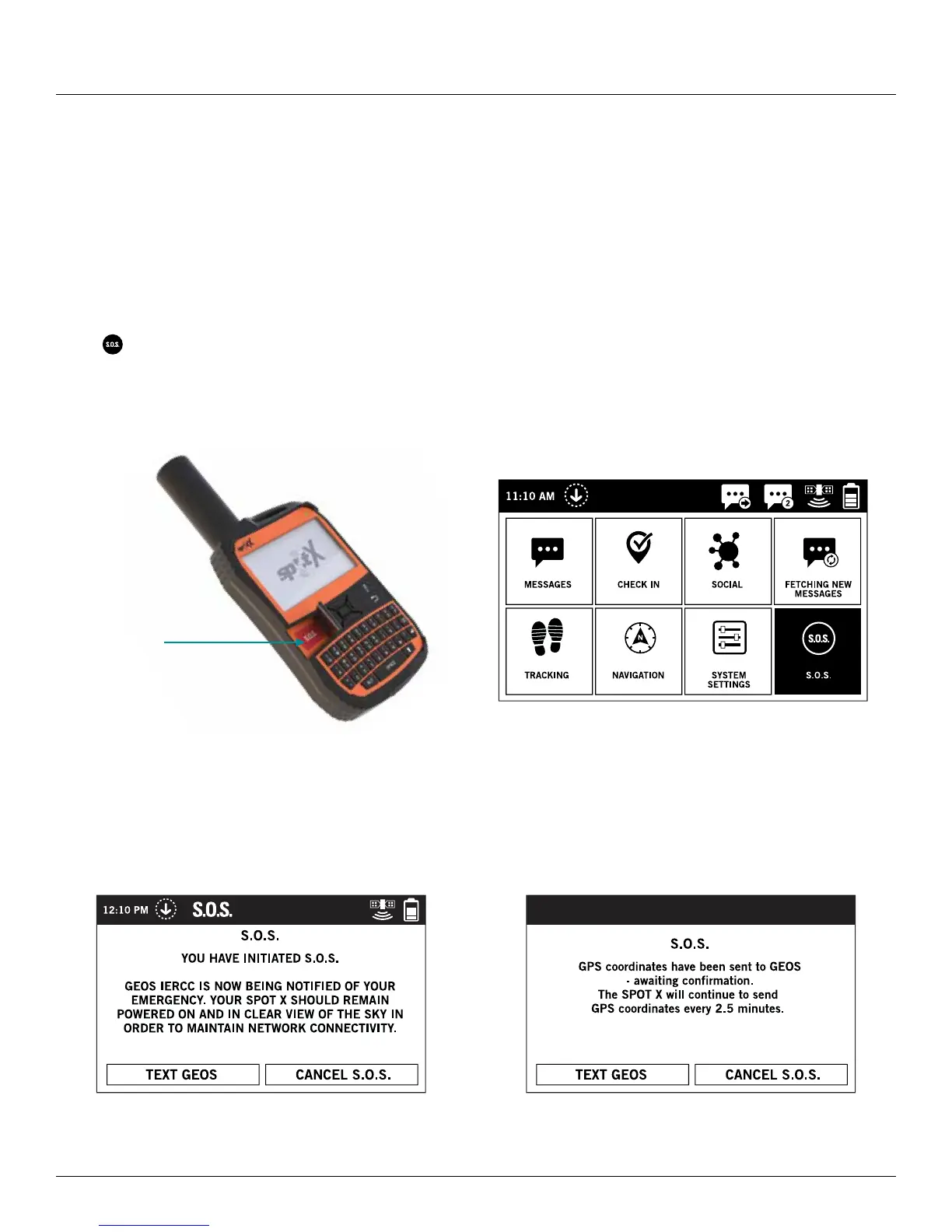
1. Power on the SPOT X, lift cover, long press the S.O.S. button for 3 seconds or until S.O.S. screen is displayed, or
select
from the Main Menu screen and follow the onscreen instructions.
2. The S.O.S. icon will appear on the Status Bar to indicate that S.O.S. has been initiated.
3. Once S.O.S. is initiated, GEOS IERCC will be notified of your emergency and SPOT X will continuously send
S.O.S. notifications with your GPS coordinates to GEOS IERCC every 2.5 minutes until S.O.S. is acknowledged.
SPOT X will send S.O.S. notification with you GPS coordinates every 5 minutes until canceled.
NOTE: Powering off the SPOT X will cancel the S.O.S.
S.O.S
Button



 To Next Page