24
DISTANCE UNIT SETTINGS
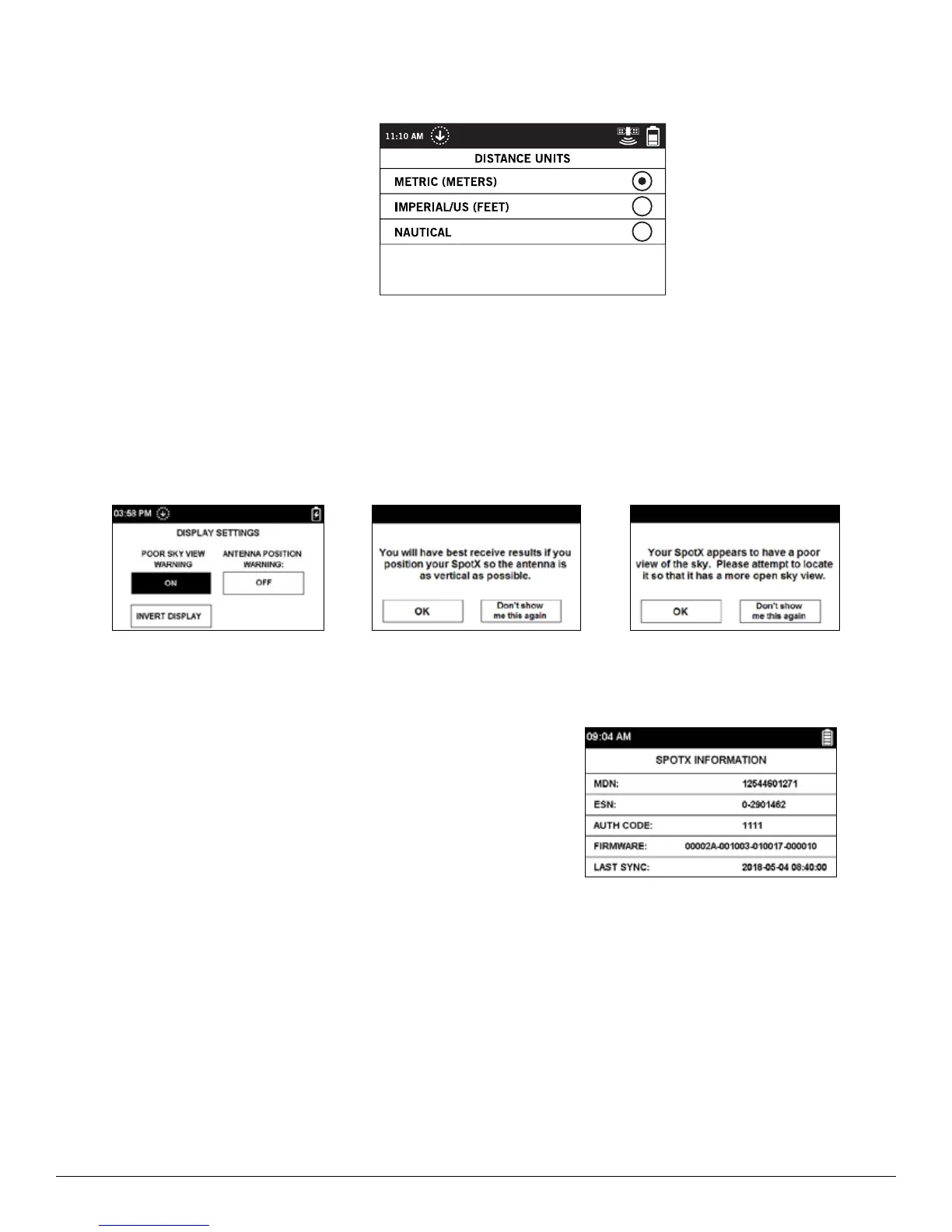
The Distance Unit screen allows you to configure the SPOT X display measurements by selecting from
the follow options:
• Metric (Meters)
• Imperial/US (Feet)
• Nautical
DISPLAY SETTINGS
The Display Settings screen allows you to configure the SPOT X to turn on or turn off the Poor Sky View Warning,
Antenna Position Warning as well as Invert Display.
• The Poor Sky View Warning: The warning will be displayed when there are incoming messages that are not
fully received after 5 minutes.
• Antenna Position Warning: The warning will be displayed when the SPOT X is not being held upright.
• Invert Screen Display: This function will switch the background to black and the white text.
SPOT X INFORMATION
The SPOT X Information screen allows you to see the following SPOT X information:
• SPOT X Unique Mobile Device Number
• ESN
• Auth Code
• Firmware Version
• Date of last My ACCOUNT Sync
RESTORE FACTORY SETTINGS
The Restore Factory Settings screen resets the SPOT X to its default factory settings.
NOTE: Resetting the SPOT X to the out-of-the-box Factory Settings will erase all data on the SPOT X including
all contacts, account information, waypoints, and message threads.
DEMO/RETAIL MODE
Enabling Demo/Retail Mode causes the SPOT X to display preset marketing images when the device is powered off.
REGULATORY INFO
The Regulatory Information shows the manufacturer, model and certifications.



 To Next Page