22
SYSTEM SETTINGS
From the System Settings screen, you can manage all different aspects of your SPOT X device from viewing your
data usage to selecting your preferred language.
VIEWING DATA USAGE
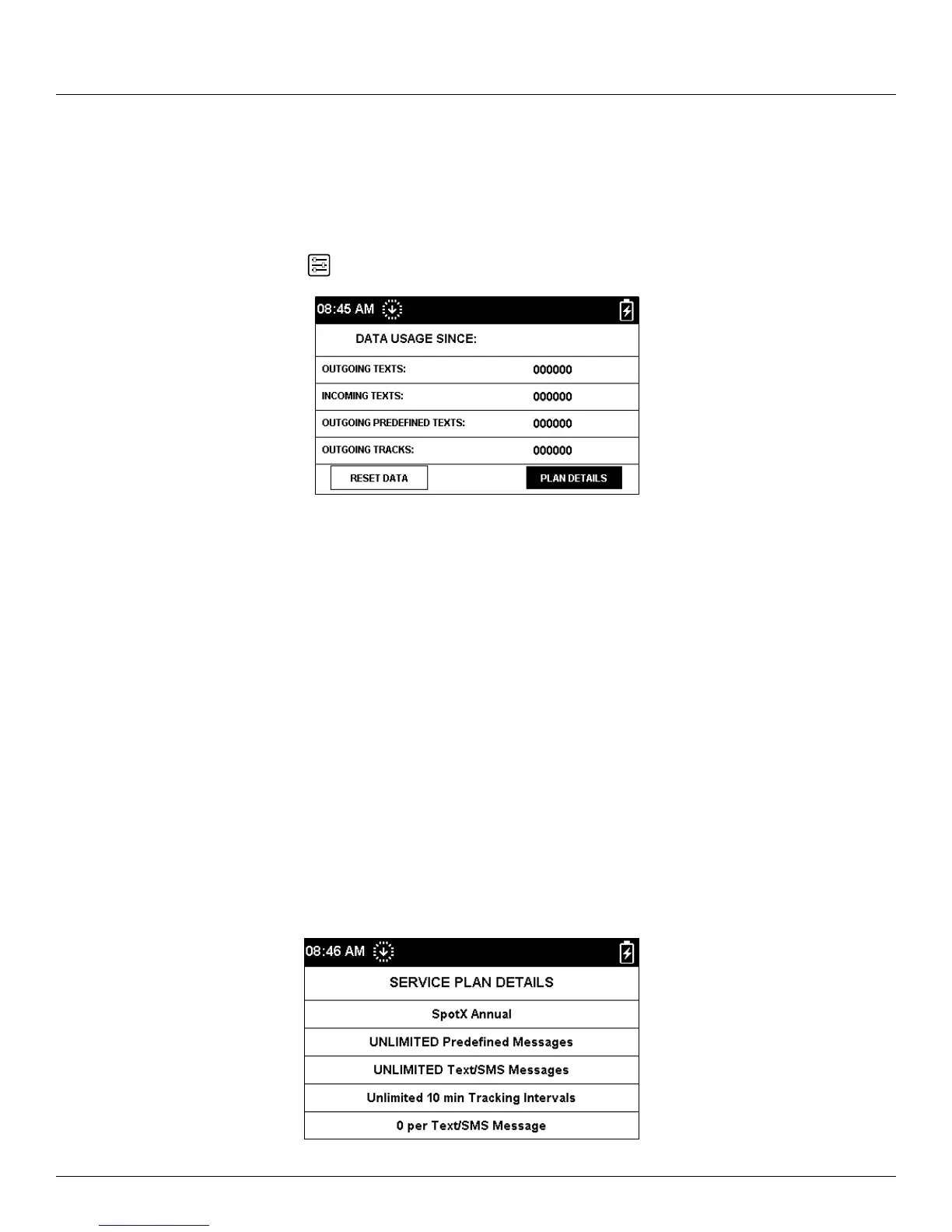
The Data Usage screen allows you to monitor your SPOT X data usage and your SPOT X Service Plan details.
On the Main Menu screen, select
then scroll to and select Data Usage.
The Data Usage screen displays the following:
• Total messages sent since the last data reset
• Total incoming messages since the last data reset
• Total outgoing predefined Messages
• Total outgoing tracks since the last data reset
Selecting the Reset Data button will erase and reset all counters to zero.
VIEWING SERVICE PLAN DETAILS
Selecting Plan Details allows you to see the Service Plan Details screen displaying the following:
• Current SPOT X Service Plan name
• The number of Free Predefined Messages
• The number of included messages for the active SPOT X Service Plan
• The minimum tracking interval for the active SPOT X Service Plan
• The cost per message you will be charged if you go over your allotted messages
May 06, 2018 - 12:00



 To Next Page