30
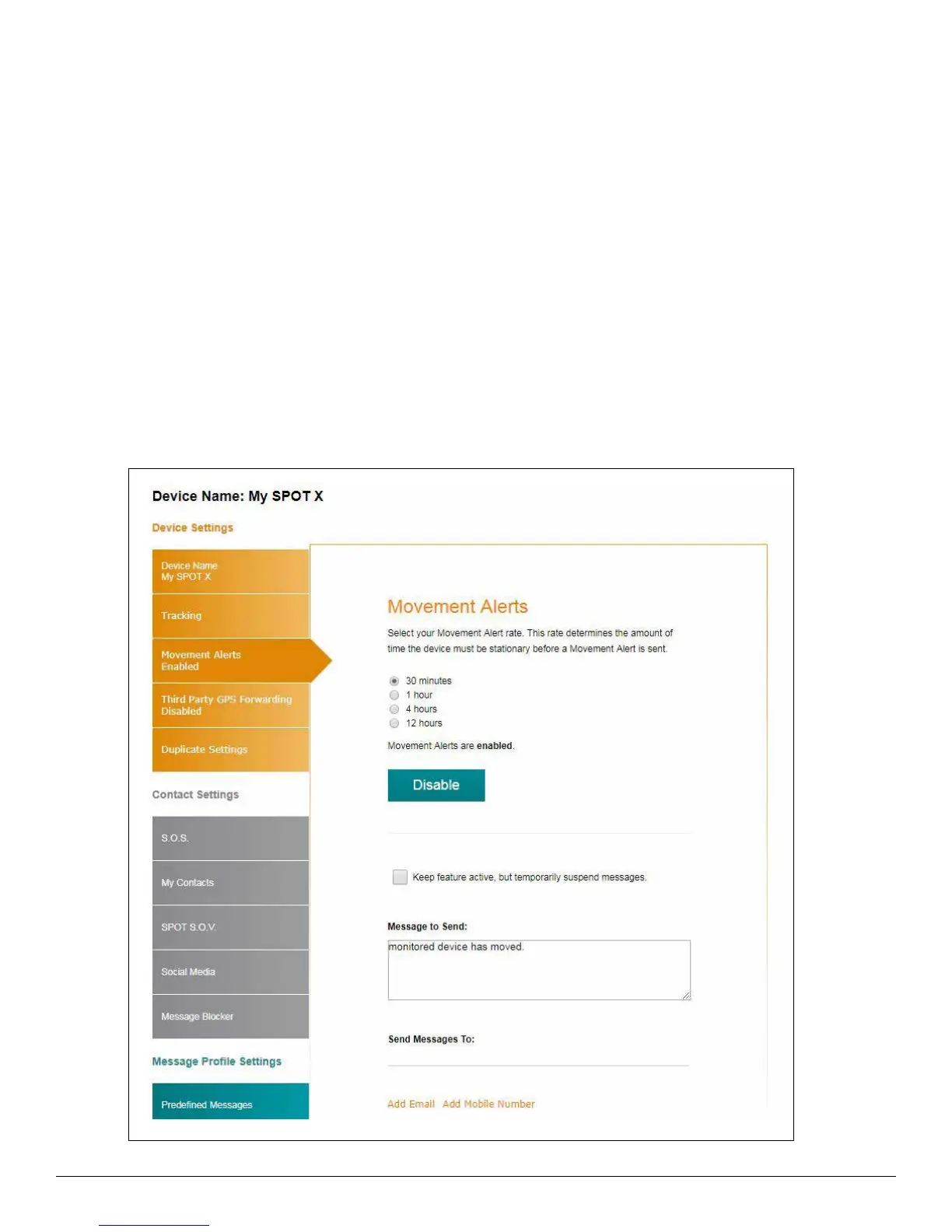
MOVEMENT ALERTS TAB
The Movement Alerts tab allows for the configuration of the movement notification alerts when the SPOT X vibration
sensor detects new movement.
CONFIGURING MOVEMENT ALERTS
1. Click Enable and the Movement Alerts tab will expand displaying more information.
2. Select the amount of time the SPOT X must be stationary before a Movement Alert will be sent.
3. In the Message to Send field, enter the message to be sent when a Movement Alert is initiated.
4. Select Add Email and/or Add Mobile Number and either an Email or Mobile Number popup will be displayed.
5. Enter the appropriate Email or Mobile Number and click OK.
6. Repeat Step 5 for additional recipients (up to 10 recipients).



 To Next Page