47
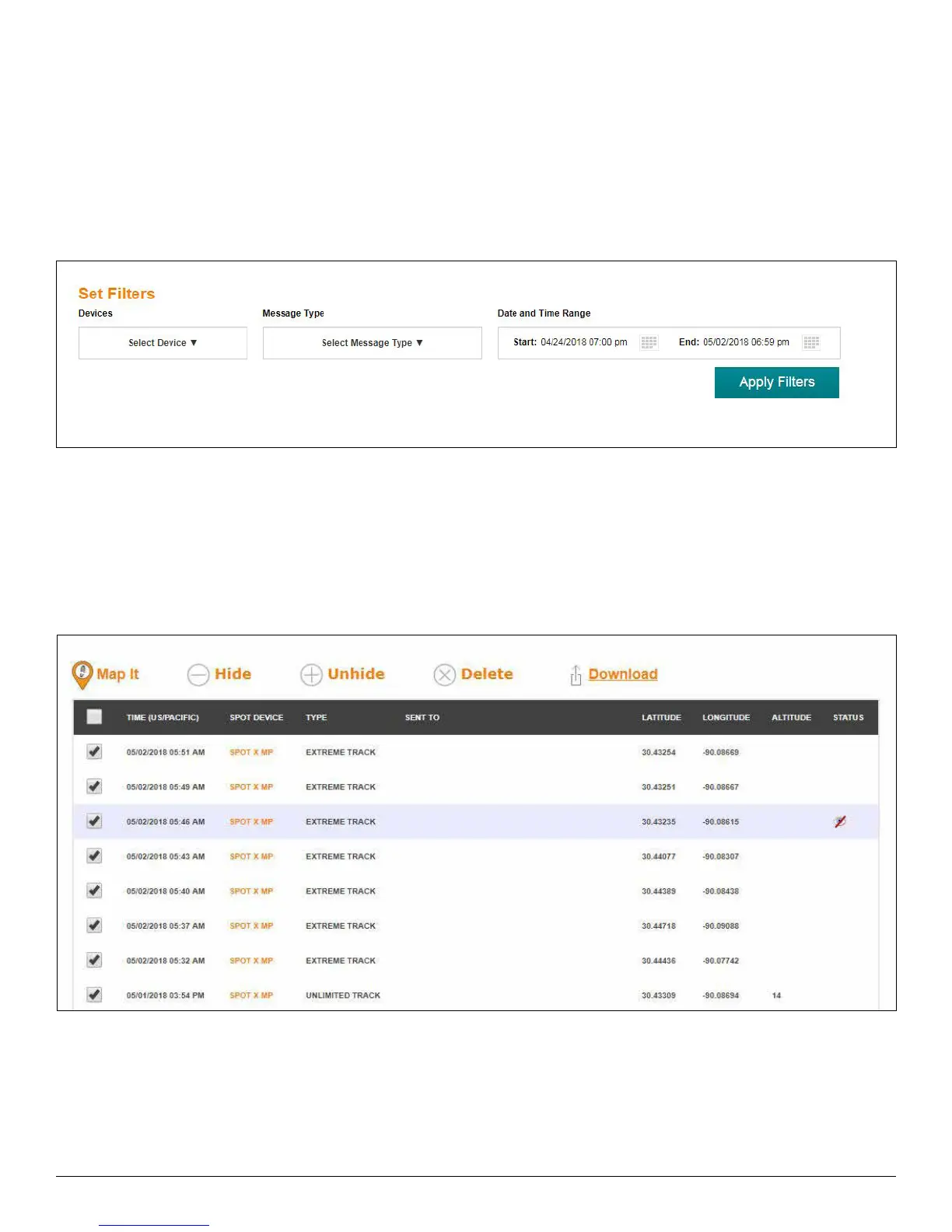
SET FILTERS
Devices – Select the devices you would like to display on the map.
Message Type – Select the type of message you want to see on the map such as Check In, New Movement and
S.O.S.
Date and Time Range – Select the Start and End date of the tracks or message types to display on the map.
Apply Filters – Once the above filters have been set, the Apply Filters option will display on the map with the
information requested.
Map It – Select the message type one by one or all to display them on the map.
Hide – Select one or more message types to hide it from Shared Page.
Unhide – Select this function to make the hidden message type visible on the Share Page.
Delete – Select this function to delete a message type from the map.
Download – Store your SPOT X’s tracking information as a GPX, CSV or KML format.



 To Next Page