18
MESSAGE FETCHING
Every time SPOT X sends a tracking message and/or a message, SPOT X will also retrieve and download any
incoming messages.
If Tracking is not active or an outbound message hasn’t been sent by the device, the SPOT X can be configured to
automatically check for messages at specified fetch intervals.
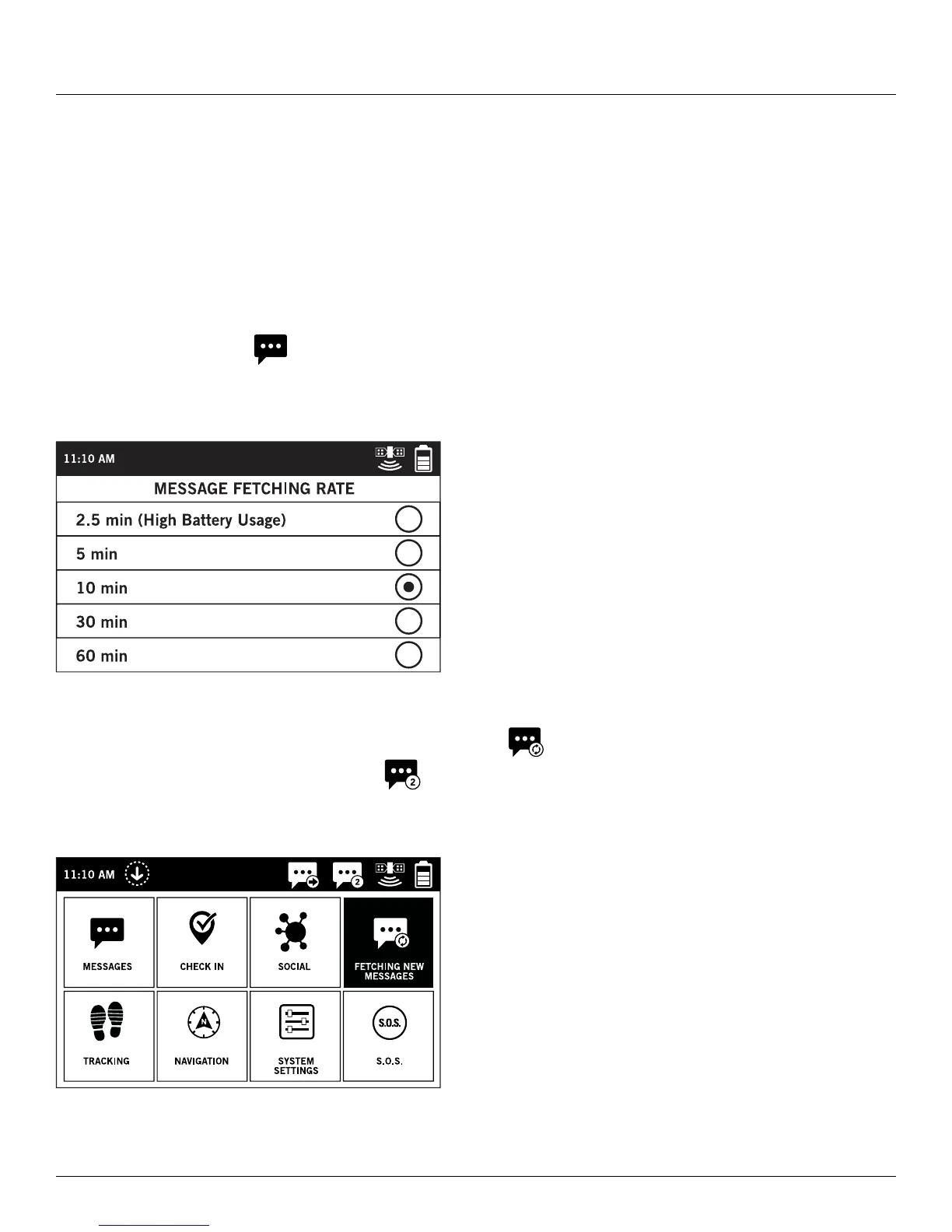
SELECTING A MESSAGE FETCHING RATE
The SPOT X default fetching rate is Off/Manual Fetching. Depending upon your service plan, you can select from
fetching rates of 2 1/2 min, 5 min, 10 min, 30 min, 60 min, 4 hrs, or 24 hrs.
On the Main Menu, select
then scroll to and select Fetch Rate and choose from the list of available fetching
rates. All non-subscribed intervals will be grayed out.
MANUALLY FETCHING NEW MESSAGES
To manually check for new incoming messages, simply select from the Main Menu screen.
If any new incoming messages are received, will be displayed in the Status Bar letting you know how many
new messages are waiting for you.



 To Next Page