16
TRACKING
With SPOT X, your friends and family can track your progress in near real-time using SPOT Share Page with Google
Maps™, giving them a virtual breadcrumb trail of your adventure.
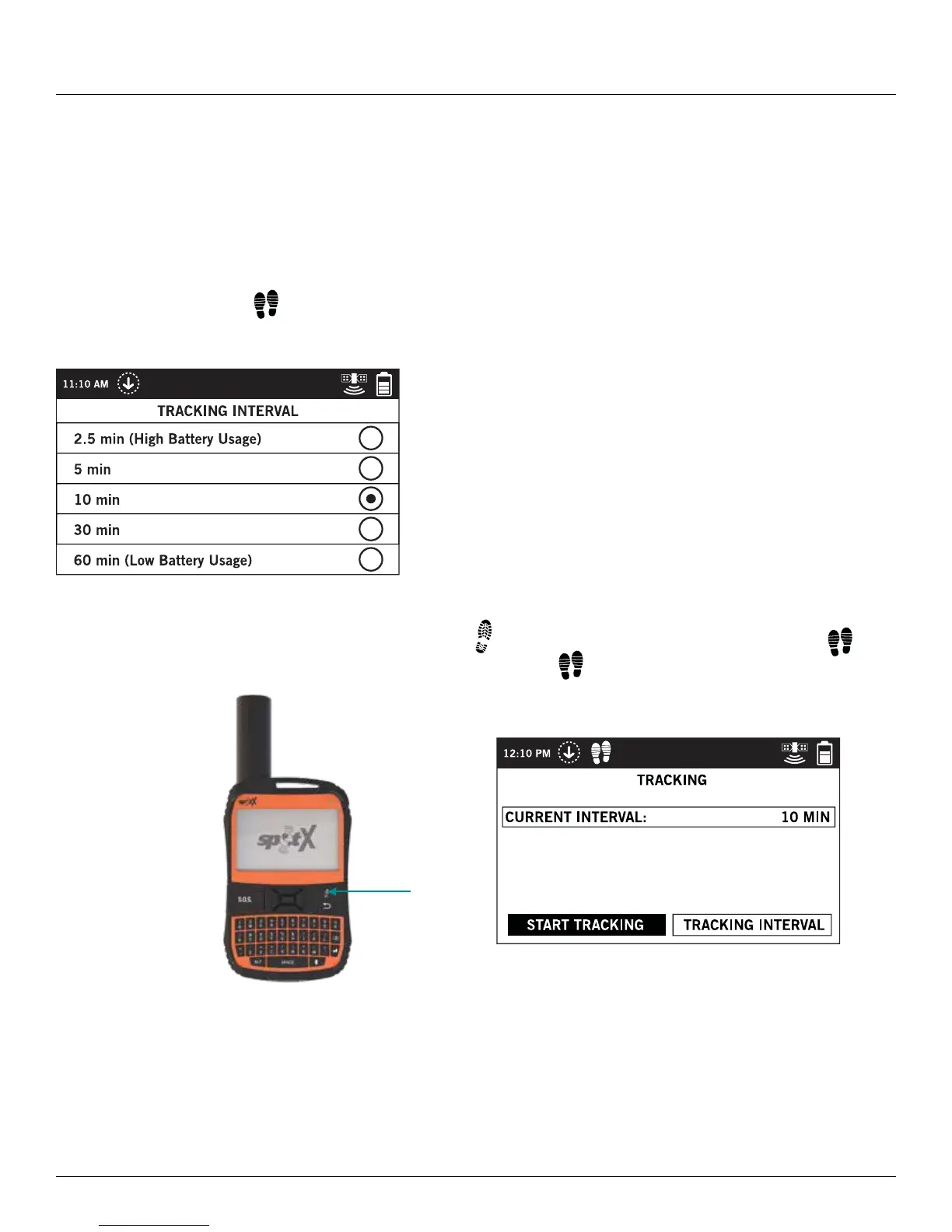
SELECTING A TRACKING INTERVAL
The SPOT X default tracking interval is 10 minutes. Depending upon your service plan, you can select from tracking
intervals of 2 ½, 5, 10, 30 or 60 minutes.
On the Main Menu, select
then scroll to and select Tracking Interval and choose from the list of available
intervals. All non-subscribed tracking intervals will be grayed out.
INITIATING TRACKING
1. Power on the SPOT X and long press the Track button on the SPOT X device for 3 seconds or until
appears in the Status Bar. Or from the Main Menu screen, select
followed by Start Tracking.
2. Once your GPS position is acquired, SPOT X will send your tracks in accordance with the tracking interval you have
selected until you manually stop tracking, the SPOT X detects no movement, or you power off the SPOT X device.
3. While Tracking is active, SPOT X should remain outside in clear view of the sky with no obstructions in order to
maintain network connectivity.
Track
Button



 To Next Page