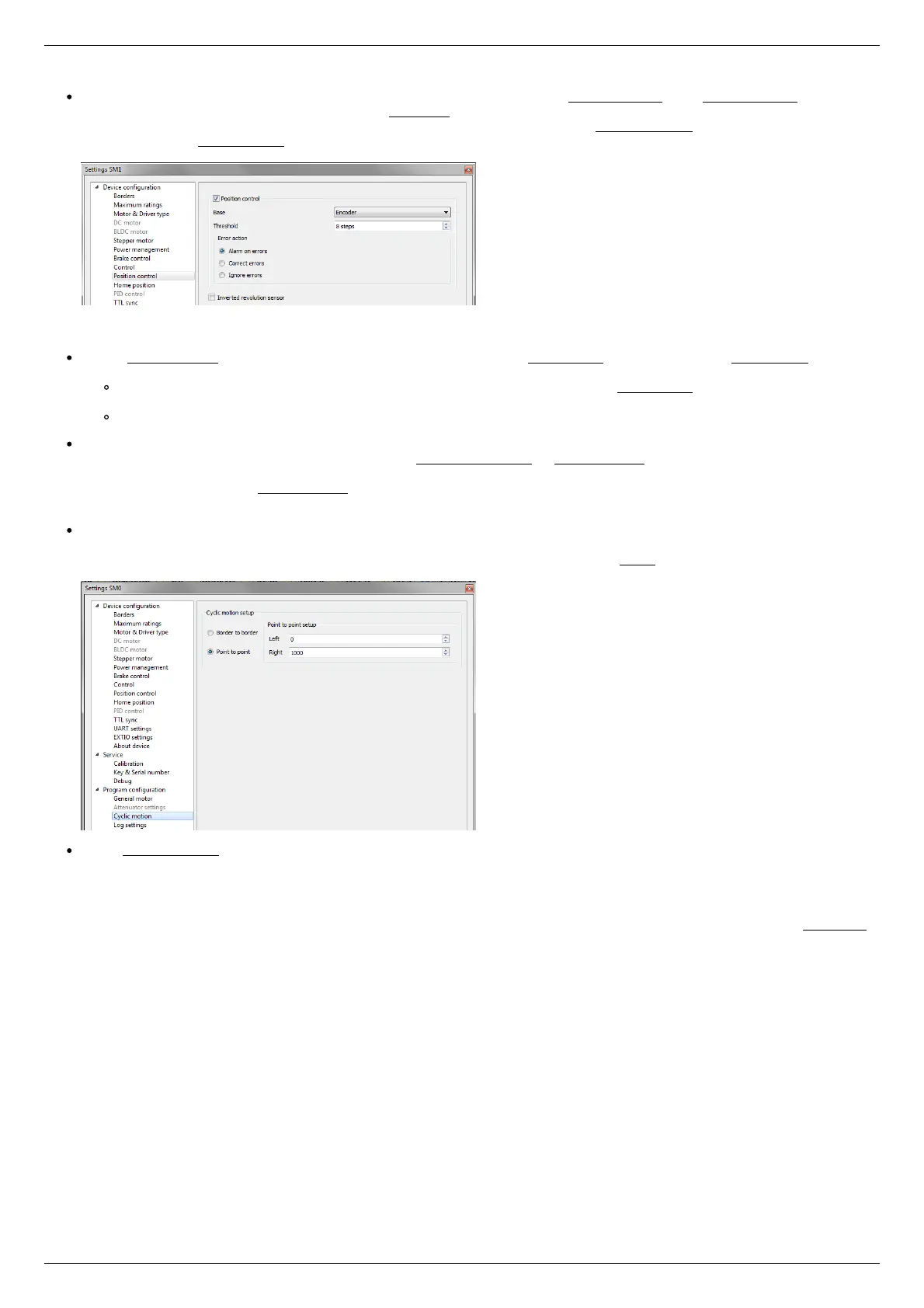
It is possible to activate the position control by encoder. To do this, in the tab Position control mark Position control and specify
allowable error in terms of encoder counts in the Threshold field. Then, when a mismatch between position and encoder counts
occurs, indicator SLIP will light in the bottom of XiLab main window. Beyond this, if Alarm on errors is marked, the controller will
go to Alarm state. Correct errors allows you to start closed loop control, when the difference between real position and encoder
position is compensated.
Setting the kinematic characteristics of the controller
In the Stepper motor tab you may specify a necessary acceleration ( Acceleration) and deceleration ( Deceleration) for your
stepper motor. The process of optimal values selection is the next:
Starting from default values make small shifts (start and fast stop) with gradual Acceleration increase until the movement
become unstable and disrupted sometimes. Take acceleration equal to about half of this value.
The deceleration can be configured about 1.5 - 2 times higher than acceleration.
If in your mechanical system moving to the desired position on the left and on the right is not the same, and there is play, it is
possible to eliminate this ambiguity. To do this mark Play compensation in Stepper motor and type number greater than play
value. The sign of this setting determines the direction of moving to the position. Positive sign means move from the left while
negative - from the right. In Antiplay speed field set the speed of compensation movement. This value should be low ( 50 s/sec
is enough) in order to avoid "drifting" during play compensation.
After the basic configuration of the positioner/motor, you can increase working speed. It can be done experimentally like the
process of acceleration setting, i.e. you should take its value about 2 times lower than value at which there is unstable
movement. To test the stability of the rotation it is recommended to use the function Cyclic in XiLab main window. Make sure
that you set it previously.
In the Microstep mode field we recommend to enter the value 1/256.
Working with user units
Often it is uncomfortable to work with the steps and microsteps and more convenient units are preferable. For this reason, the
controller can recalculate the coordinates in the usual units, for example in millimeters or degrees. It can be done in the tab User units,
where you should specify the size of the step and the corresponding measurement unit. For more information, refer to relevant
documentation paragraph.
Configuration of the operating profile complete.



 To Next Page