EasyManua.ls Logo

Stiegelmeyer Deka - Page 61

Stiegelmeyer Deka
116 pages
Print Icon
To Next Page IconTo Next Page
To Previous Page IconTo Previous Page
Loading...
Operation
Electric Actuator System
Deka
61
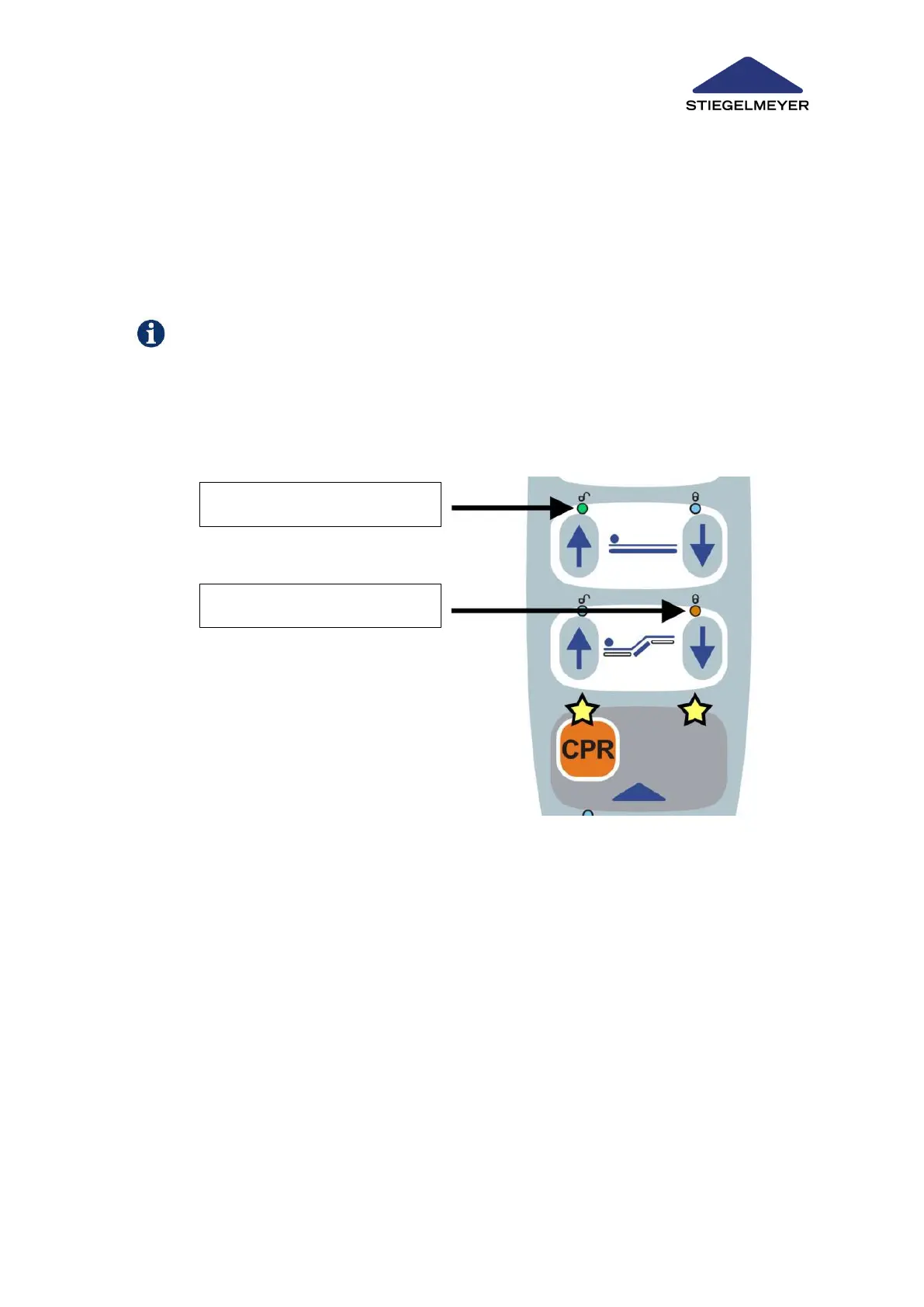
2. You can now make the desired settings on the handset.
Press the left button of the required function to release the function.
The green LED under the opened padlock lights up.
Press the right button of the required function to lock the function.
The orange LED under the closed padlock lights up.
If no settings, or no further settings, are entered within 5 seconds, the staff control level will
then be automatically ended again.
To change the setting for a particular function again, repeat the procedure for the function con-
cerned.
LED - green = unlocked
LED - orange = locked

Table of Contents

Related product manuals