Stonex S900
+
GNSS Receiver – User Manual 33
4.1.2 Calibration
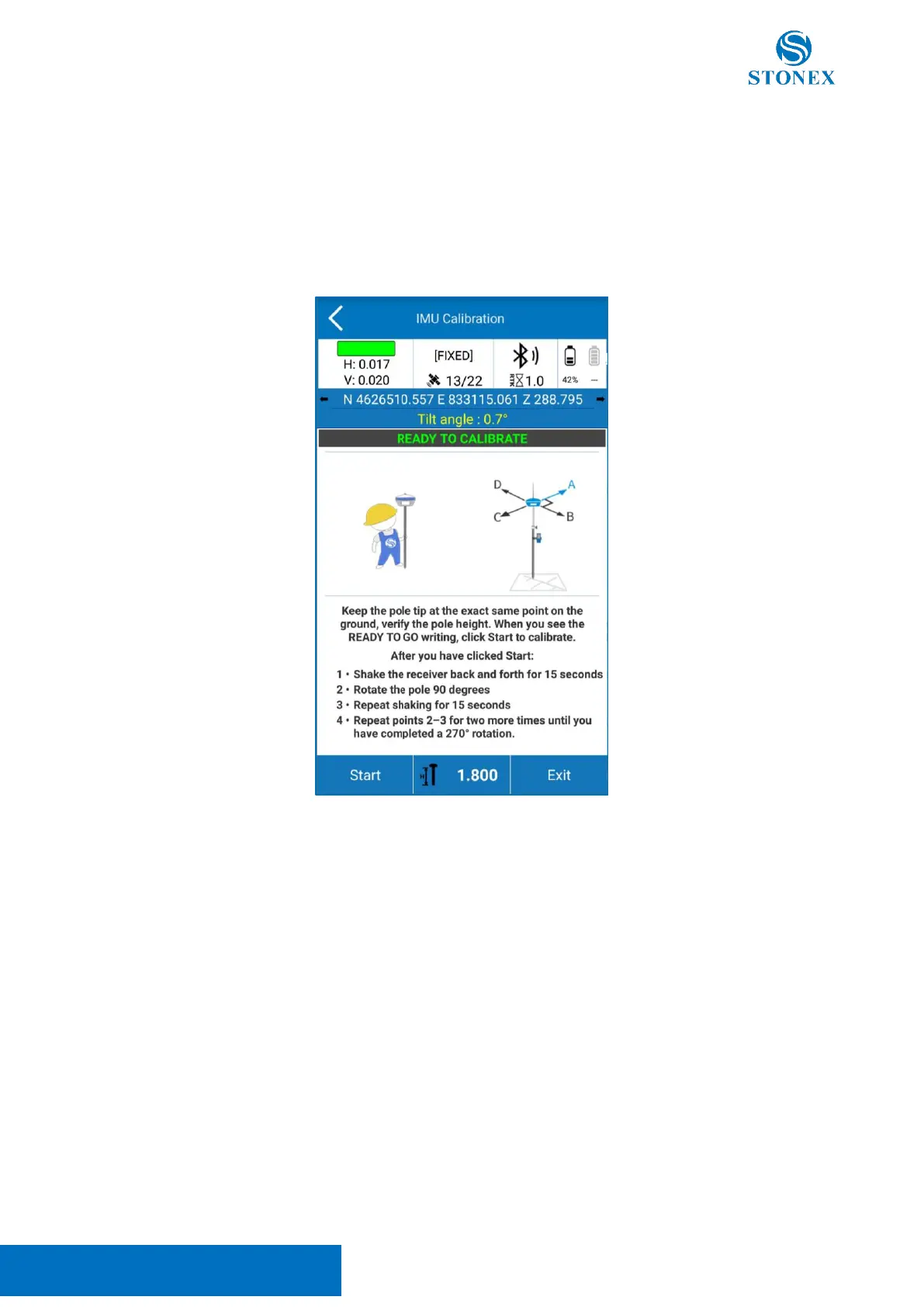
To calibrate the sensor, select the Calibrate page and then click on the Calibrate Sensor command.
A FIXED solution is mandatory. Set the pole to be high at 1.8m as well as the measured height set in Stonex
Cube-a.
Wait for the message Ready to Calibrate to appear then start the calibration by clicking on the Start button.
The calibration consists of the same operation repeated along 4 orthogonal directions: while keeping the pole
tip on the same point on the ground oscillate the receiver back and forth along the current direction for about
15 seconds, and Stonex Cube-a will show when to change direction.
When the calibration is completed the message Calibration Terminated appear.
Now the S900
+
is ready to work.



 To Next Page