pg 19
External Control
Tap and Infinite Mode Jumper Switch Configuration
You can use your Strymon MiniSwitch
(sold separately)
or an external,
non-latching (momentary) type switch to access Brig’s Tap Tempo and
Infinite Mode features�
The Strymon MiniSwitch includes an internal jumper switch that must
be changed from its factory FAV/BOOST Mode setting to work for
Brig’s Tap and Infinite switching� Follow these steps to configure the
MiniSwitch’s jumper switch�
1 Unscrew the four screws on the bottom of the MiniSwitch chassis�
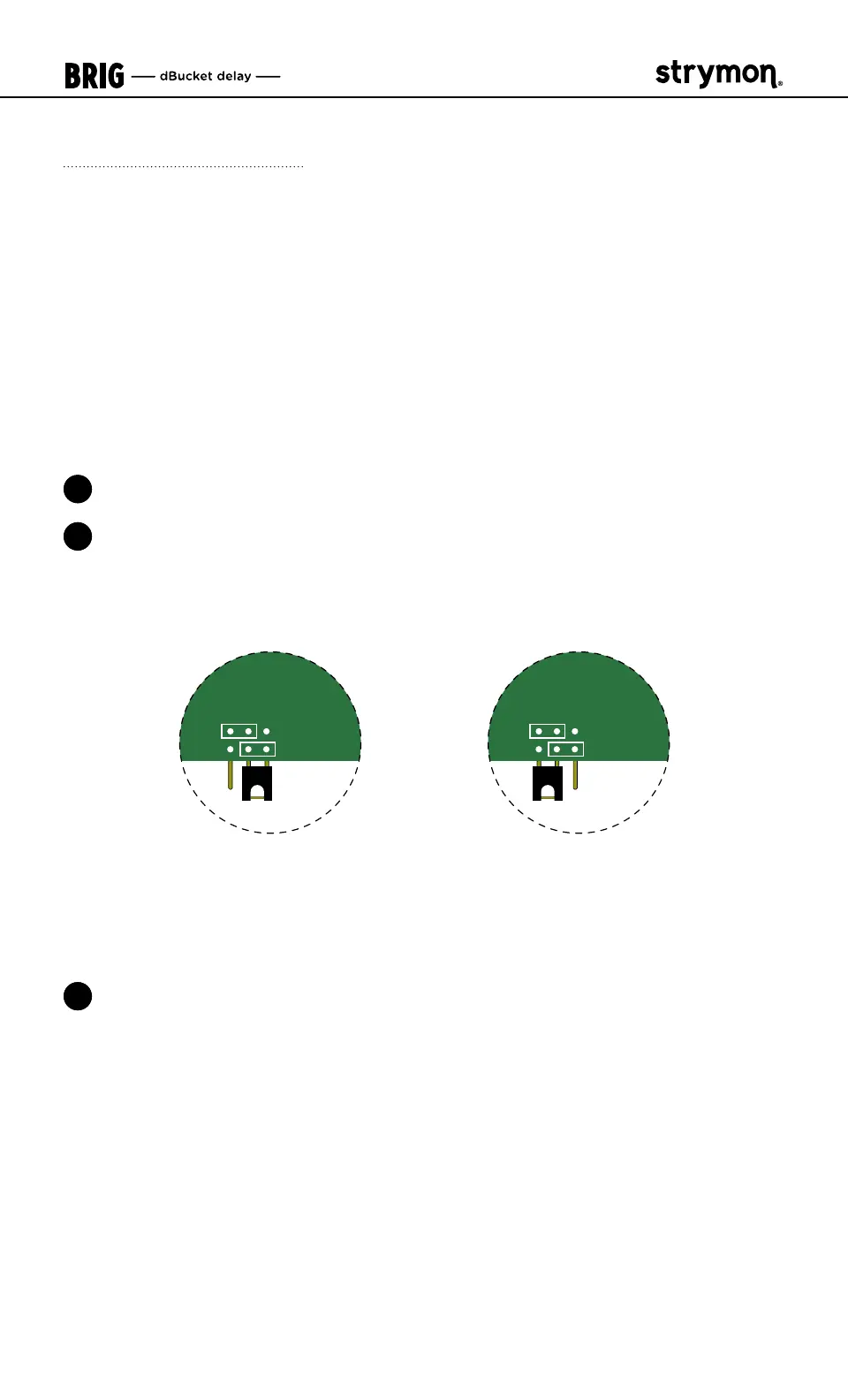
2 Once opened, locate the small jumper underneath the circuit board
and change it from the center and right pins (FAV/BOOST) to the
center and left pins (TAP
)�
Close-up view of the MiniSwitch circuit board jumper switch
TAP
FAV/BOOST
TAP
FAV/BOOST
FAV/BOOST Mode
For Brig’s Favorite Switch mode—place
the jumper on the two RIGHT pins. (This
is how MiniSwitch is configured from
the factory.)
TAP Mode
For Brig’s Tap and Infinite Switch
functionality—place the jumper on the
two LEFT pins.
3 Once the jumper configuration is complete, secure the cover back
on your MiniSwitch� See the following External Tap and Infinite Mode
setups to configure your external footswitch�



 To Next Page