pg 5
Knobs and Switches
Onboard Tap Mode
Press and hold the FOOTSWITCH for 1 second to enter/exit Onboard Tap
Mode and tap quarter notes to set your delay time�* The LED will flash
RED
and BLUE
to indicate the tempo� Maximum tap range is 2 seconds�
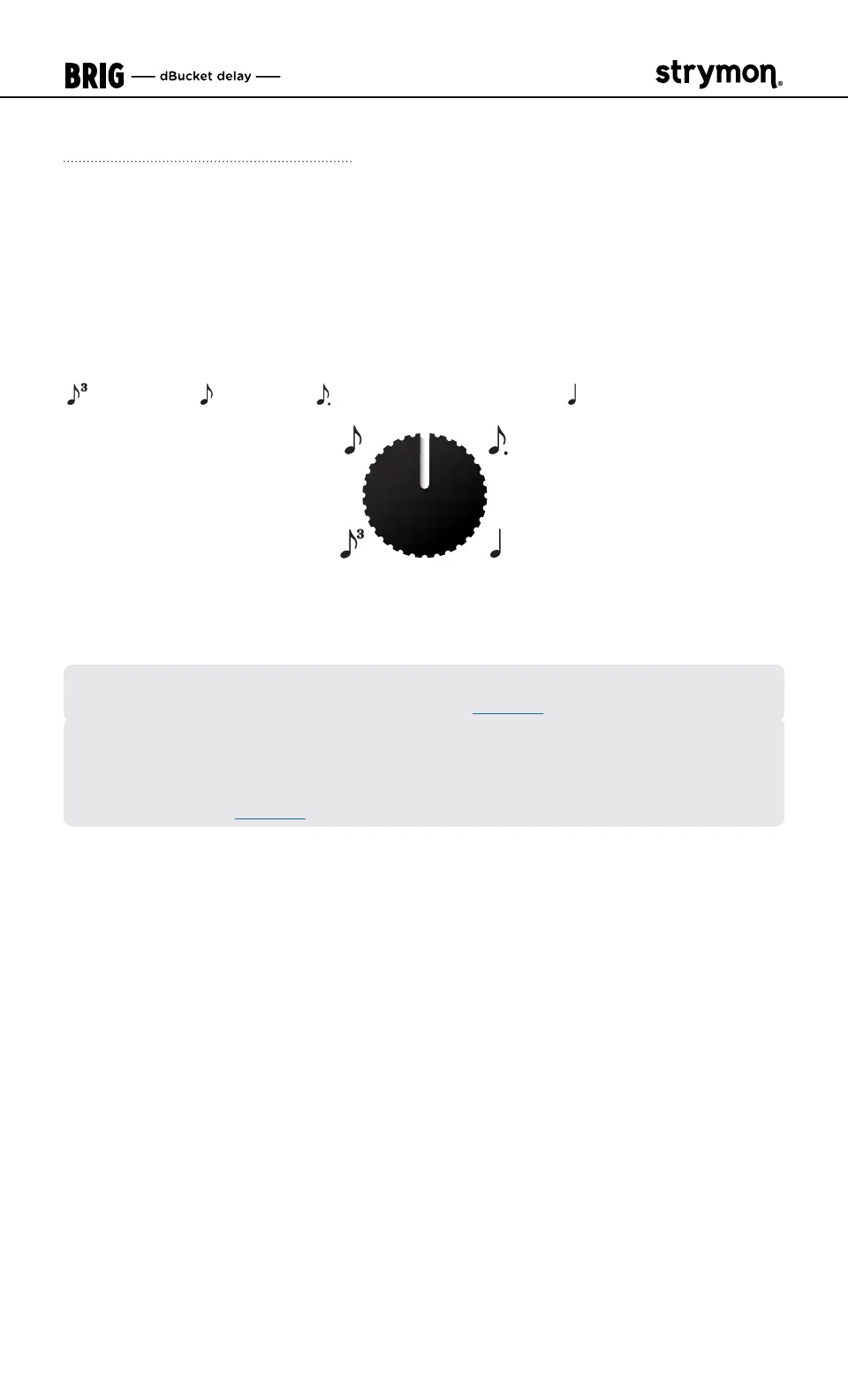
The TIME knob sets the TAP DIVISION when in Tap M
ode� The TAP
DIVISION options, from minimum to maximum on the TIME knob, are:
TRIPLET, EIGHTH, DOTTED EIGHTH, and QUARTER note�
*NOTE: Y
ou can optionally configure an external footswitch for External Tap,
Favorite, or Infinite Mode functionality� (See page 13�)
When using an External Tap Mode switch, you can follow the above
instructions in Onboard Tap Mode to set your TAP DIVISION options—the
current TAP DIVISION setting is utilized for both Onboard and External Tap
Modes� (Also, see page 20�)



 To Next Page