pg 11
Deco - tape saturation & doubletracker
Live Edit Functions
Use the following steps to enter Live Edit mode and access the second-
ary functions of the controls� Any of the following secondary functions
can be edited while in Live Edit mode�
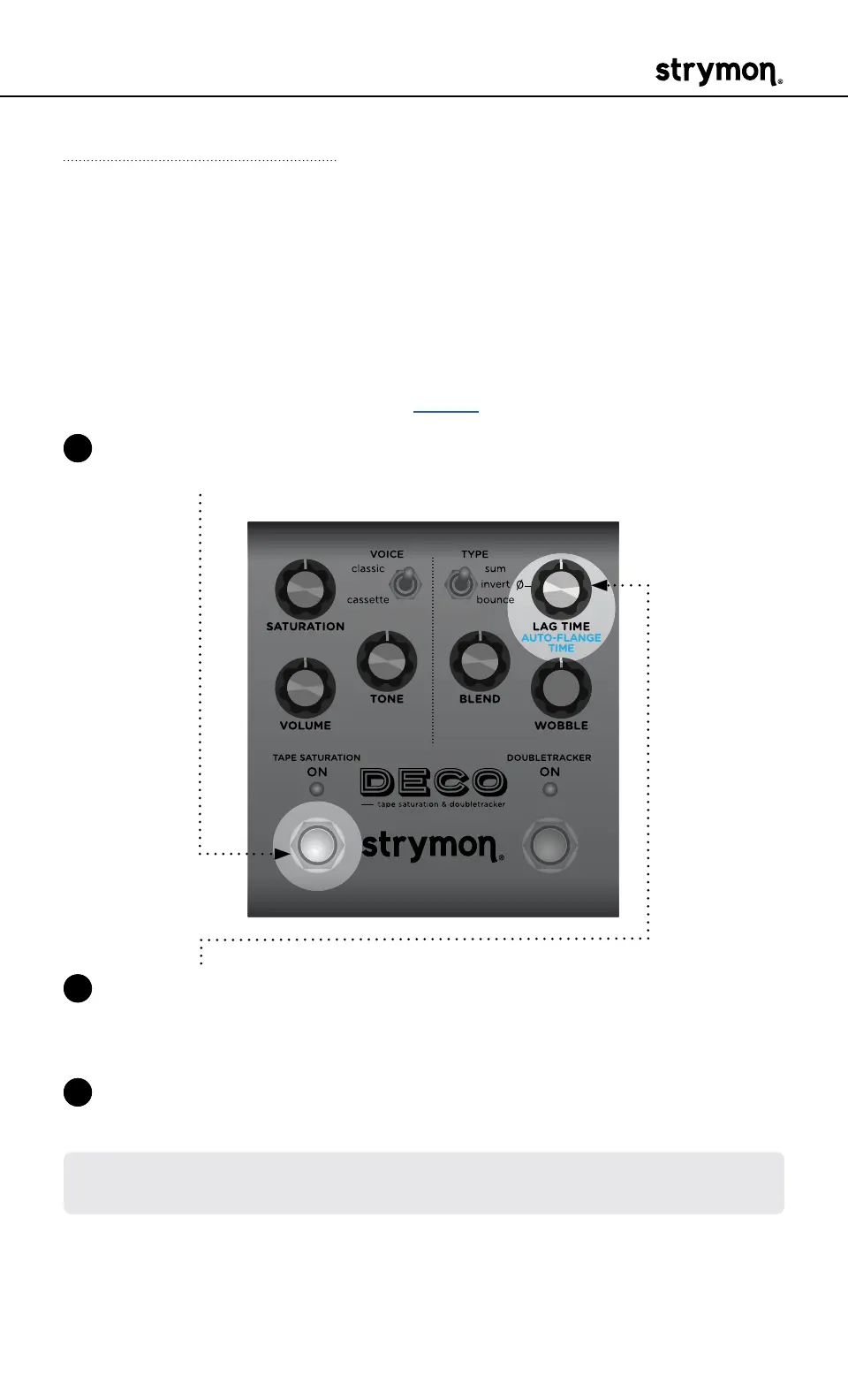
Auto-Flange Time
Sets the sweep time for the Auto-Flange effect� The Auto-Flange
is triggered as a momentary function by pressing and holding the
Doubletracker ON footswitch� (See page 5�)
1 Press and hold the TAPE SATURATION ON footswitch to enter Live
Edit mode� Once both LEDs flash, release the footswitch�
2 Turn the LAG TIME (AUTOFLANGE TIME) knob to adjust the speed of
the Auto Flange� Both ON LEDs indicate your speed selection from
GREEN (fast) to AMBER (slow)� The default setting is at 12 o’clock�
3 Press either footswitch to exit and store your Auto-Flange Time
setting�
NOTE: The Auto-Flange Time setting is saved per Favorite setting or per
MIDI preset�



 To Next Page