pg 12
Deco - tape saturation & doubletracker
Live Edit Functions
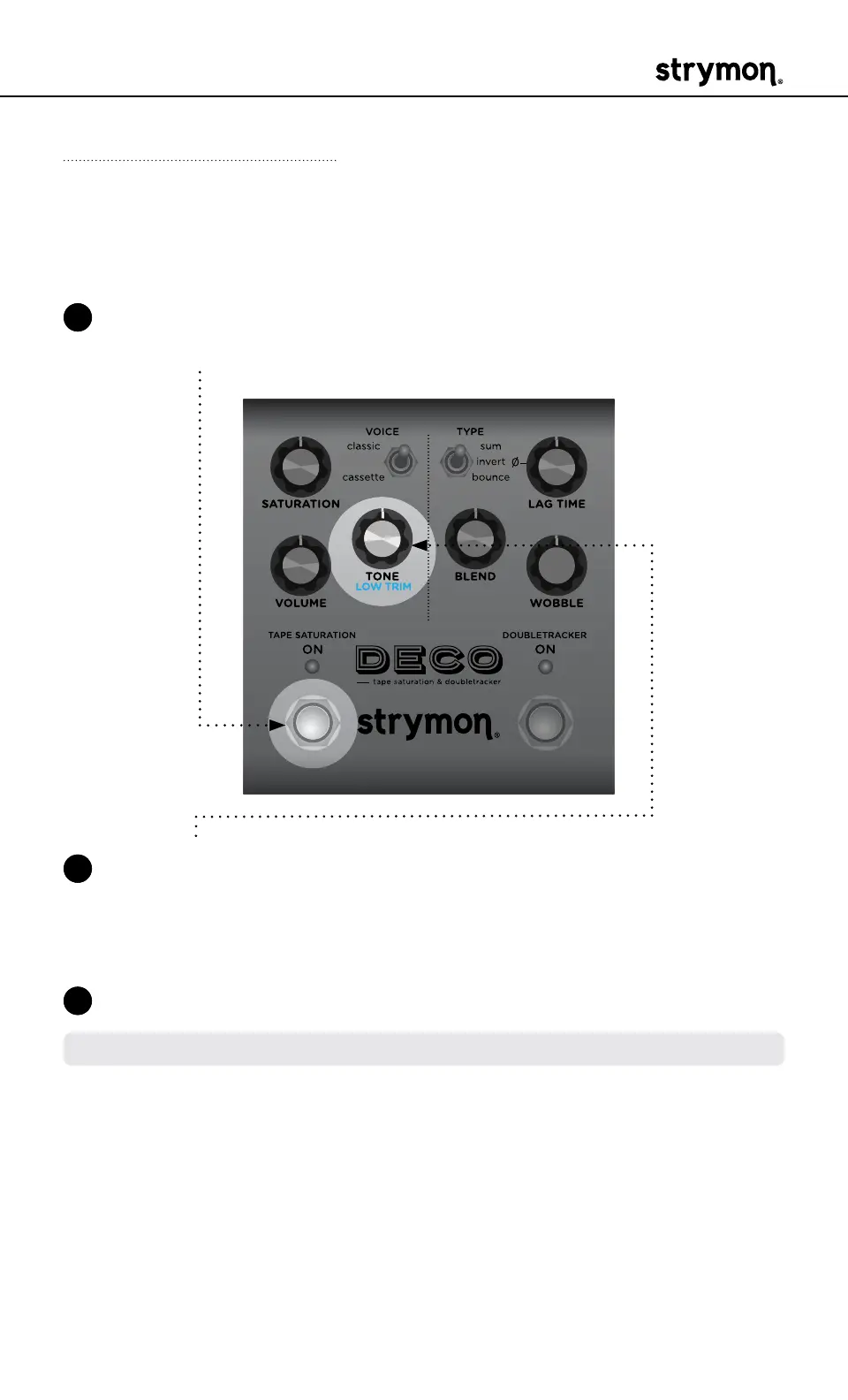
Low Trim
Applies a subtle high pass filter to reduce the low end, which can clean
up some rumble and muddiness of your effected tone�
1 Press and hold the TAPE SATURATION ON footswitch to enter Live
Edit mode� Once both LEDs flash, release the footswitch�
2 Turn the TONE (LOW TRIM) knob to adjust the low end� The TAPE
SATURATION ON LED indicates your selection from GREEN (full
bandwidth) to AMBER (high pass filtering is applied)� The default is
the minimum setting for full bandwidth�
3 Press either footswitch to exit and store your Low Trim setting�
NOTE: The Low Trim setting is saved per Favorite setting or per MIDI preset�



 To Next Page