pg 24
Deco - tape saturation & doubletracker
External Control
Tap Mode
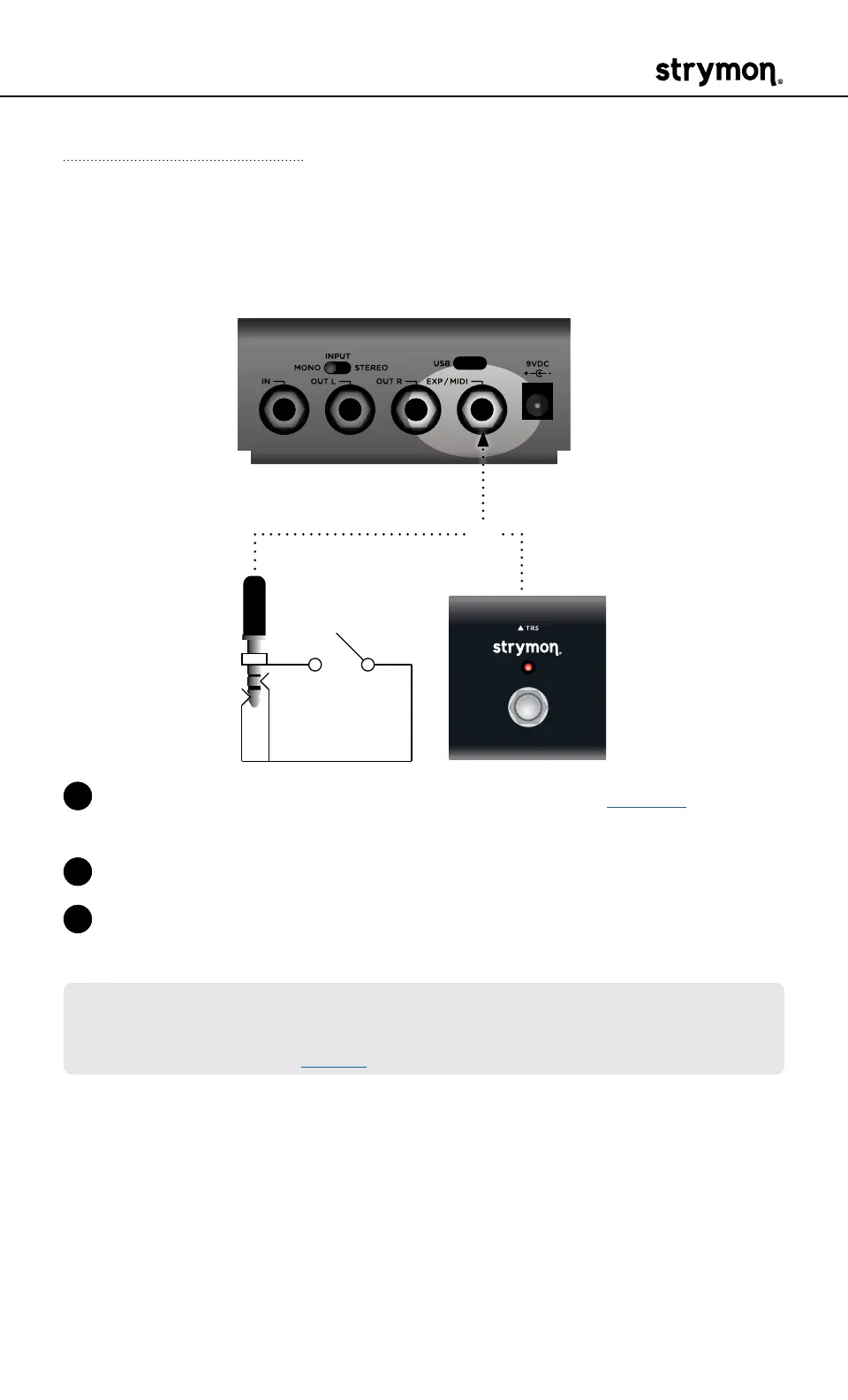
Connect a MiniSwitch or other external momentary footswitch with a
TRS cable to tap in a Lag Time�
OR
1 Configure the EXP/MIDI jack for Tap mode� (See page 19 for more
info�)
2 Connect an external switch with a TRS cable to the EXP/MIDI jack�
3 Tap in a tempo in 1/4 notes to set the Lag Time in 1/8th notes of the
tempo�
NOTE: When in Tap mode, press and hold the external switch to engage
the instant Auto-Flange effect� Release to return the controls to their
previous settings� (See page 5 for details�)



 To Next Page