pg 4
Deco - tape saturation & doubletracker
Knobs and Switches
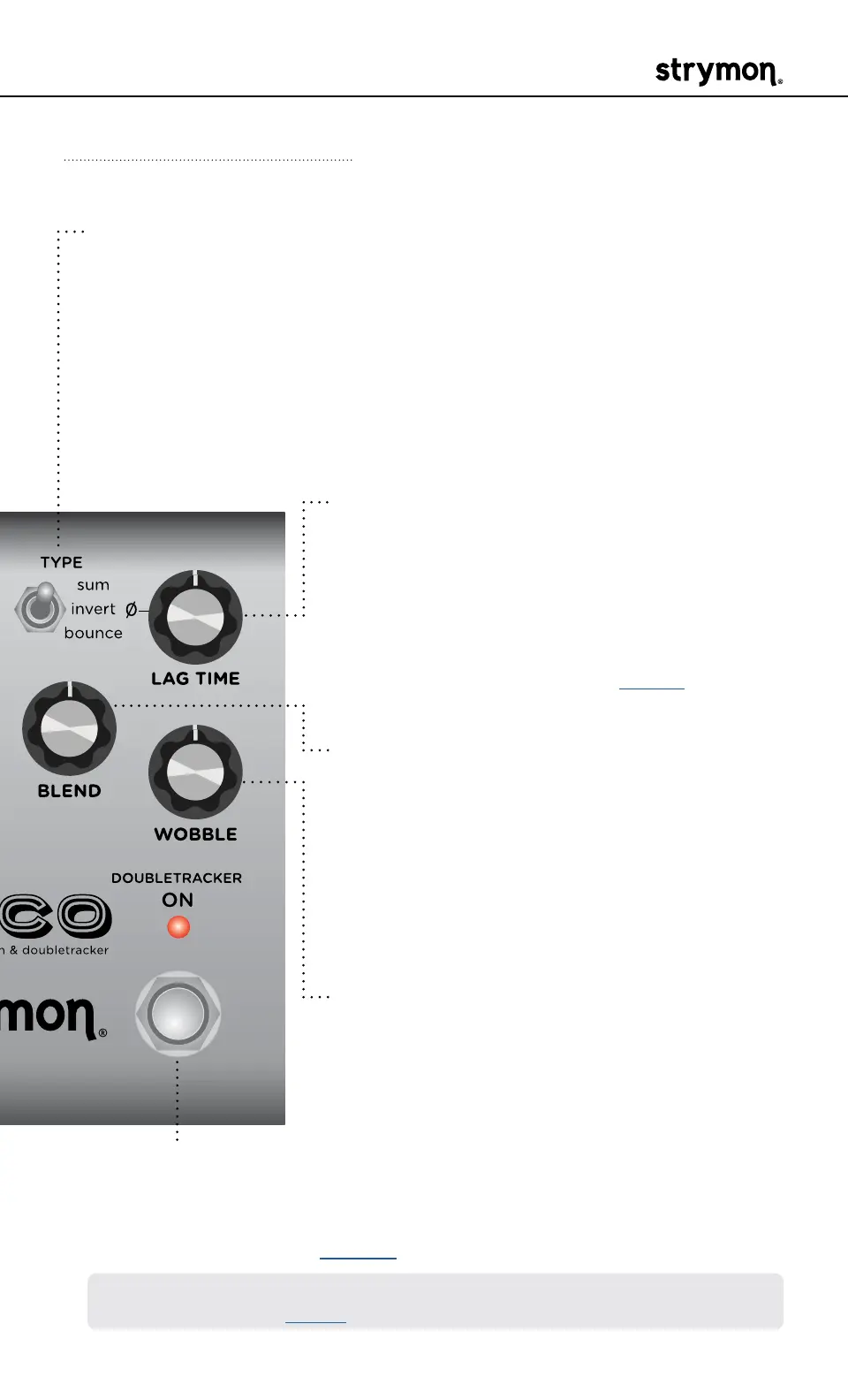
Front Panel Controls - Doubletracker
DOUBLETRACKER ON
Toggles the Doubletracker effect On (engaged) and Off (bypassed)�
RED LED on indicates that the effect is engaged� Bypass mode is true
bypass by default� (See page 18 for details�)
NOTE: Hold DOUBLETRACKER ON footswitch to engage the instant Auto-
Flange feature� (See page 5 for details�)
LAG TIME
Sets the delay offset between the Reference
Deck and the Lag Deck, creating a full range
of doubletracking tape effects� Transition
from flange on the first half of the knob,
to chorus, slapback, and then echo with a
maximum 500ms delay� See page 7 for
details�
BLEND
Sets the relative mix level of the two tape
decks using the TYPE switch’s current mode�
Turn counter-clockwise to add more of the
Reference Deck, which can serve to tame
your doubletracking effect� Turn clockwise to
blend in more of the Lag Deck� At 12 o’clock,
both decks are equally mixed�
WOBBLE
Adds a random modulation to the Lag Deck�
At lower settings, the variations are mild and
create time-varying flange effects� At higher
settings, the variations become more extreme�
TYPE
Selects phase and internal routing to tailor tonality and low-end:
sum: the Reference and Lag Decks are summed in phase�
invert:
the Reference and Lag Decks are summed out of phase�
bounce: the right channel of the Lag Deck is phase-inverted and
bounced to the left channel input� With mono output or Wide Stereo
on, you get a double-repeat effect� With Wide Stereo mode off, there
is a ping-pong-like stereo effect�



 To Next Page