pg 13
Deco - tape saturation & doubletracker
Live Edit Functions
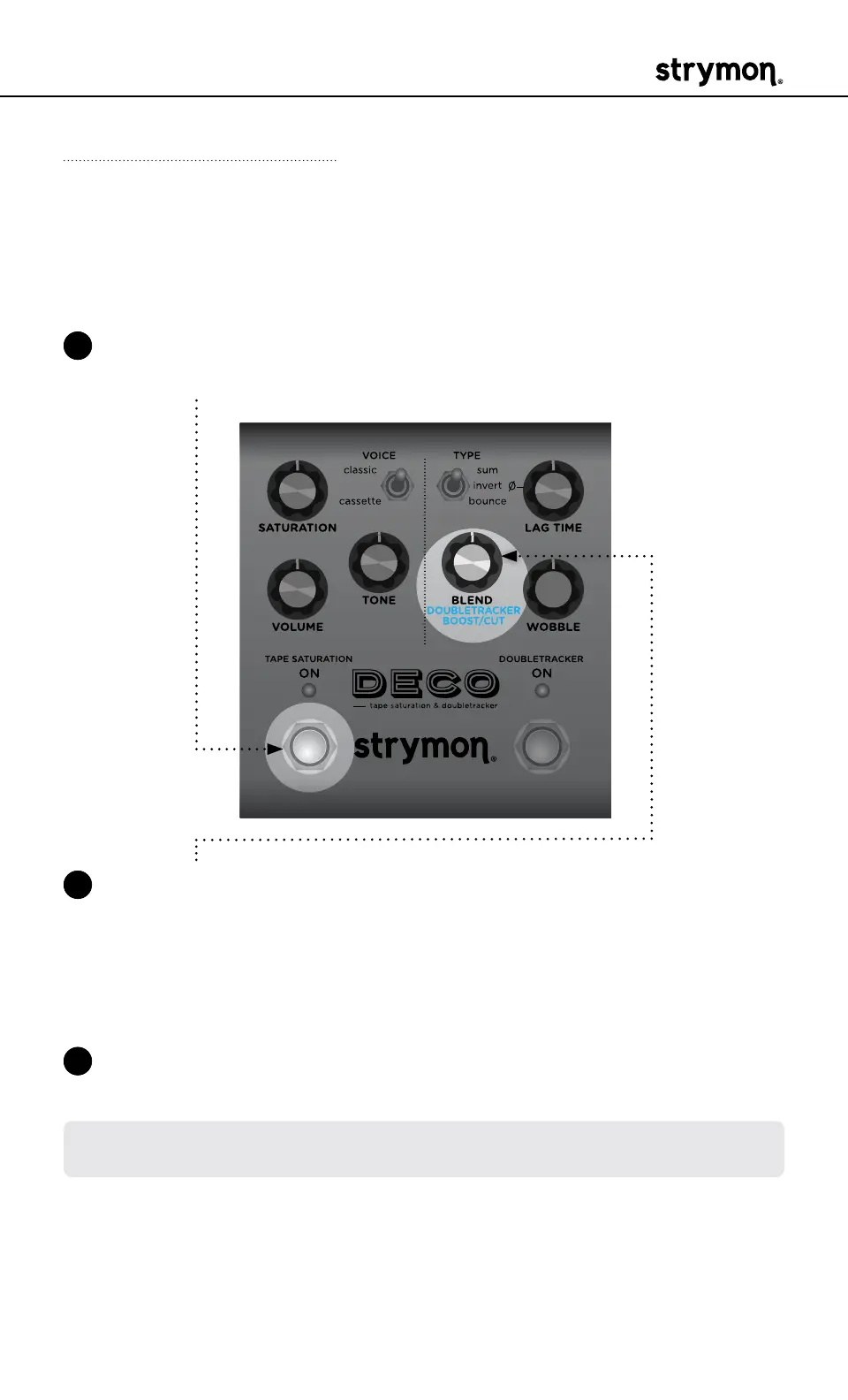
Doubletracker Boost / Cut
Adjusts the amount of volume increase or decrease, +3dB or -3dB,
applied to the Doubletracker, when enabled, to allow for precise level
matching�
1 Press and hold the TAPE SATURATION ON footswitch to enter Live
Edit mode� Once both LEDs flash, release the footswitch�
2 Turn the BLEND (DOUBLETRACKER BOOST/CUT) knob to adjust
the Doubletracker level� Both ON LEDs indicate your selection from
GREEN (-3dB cut) to AMBER (+3dB boost)�
Default is set at the 12 o’clock position for unity gain, where no cut
or boost is applied�
3 Press either footswitch to exit and store your Doubletracker Boost/
Cut setting�
NOTE: The Doubletracker Boost/Cut setting is saved per Favorite setting or
per MIDI preset�



 To Next Page