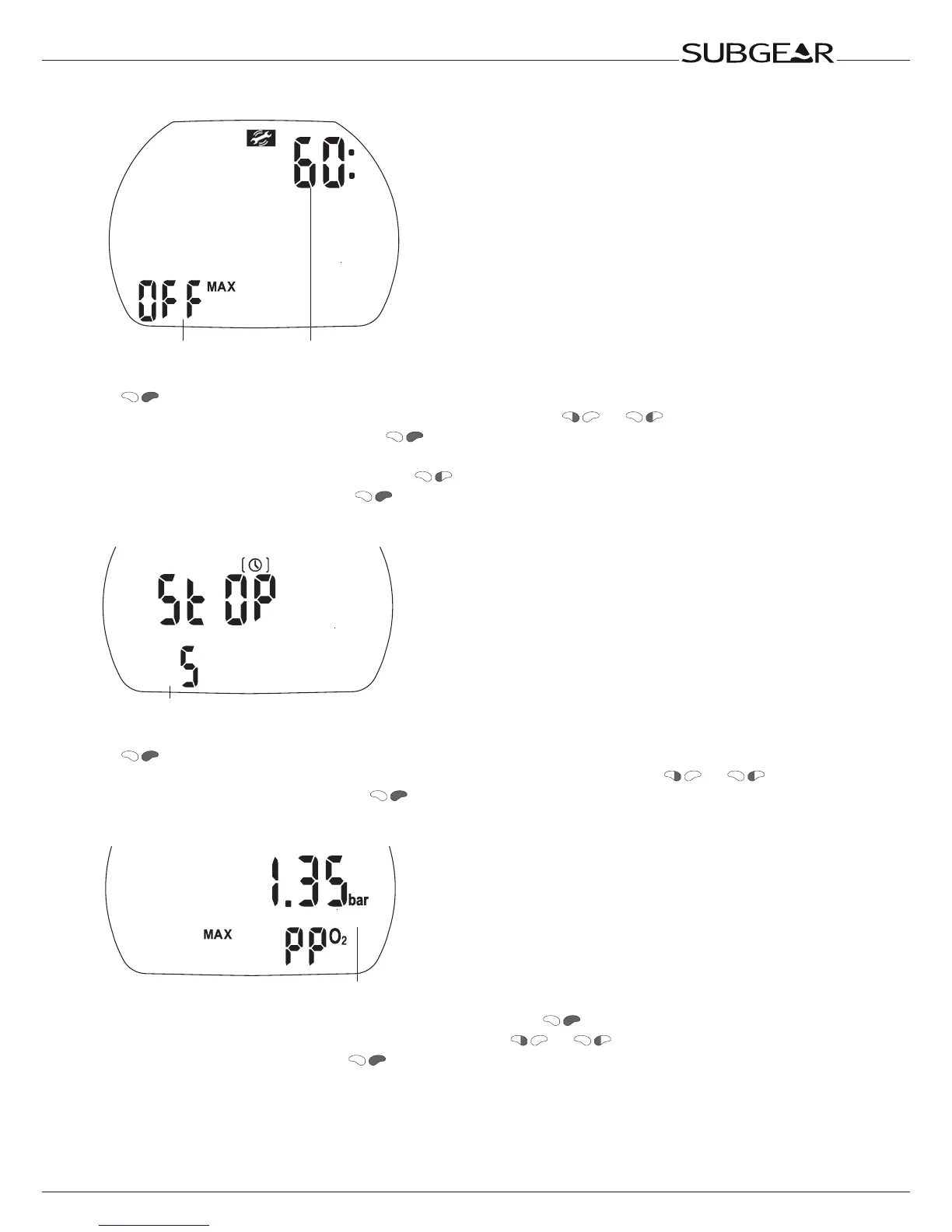
Alarm time
Status
1. Confirm that you wish to change the time of the dive time alarm or to switch it on or off by pushing
. The alarm time starts to flash.
2. Change the alarm time in increments of 5 minutes by pushing or .
3. Confirm the selected alarm time with . “On” or “Off” starts to flash.
4. “On” indicates “activated”, “Off” indicates “deactivated”.
Switch between “on” or “off” by pressing .
Confirm the selected status with . See also page 27,27.
Setting the safety stop duration
Duration of the safety stop
1. Confirm that you wish to change the duration of the safety stop by pushing
. The duration starts to flash.
2. Change the duration in increments of 1 minute or to off (inactive) by pushing
or .
3. Confirm the selected duration with .
Setting the maximum partial pressure of oxygen (ppO
2
max)
ppO
2
max
1. Confirm that you wish to change the ppO
2
max by pushing . The current value starts to flash.
2. Change the value in increments of 0.05bar by pushing or .
3. Confirm the selected value with .
The ppO
2
max setting is valid for gas 1 and the deco gas.
Setting the time limit to reset the O
2
% mix to air



 To Next Page