2-16
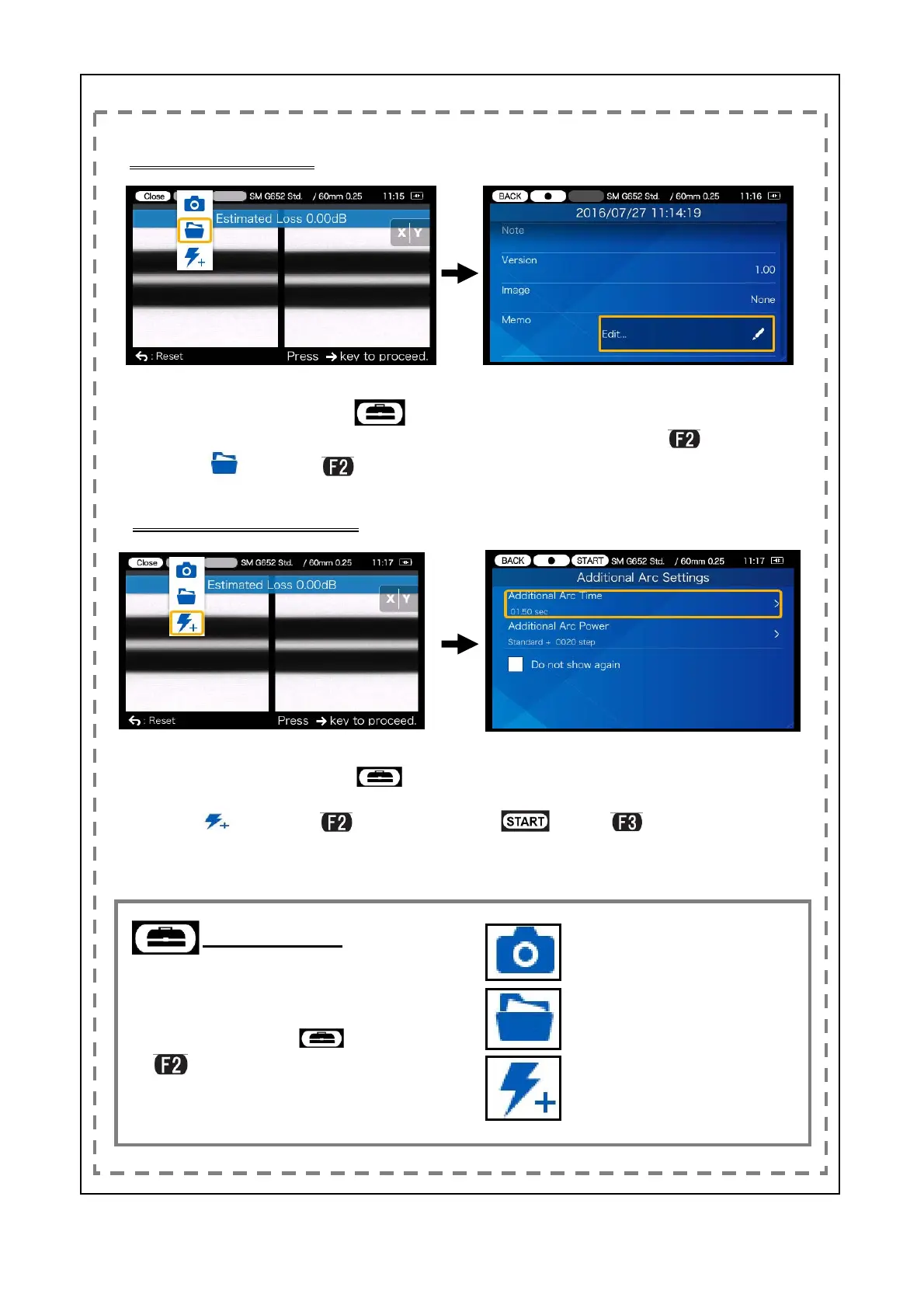
Checking splice data
Set Additional arc time and Addi-
tional arc power value.
To perform additional arc, select
(press
key).
*To edit these settings, set the
Additional Arc fucntion to ON first.
Performing additional arc
To use Memo function, in the splice
data screen, move the cursor to the
Memo icon and press
key.
In the Estimation loss screen,
select the Tool box icon
.
Move the cursor to the view splice
data icon
and press
key.
In the Estimation loss screen,
select the Tool box icon
.
Move the cursor to the addtional
arc icon
and press
key.
View splice data
・After splicing, if you would like to
view splice data or perform addi-
tional arc, select icon (press
key). The icons showing
these options will appear in a
pull-down menu.
Save image data
Perform additional arc
Tool box icon
2/3


 To Next Page