SummaSign Pro T-series Cutters User’ s Manual
General Information 1-16
1.7. INSTALLATION OF A KNIFE, BALLPOINT PEN OR POUNCING TOOL
1.7.1. INSTALLING A STANDARD TANGENTIAL KNIFE
!
SAFETY WARNING
Your cutter uses razor-sharp knives. The knife blades may cause
serious personal injuries if handled without proper care. Use extreme
care when operating the cutter and when installing, removing or
handling the knife!
è To set up your cutter for TANGENTIAL knife operation, proceed as follows.
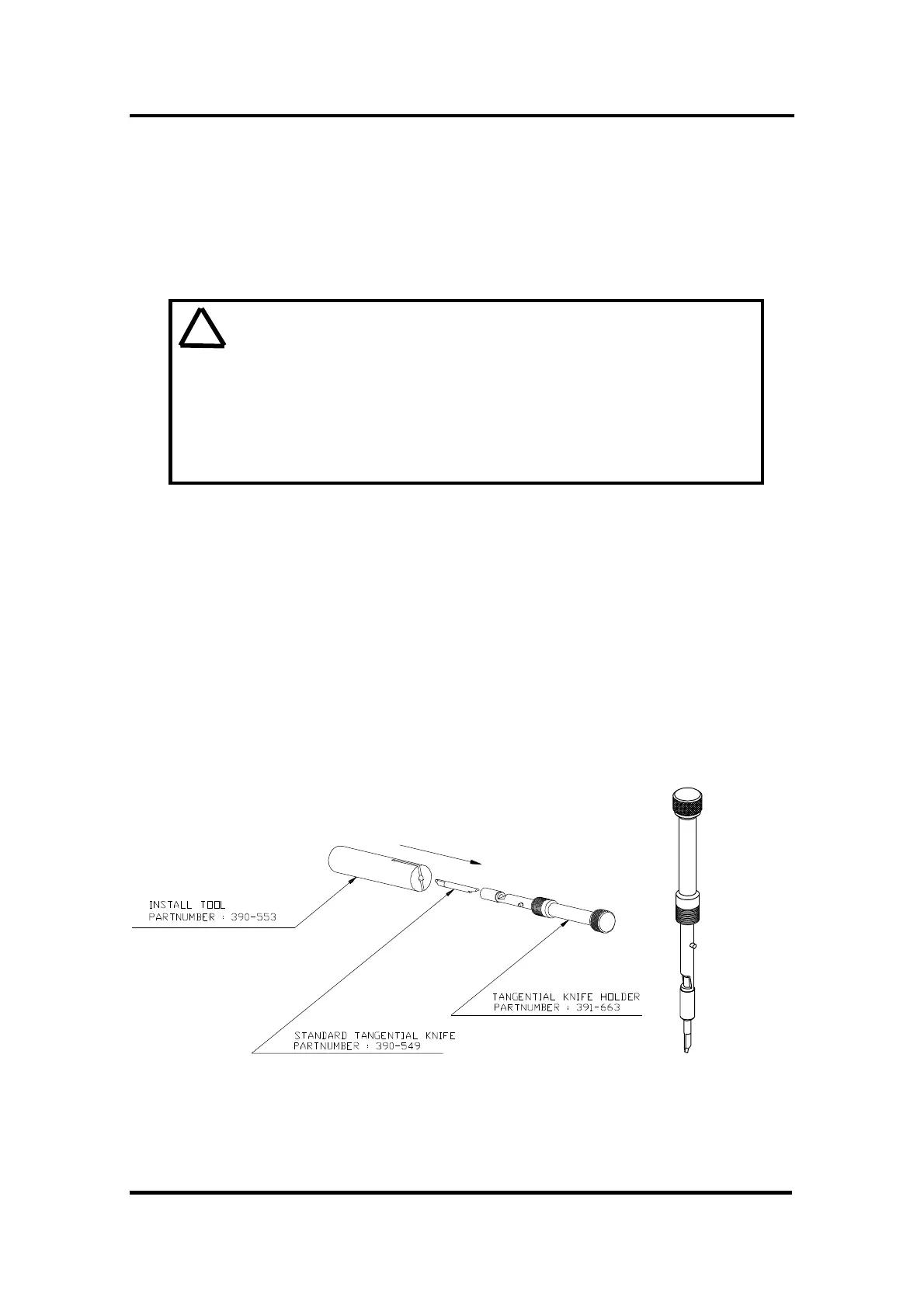
1. As shown in Figure 1-4, insert the standard knife blade p/n 390-549 into the
knife holder. Make sure the knife blade is firmly fixed into the holder. The
knife is firmly fixed when you can not remove it manually from the knife
holder.
To remove a fixed blade, when it is too blunt, push against the back of the
blade with the tip of a screwdriver. The blade will then jump out of its
holder.
This procedure is also valid for the installation of the optional double tip
blade p/n 390-551.
FIGURE 1-4 :
BLADE ASSEMBLY



 To Next Page