SummaSign Pro T-series Cutters User’ s Manual
General Information 1-24
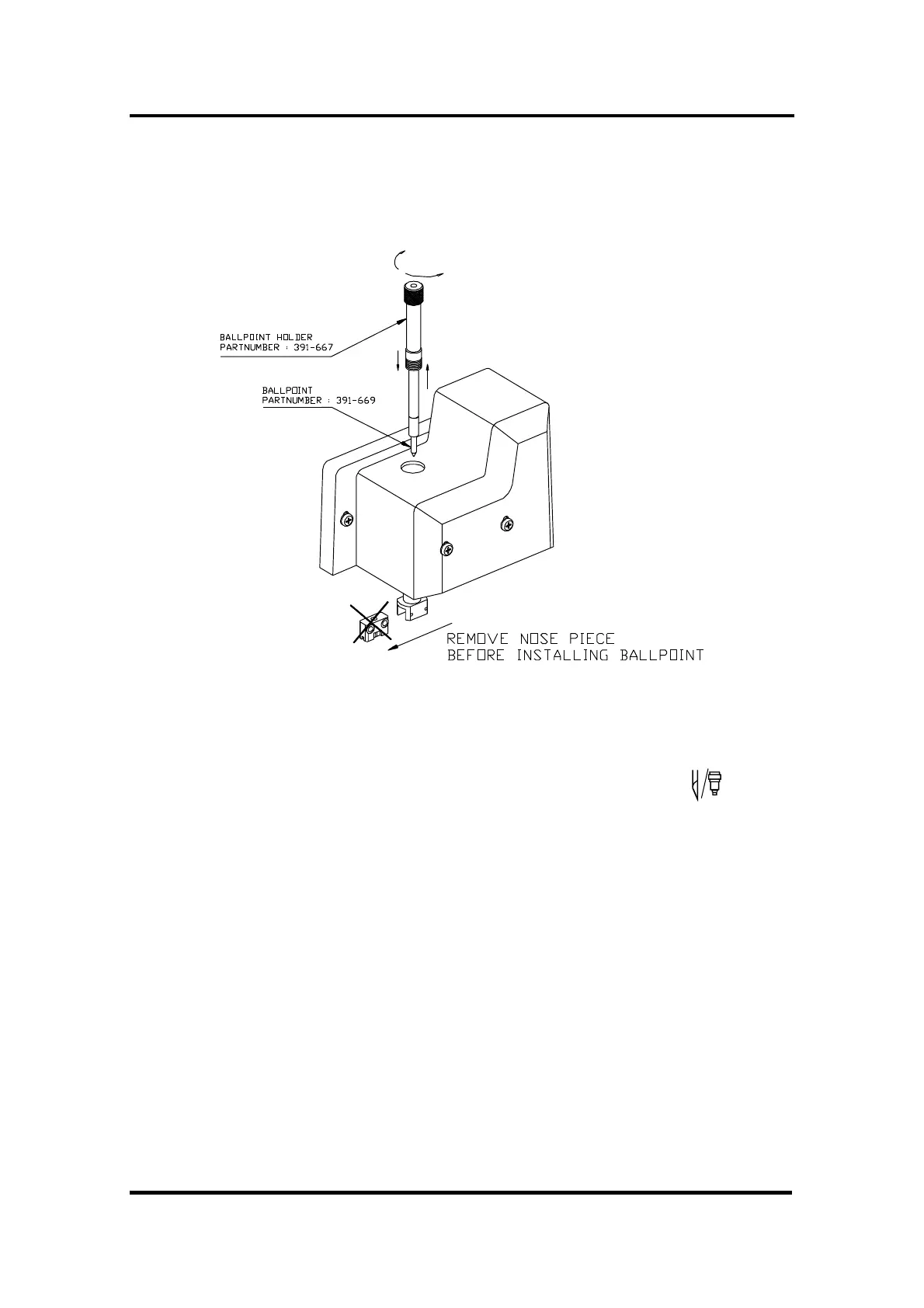
4. Install the ballpoint pen as shown in Figure 1-14. Insert the ball point pen
holder as far as possible by turning it clockwise while holding the nose
piece holder in place with the other hand.
FIGURE 1-14 :
BALLPOINT HOLDER INSERTION
5. To configure the cutter for ballpoint pen operation, press the key.
Press the left or right jogging key until BALLPOINT appears on the second
line of the LCD .
Press ENTER and an asterisk will appear next to BALLPOINT, this indicates
that the ballpoint is selected.
A small P (for "Pen") will be displayed in the upper right corner of the
LCD.
1.7.5. INSTALLING A POUNCING TOOL
The SummaSign Pro cutters can also be operated with a POUNCING TOOL.
After replacing the knife with a pouncing tool, the cutter can be used as a
pouncer.
è To install the pouncing tool, proceed as follows:



 To Next Page