SummaSign Pro T-series Cutters User’ s Manual
General Information 1-21
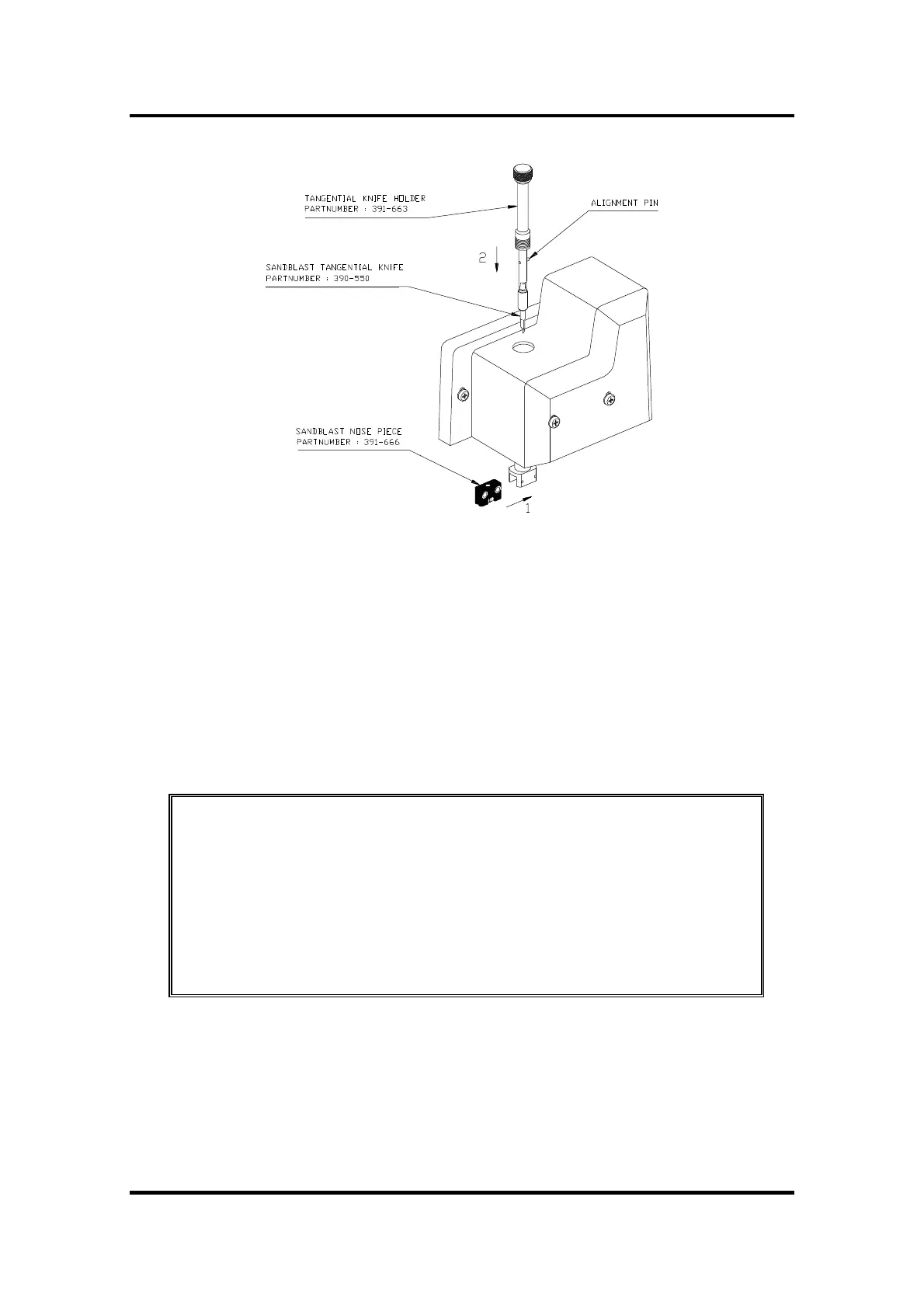
FIGURE 1-10 :
NOSE PIECE AND KNIFE INSTALLATION FOR CUTTING
MASKING STENCILS OR HEAVY MATERIALS
3. Gently insert the knife into the tool shaft as shown in Figure 1-10. Hold the
nose piece in place with one hand, with the other hand turn the knife
holder anticlockwise until the alignment pin fits into the small notch of
the tool shaft. Then turn the knife holder clockwise until it gets grip in the
tool shaft.
4. For knife pressure and depth setting, refer to section 1.7.1 point 4 and 5.
NOTE
When cutting masking stencil or heavy materials, it can be necessary
to lower the cutting speed of the machine. Very heavy materials
should be cut at a speed of 100 mm/s (4 ips) to get no overcurrent
error caused by the drive motors. To change the cutting speed, refer
to paragraph 2.3.4.
1.7.3. INSTALLING A DRAG KNIFE
The SummaSign Pro T-series cutters can also be operated with a DRAG knife.
This feature requires a drag knife and drag knife holder.



 To Next Page