SummaSign Pro T-series Cutters User’ s Manual
Operation 2-22
2.5.1.1. ADJUST ORIGIN test routine
↓ INTERNAL TESTS
↑ CALIBRATE KNIFE
Press to select the ORIGIN test.
ADJUST ORIGIN
↑↓ 0
Press to execute the ORIGIN test.
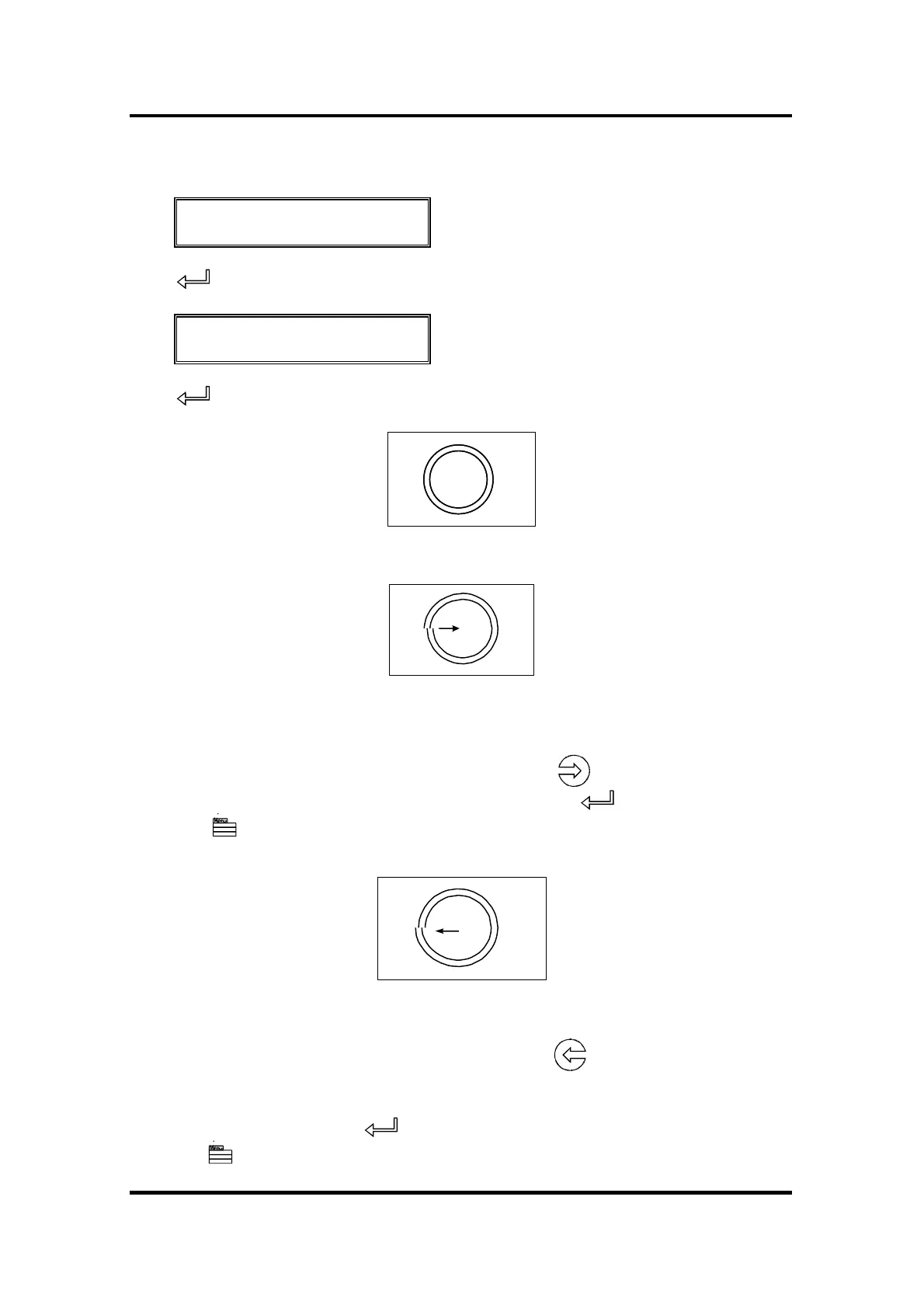
This is the correctly cut test pattern.
Weed out the ring and compare the circle pattern cut in the vinyl with the
circle pattern illustrated above. If you obtained this kind of pattern, increase
the value displayed on the LCD by pressing the jogging key to correct
closing of the circles cut. To repeat the test, press the key.
Press the key to go to the next step of the calibration procedure
However if you obtained the kind of pattern illustrated above, then, decrease
the value displayed on the LCD by pressing the jogging key to correct
closing of the circles cut.
To repeat the test, press the key.
Press the key to go to the next step of the calibration procedure



 To Next Page