SummaSign Pro T-series Cutters User’s Manual
Contour Cutting 5.3
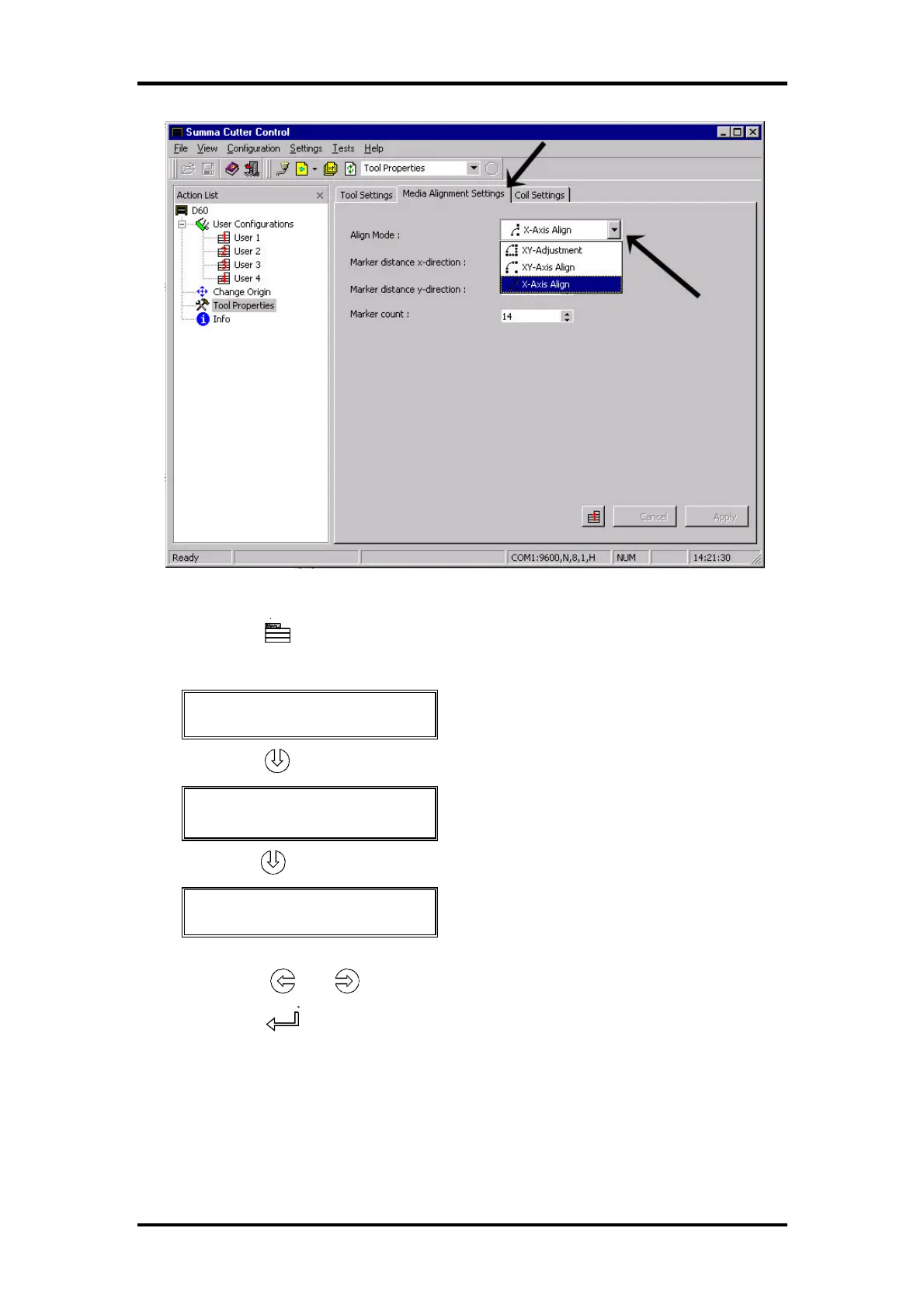
• Using the control panel to select the desired alignment method:
Press the key (MENU) until the message 'USER CONFIG 1' is displayed
on the LCD.
↓ USER CONFIG 1
← →
Press the jogging key until the message ‘SYSTEM SETUP’ is displayed.
↑↓ SYSTEM SETUP
↵
Press the jogging key until the message ‘SPECIAL LOAD’ is displayed.
↑↓ SPECIAL LOAD
← * X- ALIGN.
→
Press the or key to modify the special load parameter.
Press the key to confirm the selection.
The alignment methods are based on the principle of cross-marks that are
printed together with the drawing. These cross-marks can be of any type.
There are three alignment methods.



 To Next Page