47
Chapter 3: Maintenance and Component Installation
Warning: There is a danger of explosion if the onboard battery is installed upside
down (which reverses its polarities). This battery must be replaced only with the same
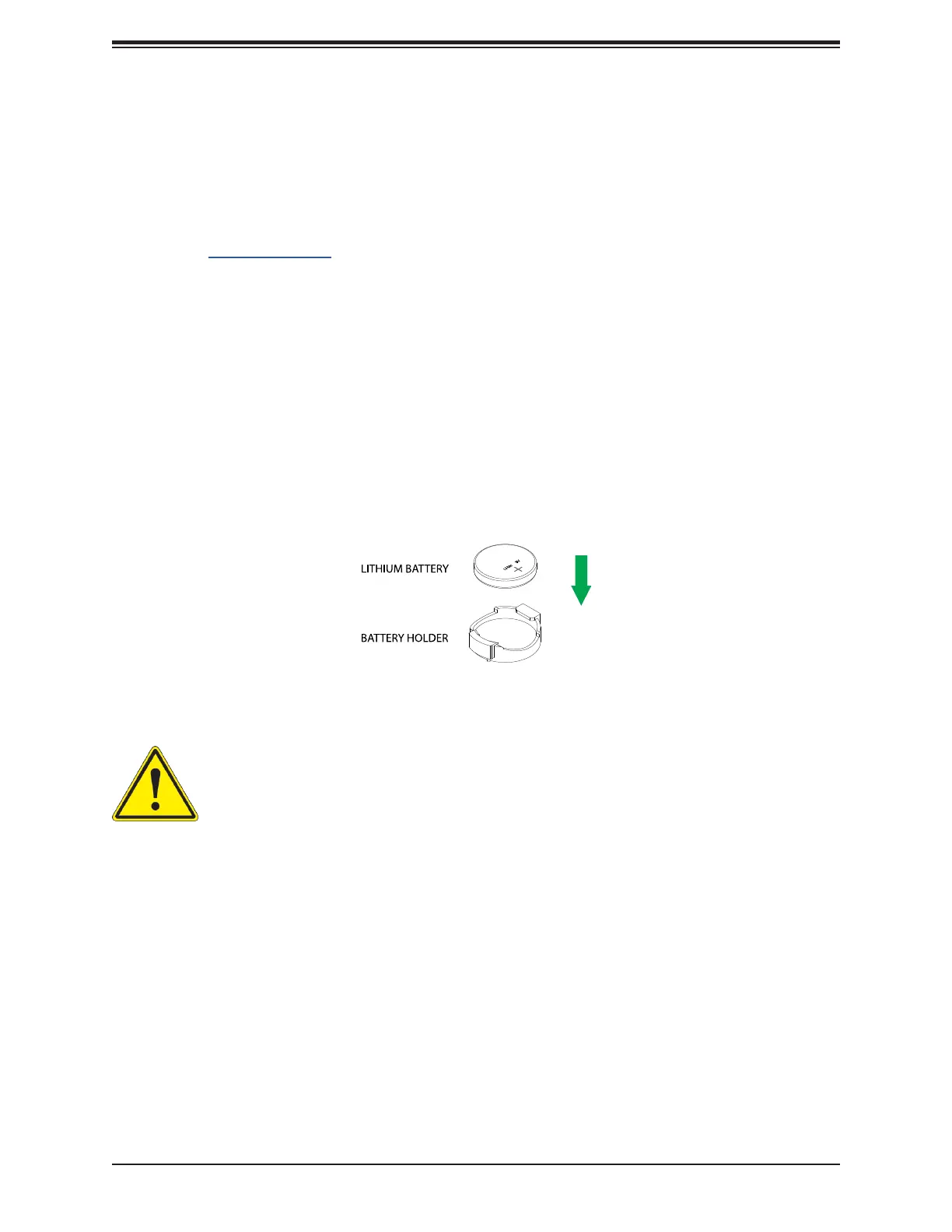
Figure 3-3. Installing the Onboard Battery
3.5 Motherboard Battery
The motherboard uses non-volatile memory to retain system information when system power
is removed. This memory is powered by a lithium battery residing on the motherboard.
Replacing the Battery
removing power from the system.
1.
released, lift it out of the holder.
To insert a new battery, slide one edge under the lip of the holder with the positive (+)
side facing up. Then push the other side down until the clamp snaps over it.
Note:
hazardous waste management agency to dispose of your used battery properly.




 To Next Page