20
Chapter 1
Introduction
The Programming Base
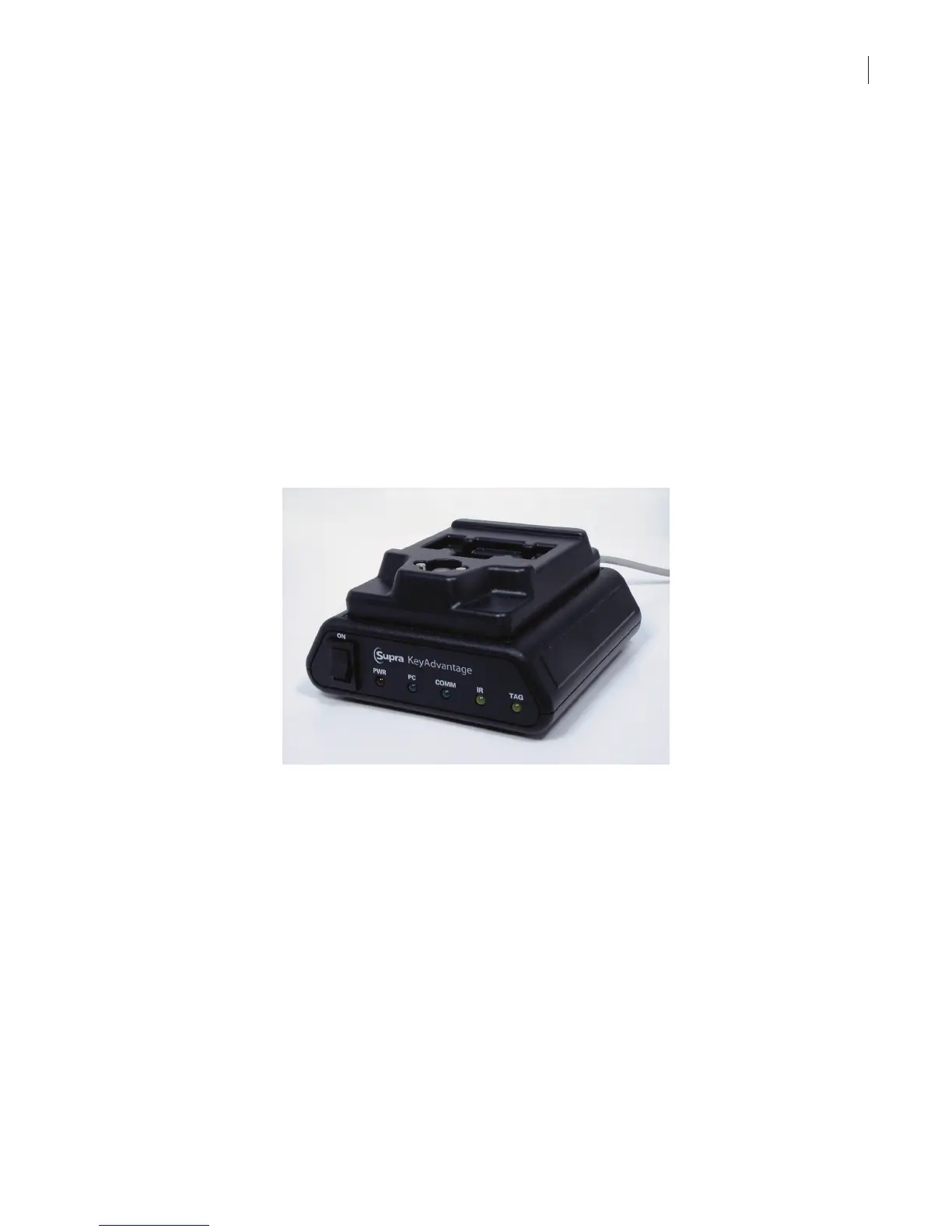
The KeyAdvantage programming base provides a programming interface between the KeyAdvantage software
and KeyPads, KeyBoxes and KeyTags.
The programming base is capable of reading and writing KeyBoxes, KeyPads and KeyTags. It is used to program,
deprogram, and troubleshoot KeyBoxes and KeyPads. It can read serial number of KeyTags and program vehicle
IDs into the KeyTag.
Physical Characteristics
The programming base:
• Communicates with KeyBoxes, KeyPads, and KeyTags to allow information to be passed between these
devices and the KeyAdvantage software
• Contains receptacles for docking KeyBoxes, KeyPads, and KeyTags. Only one device can communicate
with the programming base at a time
• Communicates with KeyBoxes and KeyPads through IRDA (infrared) communication. The programming
base connects to the KeyTag through physical contacts
• Connects to a PC through a serial connection
Visual Feedback—LEDs
The front panel contains 5 LEDs for visual feedback.
• When the programming base is powered on, all lights quickly blink on and off.
• The red LED indicates that the power switch is on and that power is applied. If the red light is off there is
no power.
• The green PC light indicates the serial cable is connected. If the green PC light is off it indicates the cable
is not connected.
• The green COMM light indicates the software is connected to the base. If the green COMM light is off it
indicates the software is not connected to the base.
• The yellow IR light indicates a KeyPad or KeyBox is connected to the base.
• The yellow TAG light indicates a KeyTag is connected to the base.



 To Next Page