33
KeyAdvantage User Manual
KeyAdvantage Software Toolbars
KeyAdvantage has the following toolbars:
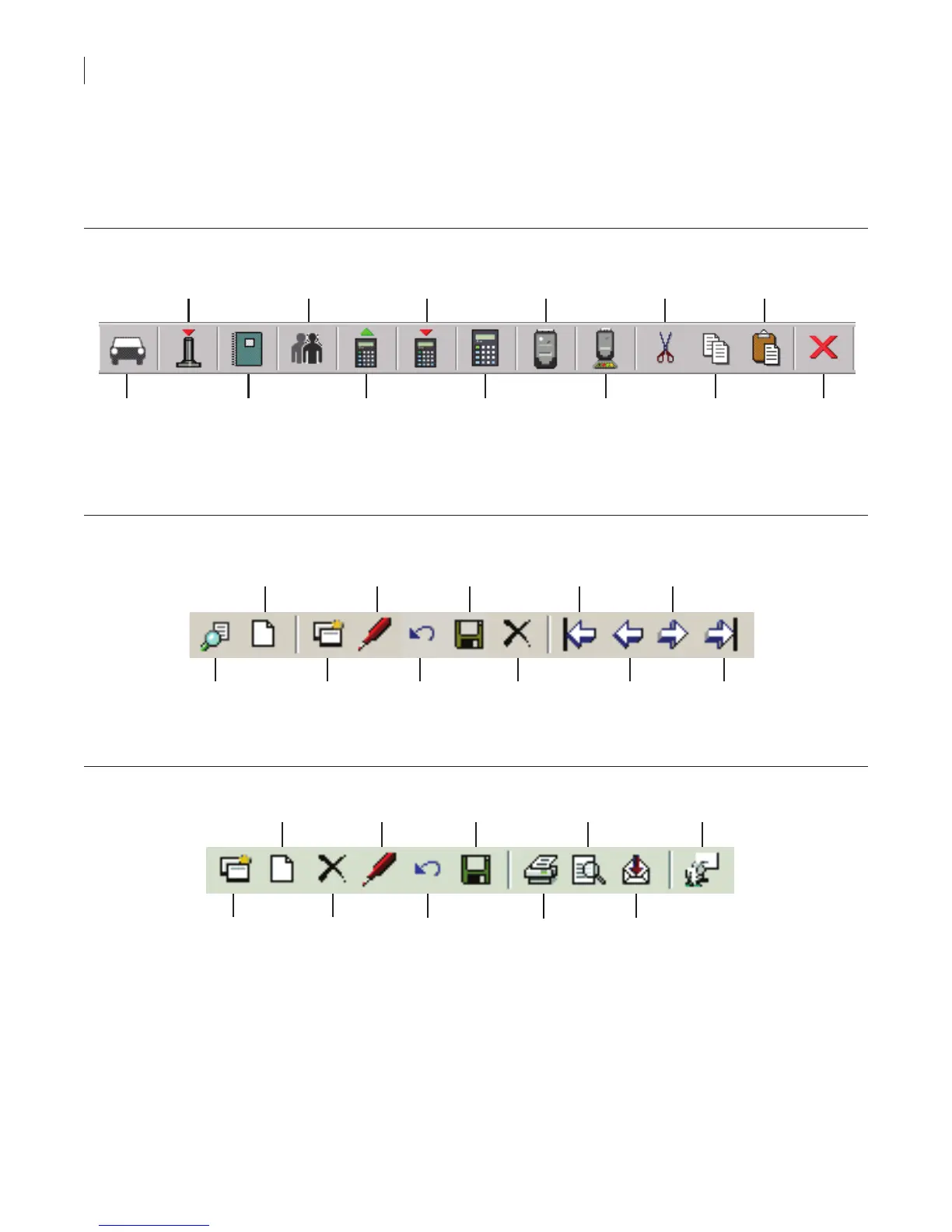
Main toolbar. The Main toolbar (Figure 3) contains buttons that are shortcuts to common tasks in the
KeyAdvantage software. The name of the button displays when you position the mouse cursor over it.
Figure 3. Main toolbox
Modify
vehicle
information
Unassign
KeyTag
Reports
Modify
users
Check out
KeyPads
Check in
KeyPads
Modify
KeyPads
Modify
Keyboxes
Program
KeyBoxes
Cut
Copy
Paste
Logout
Screen toolbar. The Screen toolbar (Figure 4) provides the tools used in the KeyAdvantage screens. If a
button is dimmed, it is currently unavailable.
Figure 4. Screen toolbar
Search
Add new
Copy current
record
Modify
Cancel
changes
Save
Delete
First
record
Previous
record
Next
record
Last
record
Report toolbar. The Report toolbar provides the tools for viewing reports (Figure 5).
Figure 5. Report toolbox
Copy Delete
New Modify Print E-mail
Cancel
Save
Print Export



 To Next Page