63
KeyAdvantage User Manual
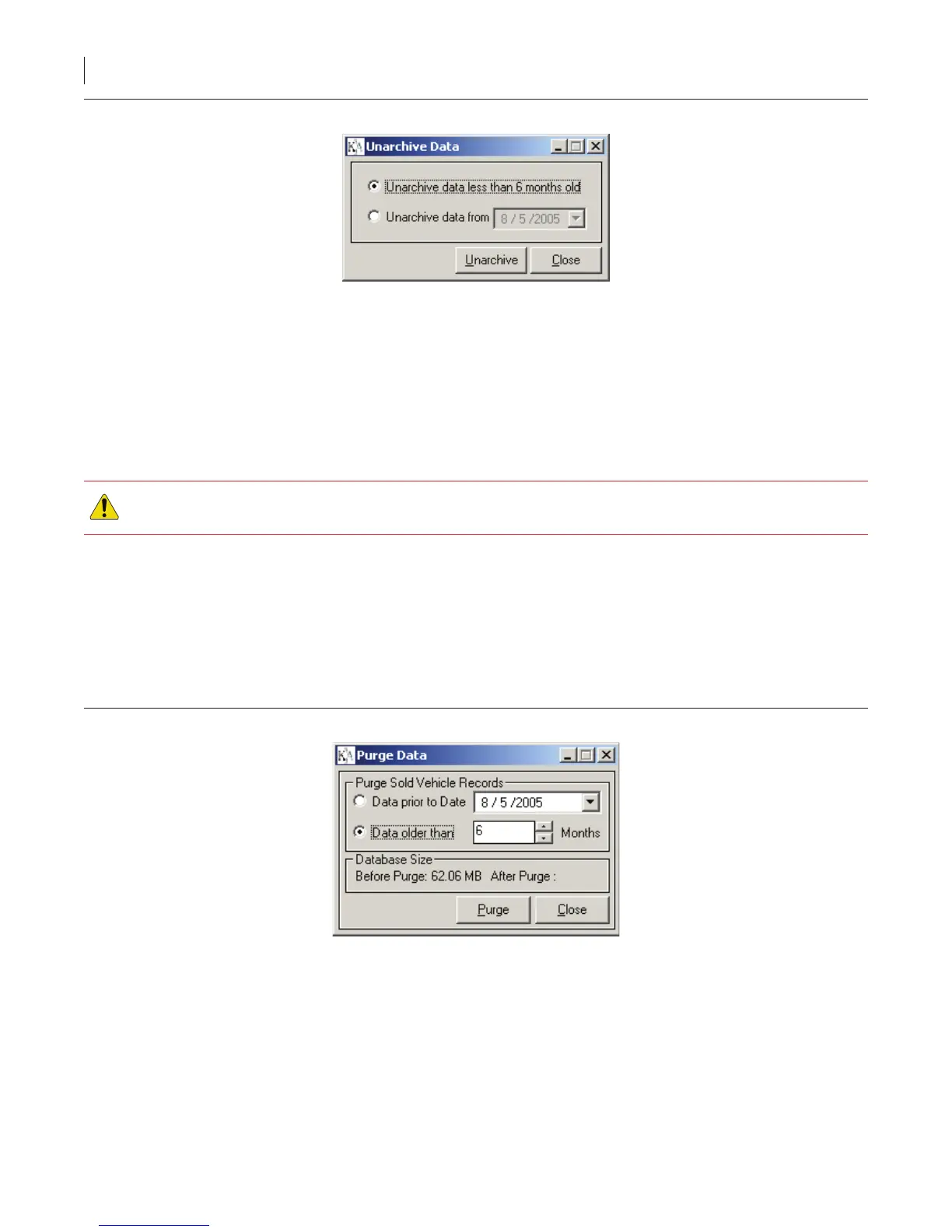
Figure 43. Less than six months old
5. Click Unarchive.
6. Click Yes to conrm unarchiving the records. A successful status message displays when the unarchive
function is complete.
Purging Vehicle Inventory Data
The KeyAdvantage software allows you to purge sold vehicle records. To maintain optimal system performance,
purge your sold vehicle inventory on a regular basis. Purged vehicle records are permanently deleted and will not
display in activity reports. Back up your system data before performing a purge.
CAUTION: Purged vehicle records are permanently deleted and will not display in activity reports. Back up
your system data before performing a purge..
To purge sold vehicle records, do the following:
1. Click Administrator > Database Maintenance.
2. Click Purge Data.
3. Enter your KeyAdvantage password.
4. Choose whether to purge data prior to a specic date or all data older than a specic number of months,
then enter the date or number of months, as shown in Figure 46.
Figure 46. Specic number of months
5. Click Purge.
6. The KeyAdvantage software asks if you’d like to create a backup le. Choose Yes or No. If you choose to
create a backup le, do the following:
a. Select the backup option: Entire Database, Conguration Data, or Conguration and User Information
Data.
b. Select the drive and folder to place the backup data.
c. Click Backup.



 To Next Page