60Chapter 5
Database Maintenance
Chapter 5. Database Maintenance
This chapter provides information for backing up, archiving, unarchiving, and purging the information in your
KeyAdvantage database.
Backing Up KeyAdvantage Data
The KeyAdvantage software can back up the KeyAdvantage data les to either a local drive or a mapped network
drive. You can schedule the backup to run at a specic time each day or initiate it at any time.
To schedule an automatic backup, do the following:
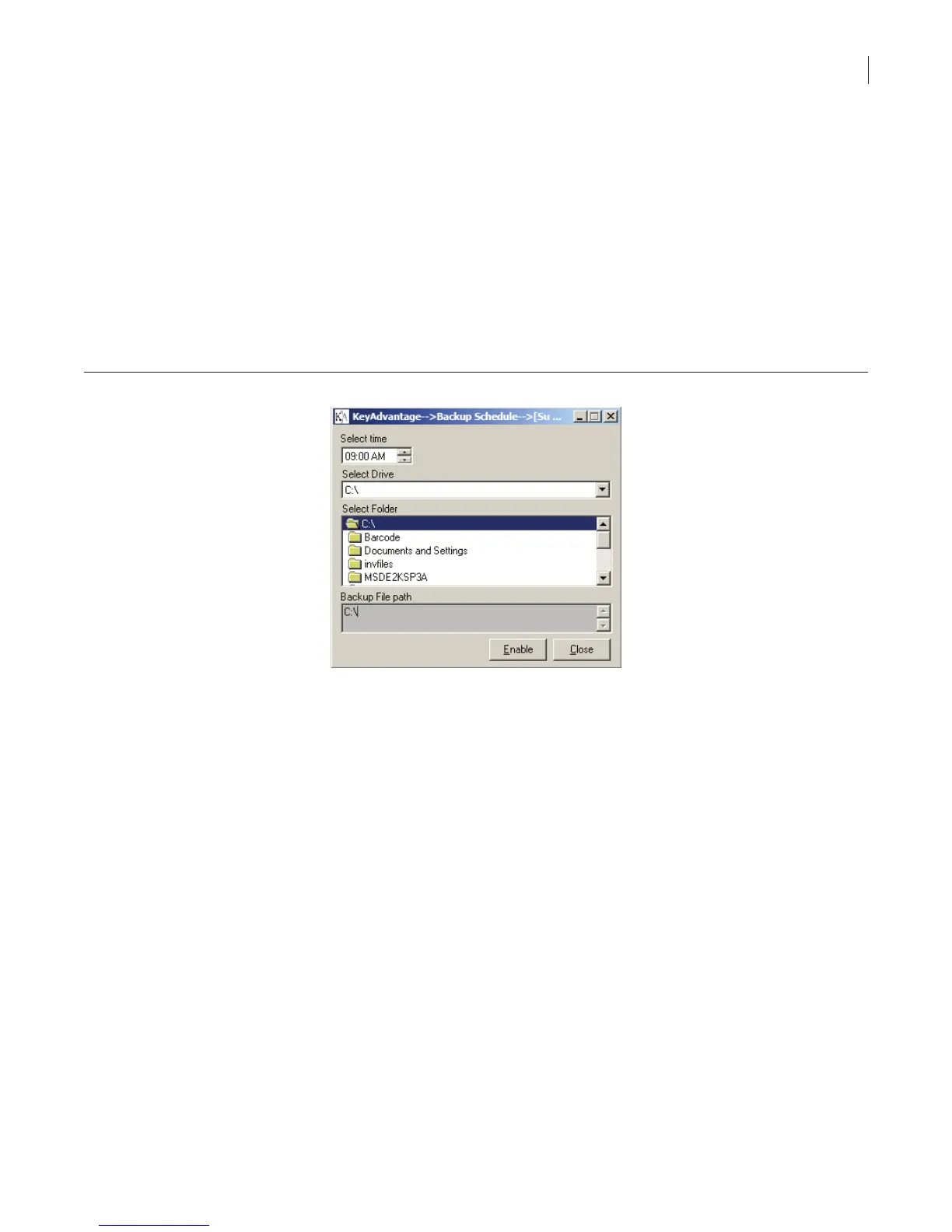
1. Click Administrator > Backup Schedule. The Backup Schedule window displays, as shown in
Figure 39.
Figure 39. Backup schedule window
2. Select the time for the automatic backup to occur each day.
3. Select the drive and folder to place the backup data.
4. Click Enable.
5. You will receive conrmation that you successfully backed up the schedule. Click OK.
6. Click Close.
To cancel a scheduled backup:
1. Click Administrator > Backup Schedule.
2. Click Disable.
3. Click Yes to conrm disabling the scheduled backup.
4. Click Close.
To initiate a manual backup:
1. Click Administrator > Database Maintenance.



 To Next Page