2
Chapter 1
Introduction
Chapter 1. Introduction
The KeyAdvantage System is an electronic KeyBox system designed to give
auto dealerships better control over access to vehicle keys.
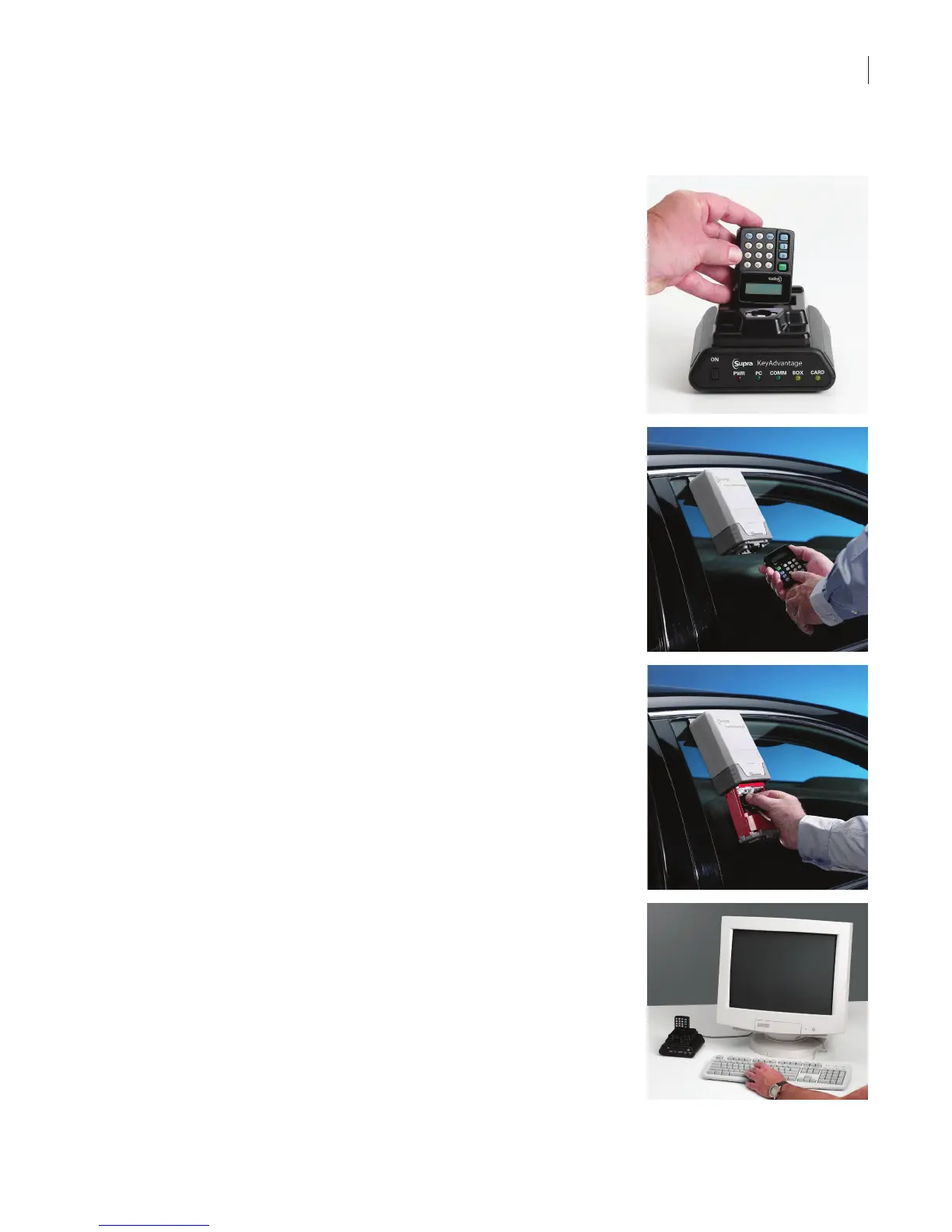
The KeyAdvantage system consists of:
• Electronic KeyPads, which are checked out by key holders.
• Electronic KeyBoxes, which are assigned to dealerships and
departments.
• Electronic KeyTags, which are assigned to specic vehicles.
• KeyAdvantage software, used to track activity, assign inventory, and
create user permissions.
• A programming base, which connects KeyAdvantage inventory to the
KeyAdvantage software.
They KeyAdvantage system can be congured one of two ways:
• Assign KeyPads to specic key holders: KeyPads are assigned to
specic key holders in the KeyAdvantage software. Key holders can
only check out KeyPads that are assigned to them. Any number of
KeyPads can be assigned to a key holder, but a KeyPad can only be
assigned to one key holder at a time.
• Allow key holders to check out any KeyPad: Key holders can check
out any KeyPad that is not already checked out. The key holder’s
information is stored in the KeyPad only for the duration of the key
holder’s shift. You can limit the number of KeyPads a key holder is
allowed to check out.
KeyAdvantage Overview
At the beginning of their shift, each salesperson checks out a KeyPad at the
KeyAdvantage computer. Checking out a KeyPad activates it and programs
the key holder’s PIN code and permissions into the KeyPad. In order to check
out a KeyPad, the key holder must be set as Active in the KeyAdvantage
software and within the set access hours.
If your system is congured to require purpose codes, key holders are required
to choose a description of why they are accessing the vehicles keys when they
access a KeyBox. Reports can be generated showing who accessed vehicle
keys and for what purpose.
Key holders access KeyBoxes by entering their PIN, selecting a purpose code,
and touching the KeyPad to the KeyBox. They can then open the KeyBox and
remove the vehicle keys. Both the KeyPad and KeyBox record who accessed
the vehicle keys, and the date and time of the access.
Before leaving the vehicle, the key holder returns the vehicle keys to the
KeyBox and closes it. The KeyPad can also be used to read the KeyBox and
instantly display who last took the vehicle key.
The key holder carries the KeyPad throughout his shift. At the end of the
shift, the key holder checks in the KeyPad, and the activity for that day is
downloaded into the KeyAdvantage software.



 To Next Page