53
KeyAdvantage User Manual
Programming KeyBoxes
To change the settings in a KeyBox, do the following:
1. Place the KeyBox in the programming base.
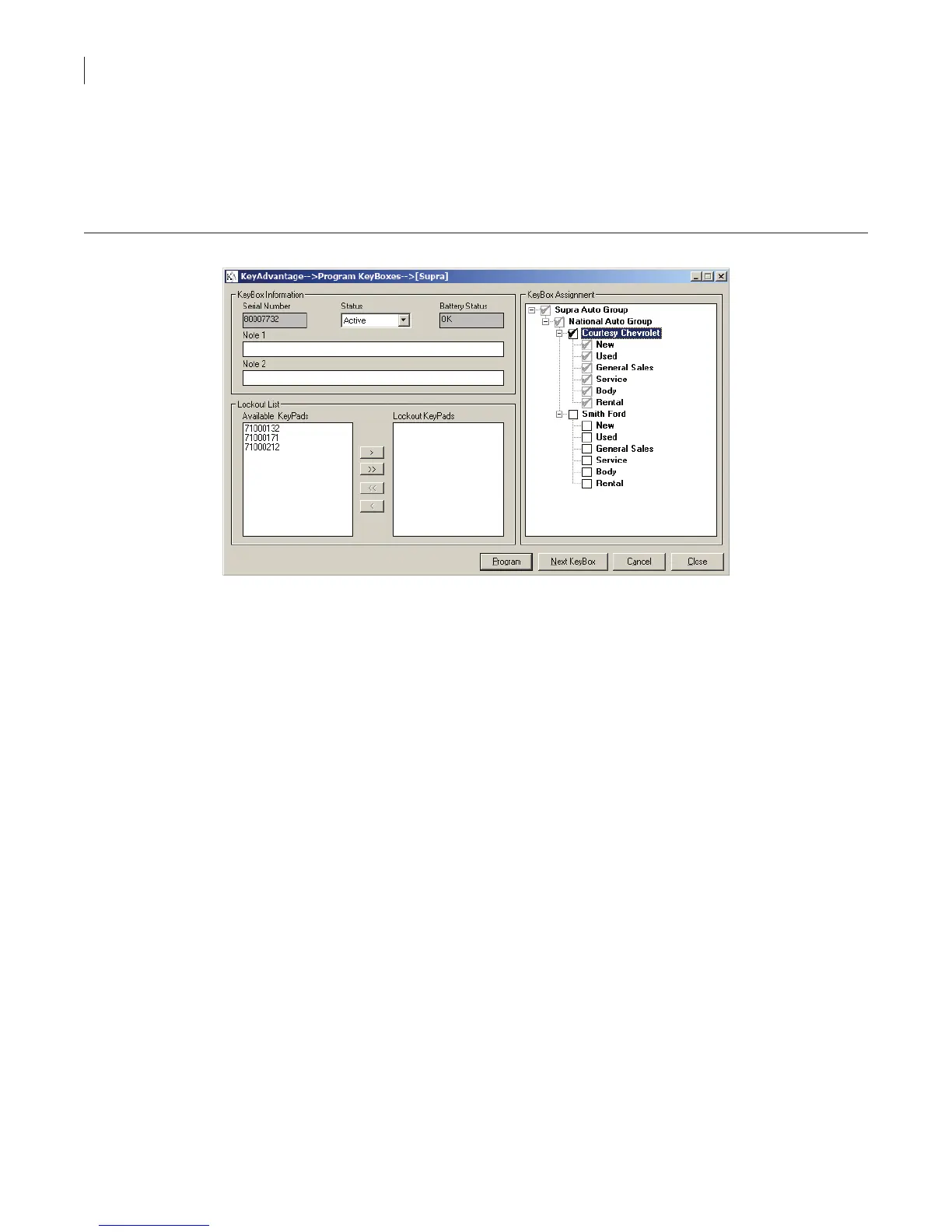
2. Click KeyBox > Program KeyBoxes. The Display KeyBoxes window displays, as shown in Figure 31.
Figure 31. Program KeyBoxes window
3. The current settings in the KeyBox display. You can change the following settings in a KeyBox:
Status of the KeyBox—There are two statuses for a KeyBox: Active and Inactive. Use Active for
KeyBoxes that are currently in use and Inactive for KeyBoxes that are not in use.
Notes—Add or edit KeyBox notes.
Lockout list—Add or change the KeyPads on the lockout list by selecting the KeyPad serial number and
clicking the appropriate arrow.
KeyBox assignment—You can change the dealerships or departments where the KeyBox is used if you
are logged in as a dealership administrator.
4. Click Program.
Reading KeyBoxes
The KeyBox Read menu option downloads and displays all of the vehicle access information stored in the
KeyBox. To access this information, do the following:
1. Place the KeyBox in the programming base.
2. Click KeyBox > KeyBox read. The KeyBox Read window displays, as shown in Figure 32.



 To Next Page