61
KeyAdvantage User Manual
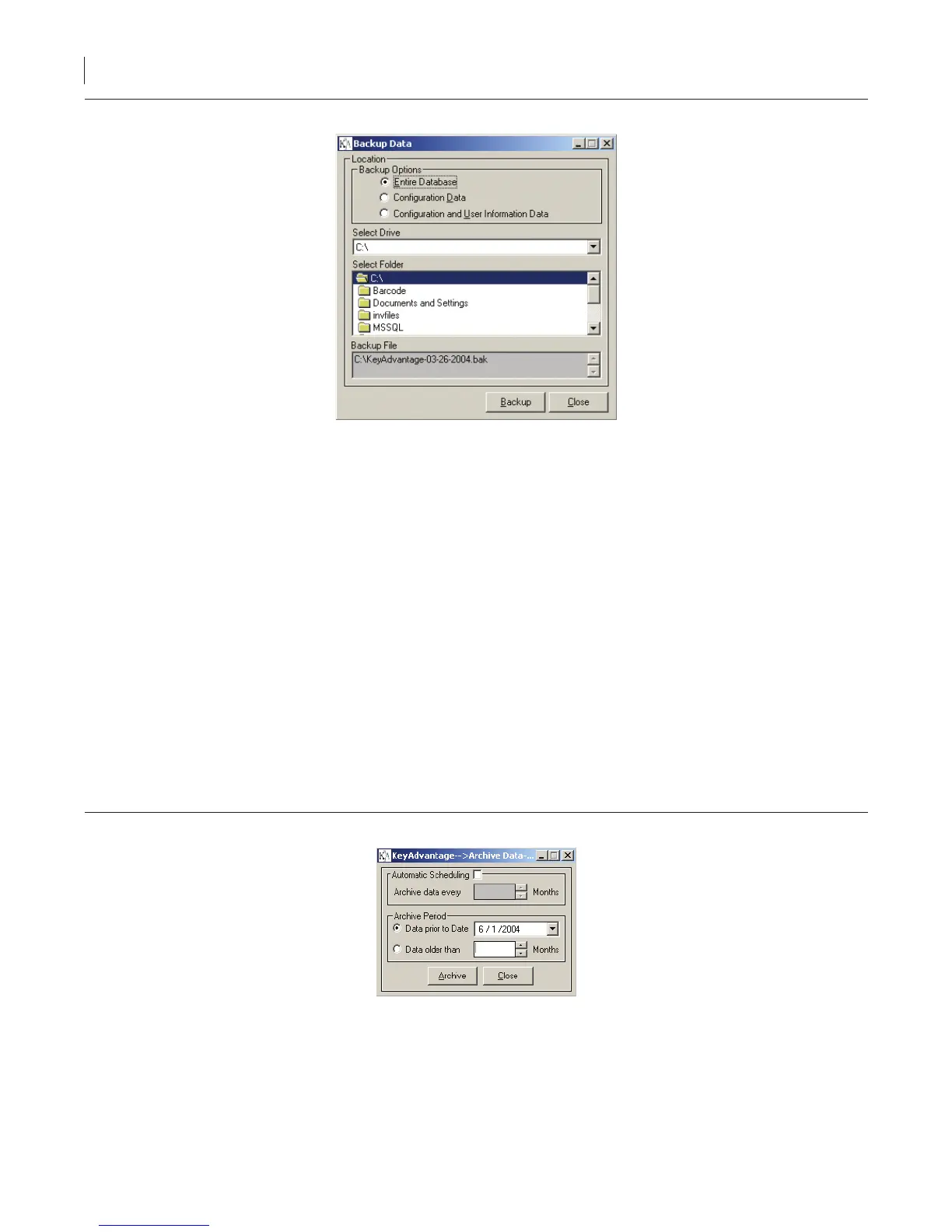
Figure 40. Manual backup
2. Click Backup Data.
3. Enter your KeyAdvantage login password.
4. Click OK.
5. Check whether to back up the entire database, the conguration data, or the conguration and user data.
6. Select the drive and folder to place the backup data.
7. Click Backup.
8. You can view a log showing the type of backup and the location when the backup completes.
Archiving KeyAdvantage Data
The KeyAdvantage system can archive any vehicle access information stored in the database. For optimal
system performance, archive any data over two months old. The server stores archived data separately and does
not display it in activity reports. You can retrieve archived data any time using the Unarchive Data function.
To manually archive data at any time, do the following:
1. Click Administrator > Database Maintenance.
2. Click Archive Data.
Figure 41. Manual archive
3. Enter your KeyAdvantage password.
4. Choose whether to archive data prior to a specic date or all data older than a specied number of
months, then enter the date or number of months.
5. Click Archive.



 To Next Page