SUPVAN Chapter 5 Operation of Function Key
23
This function is used for exiting the current operation. When return to the
previous menu or document input interface, use it.
Before inputting the print content, be sure to select media correctly. After
replacing print media, be sure to re-select the setting corresponding to
current media on tube printer. Failure to do so may affect the print effect,
cause a printing error, or even damage the print head.
This function makes a most reasonable input environment which matches up
with the current media.
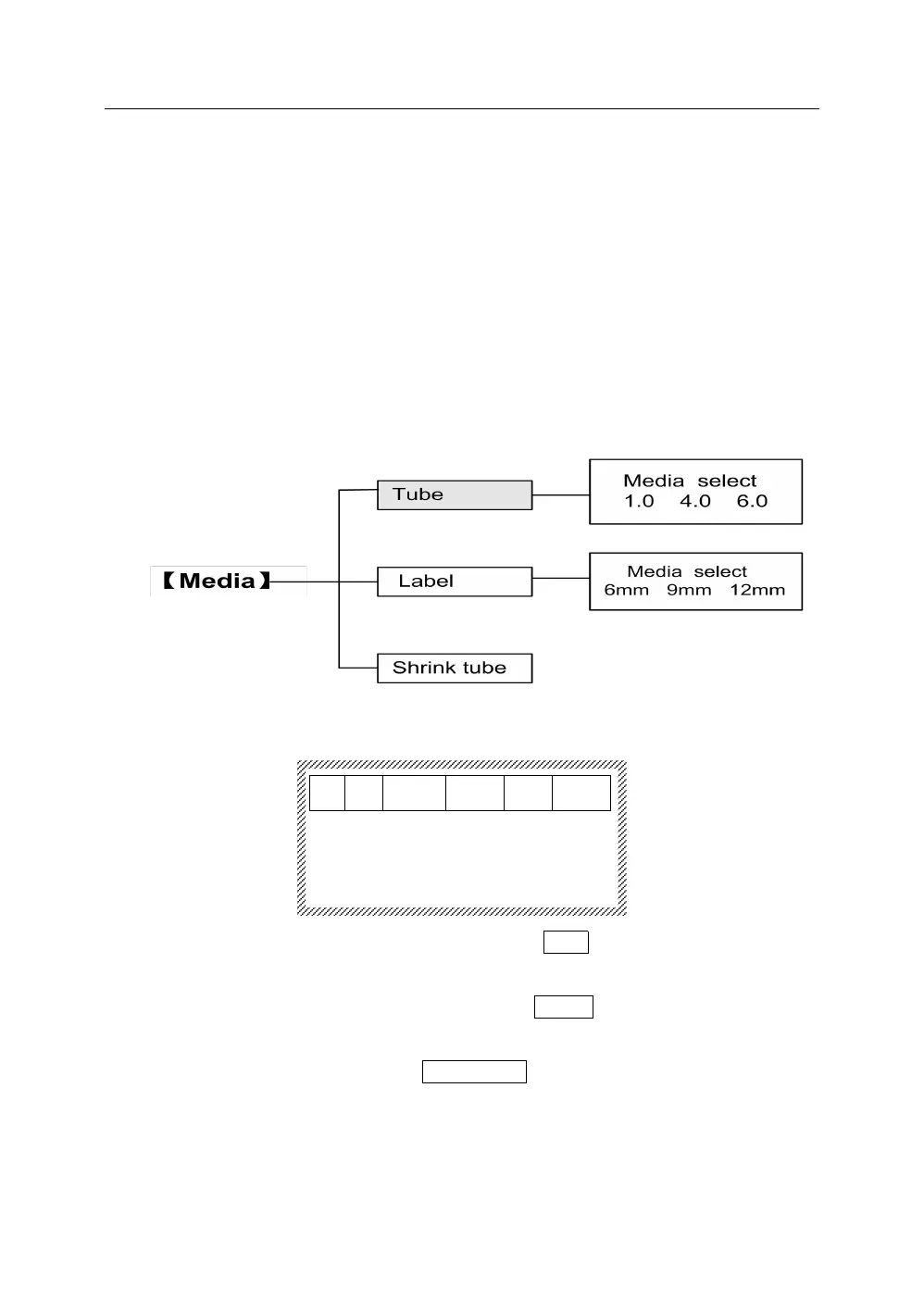
5.2.1 Press【Media】, it will display as below:
5.2.2 Press【↑】and【↓】, select the specific Tube media model. Then, press
【Enter】 to select tube size: 1.0, 4.0, 6.0.
5.2.3 Press【↑】and【↓】, select the specific Label media model. Then, press
【Enter】 to select label size: 6mm, 9mm, 12mm.
5.2.4 Press【↑】 and【↓】, select Shrink Tube, and press 【Enter】to go directly
into a document input interface.
Note:
After selecting media, when the character size is exceed the
maximum allowable printing character size of current media, there will



 To Next Page